
Push architecture docs to oh-my-mermaid cloud. Handles login, link, and push workflow with error guidance. Use when the user says "omm push", "push to cloud", "deploy architecture", or "share architecture".
npx mdskills install oh-my-mermaid/omm-pushRelated
@oh-my-mermaid? Sign in with GitHub to claim this listing.Well-structured cloud deployment workflow with clear error handling and user guidance
English | Türkçe | 한국어 | 日本語 | 中文
Oh-my-mermaid
AI writes code in seconds. Humans understand it in hours.
But skip understanding, the codebase becomes a black box — even to you.
omm closes the gap — architecture docs, generated by AI, for humans.
Paste this in your terminal:
npm install -g oh-my-mermaid && omm setup
Then open your AI coding tool and use the /omm-scan skill:
/omm-scan
That's it. View the result:
omm view
omm scanned itself. This is what it found.
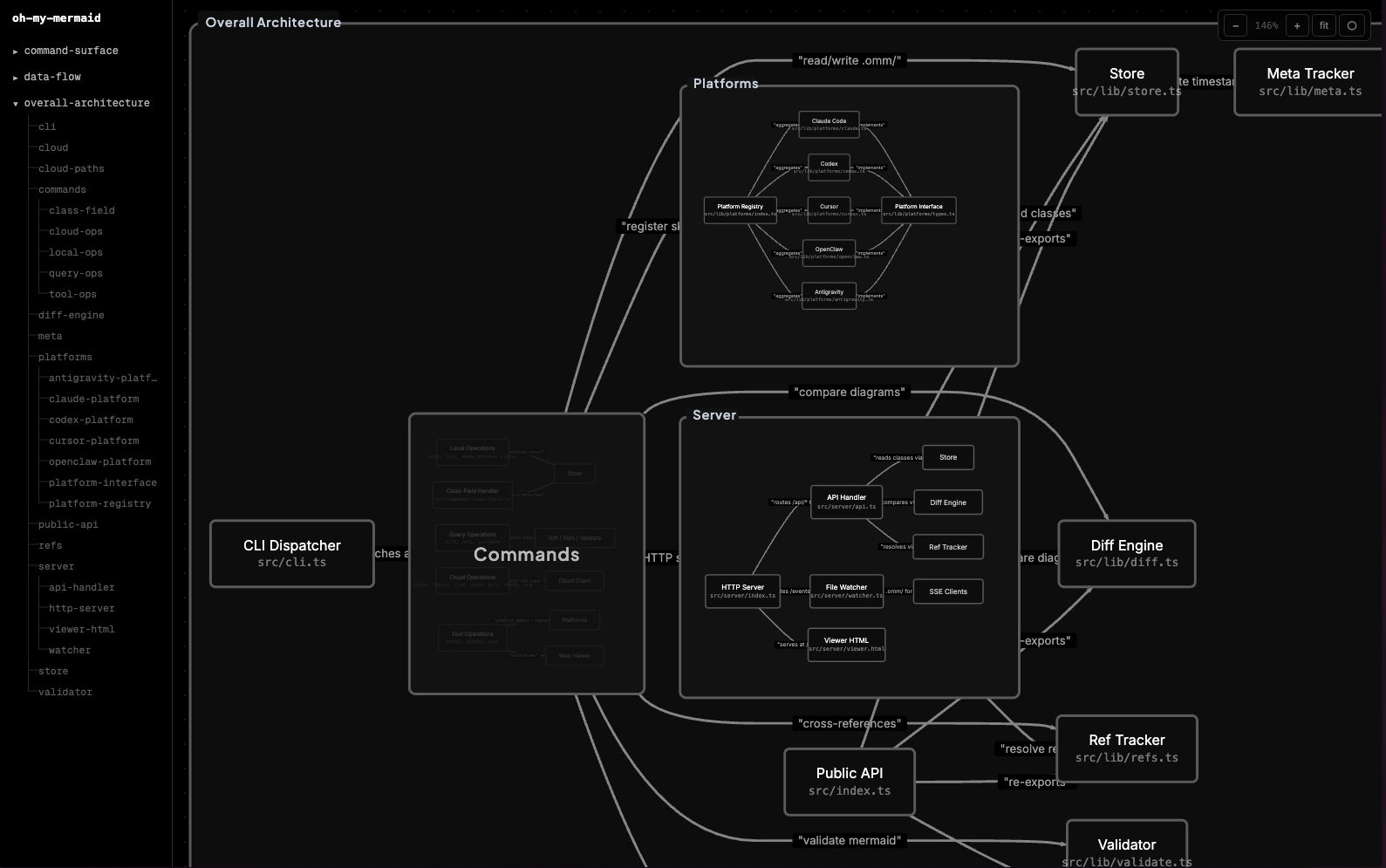
Your AI analyzes the codebase and generates perspectives — different lenses on your architecture (structure, data flow, integrations...). Each perspective contains a Mermaid diagram and documentation fields.
Every node gets recursively analyzed. Complex nodes become nested child elements with their own diagrams. Simple ones stay as leaves. The filesystem reflects the tree:
.omm/
├── overall-architecture/           ← perspective
│   ├── description.md
│   ├── diagram.mmd
│   ├── context.md
│   ├── main-process/               ← nested element
│   │   ├── description.md
│   │   ├── diagram.mmd
│   │   └── auth-service/           ← deeper nesting
│   │       └── ...
│   └── renderer/
│       └── ...
├── data-flow/
└── external-integrations/
The viewer auto-detects nesting from the filesystem — elements with children render as expandable groups, others as nodes.
Each element carries up to 7 fields: description, diagram, context, constraint, concern, todo, note.
omm setup                          # Register skills with your AI tools
omm view                           # Open interactive viewer
omm config language ko             # Set content language
omm update                         # Update to latest version
Run omm help for the full command list.
Skills are commands you run inside your AI coding tool (not the terminal). They start with /.
| Skill | What it does |
|---|---|
/omm-scan | Analyze codebase → generate architecture docs |
/omm-push | Login + link + push to cloud in one step |
You can store your architecture in the cloud via ohmymermaid.com.
omm login && omm link && omm push
It's private by default. Share with your team, or make it public like this example.
| Platform | Setup |
|---|---|
| Claude Code | omm setup claude |
| Codex | omm setup codex |
| Cursor | omm setup cursor |
| OpenClaw | omm setup openclaw |
| Antigravity | omm setup antigravity |
Run omm setup to auto-detect and configure all installed tools.
See docs/ROADMAP.md.
git clone https://github.com/oh-my-mermaid/oh-my-mermaid.git
cd oh-my-mermaid
npm install && npm run build
npm test
Issues and PRs welcome. Use Conventional Commits.
Install via CLI
npx mdskills install oh-my-mermaid/omm-pushOmm Push is a free, open-source AI agent skill. Push architecture docs to oh-my-mermaid cloud. Handles login, link, and push workflow with error guidance. Use when the user says "omm push", "push to cloud", "deploy architecture", or "share architecture".
Install Omm Push with a single command:
npx mdskills install oh-my-mermaid/omm-pushThis downloads the skill files into your project and your AI agent picks them up automatically.
Omm Push works with Claude Code, Claude Desktop, Cursor, Vscode Copilot, Windsurf, Continue Dev, Codex, Gemini Cli, Amp, Roo Code, Goose, Opencode, Trae, Qodo, Command Code. Skills use the open SKILL.md format which is compatible with any AI coding agent that reads markdown instructions.