
Live handbook: https://girijashankarj.github.io/cursor-handbook/ The open-source rules engine for Cursor IDE — 117 components (rules, agents, skills, commands, hooks) that turn your AI into a senior engineer who follows your standards, knows your codebase, and never wastes a token. If cursor-handbook helps you, consider giving it a ⭐ — it helps others discover it. - Ways to use - The Problem -
npx mdskills install girijashankarj/cursor-handbookRelated
@girijashankarj? Sign in with GitHub to claim this listing.Comprehensive Cursor IDE rules engine with 117 components covering standards, workflows, and automation
🌐 Live handbook: https://girijashankarj.github.io/cursor-handbook/
The open-source rules engine for Cursor IDE — 117 components (rules, agents, skills, commands, hooks) that turn your AI into a senior engineer who follows your standards, knows your codebase, and never wastes a token.
Stop teaching your AI the same things every session. cursor-handbook gives Cursor permanent memory of your standards, security policies, and workflows — across every project, every team member, every prompt.
If cursor-handbook helps you, consider giving it a ⭐ — it helps others discover it.
Pick the option that fits your workflow:
| Option | Best for |
|---|---|
| 1. Clone & copy | Use the full rules engine in your repo. Clone this repo, copy the .cursor folder into your project, then edit project.json and tailor rules/agents/skills to your stack. |
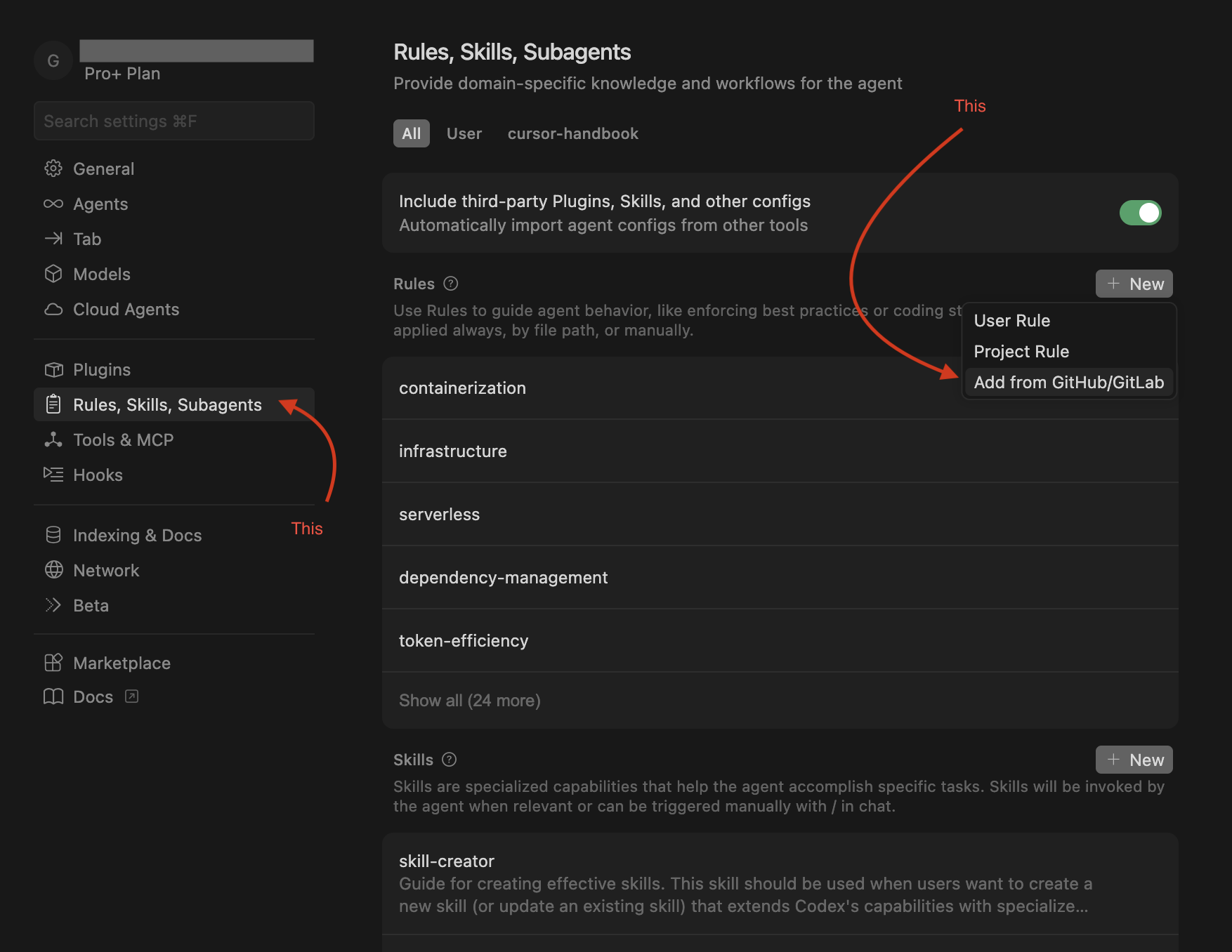
| 2. Add from GitHub (Cursor UI) | Use rules, skills, or agents without cloning. In Cursor IDE go to Settings → Rules / Skills / Agents, click Add new → Add from GitHub, and paste this repo’s clone URL. Add only what you need. |
 | 3. Fork & customize | Maintain your own version. Fork this repo, adapt the
 .cursor files for your team or product, then use that fork across your projects or share it internally. |
| 4. Pick and choose | Use individual components. Download only the production-ready, generic rules, skills, agents, commands, or hooks you need from this repo and drop them into your existing .cursor setup. |
| 5. Handbook website | Browse components or read Guidelines (Cursor IDE topics) in the browser — GitHub Pages (optional; clone, ZIP, and command line still work). |
Improvements welcome. If you want to add or improve rules, skills, hooks, agents, or commands, see CONTRIBUTING.md and open an issue or PR.
Forking? Replace
girijashankarjwith your GitHub org/username in badges, clone URLs,scripts/setup-cursor.sh,.github/CODEOWNERS, and docs before pushing.
Every time you open Cursor IDE, your AI assistant starts from zero. It doesn't know your:
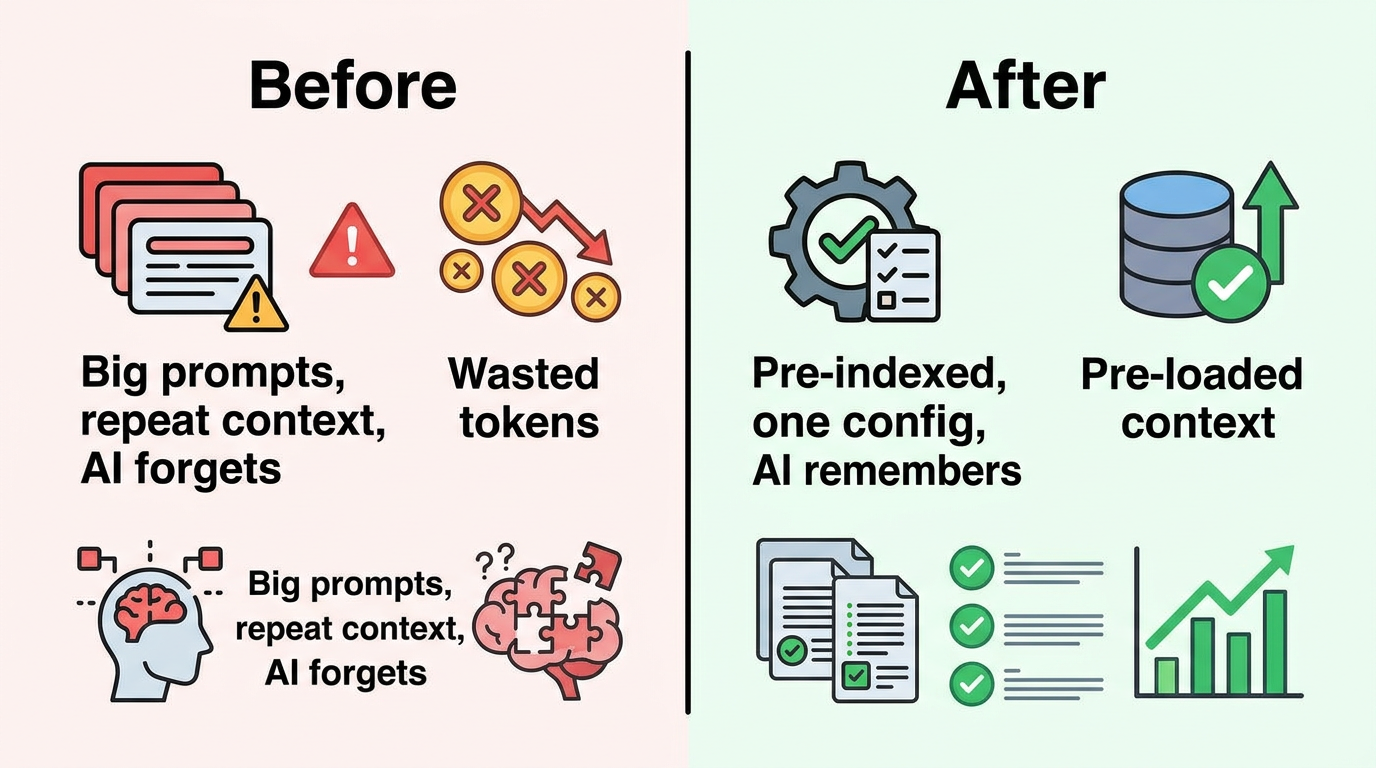
You end up repeating yourself, burning tokens, and fixing the same mistakes. cursor-handbook fixes this permanently.
| Before cursor-handbook | After cursor-handbook |
|---|---|
| AI hardcodes API keys | Security rules block it |
| AI runs full test suite (~100K tokens) | Uses type-check (~10K) or single-file tests |
| You repeat conventions every session | Rules remember them — always on |
| Inconsistent code across team | One rules engine, one standard |
| No guardrails on expensive ops | Hooks warn or block dangerous commands |
| Audience | Benefit |
|---|---|
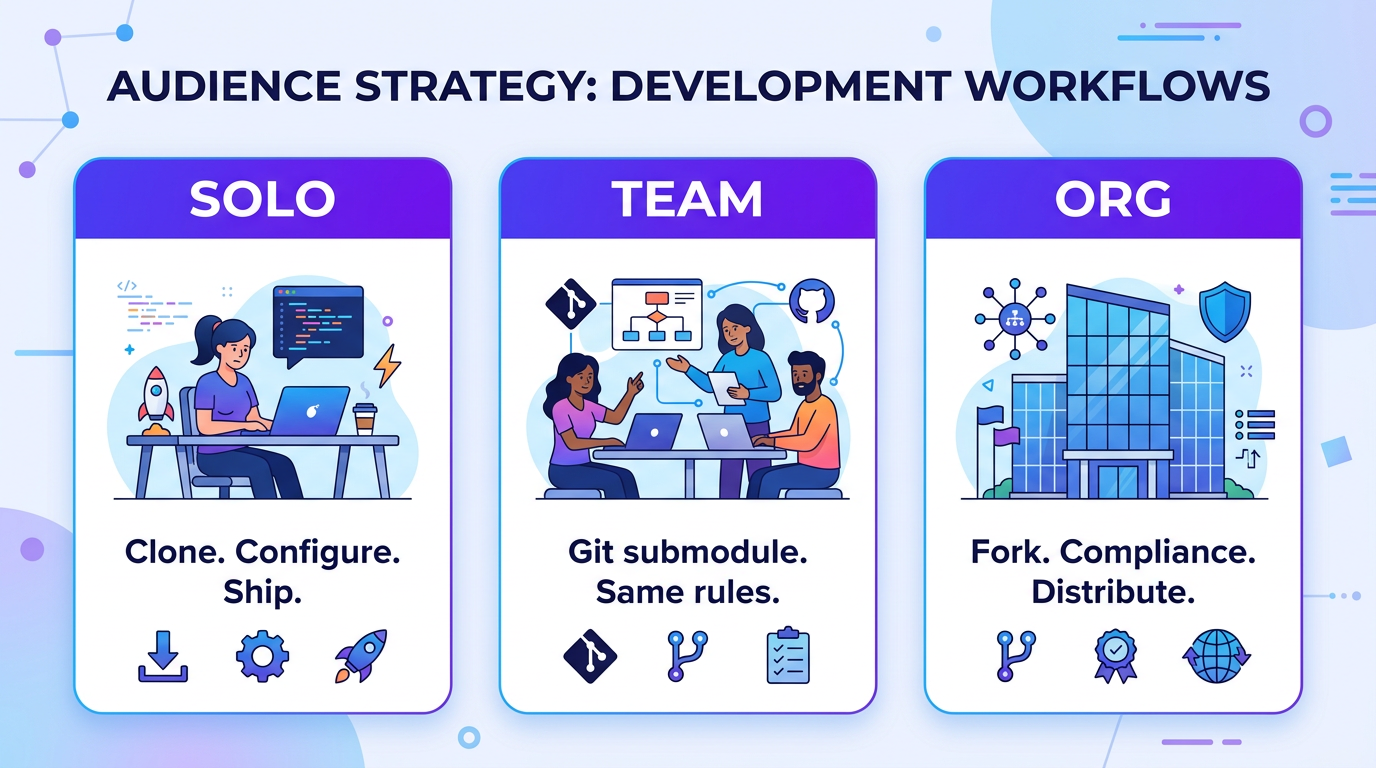
| Solo developers | Consistent AI behavior without repeating yourself every session |
| Teams | Shared standards; everyone gets the same guardrails and conventions |
| Enterprises | Security, compliance, and token efficiency built in from day one |
graph TB
    subgraph INPUT ["Your Prompt"]
        A[Developer types a prompt in Cursor]
    end

    subgraph HOOKS_PRE ["Pre-Processing Hooks"]
        B[context-enrichment.sh
Injects project context]
        C[shell-guard.sh
Blocks dangerous commands]
    end

    subgraph ENGINE ["cursor-handbook Engine"]
        D[30 Rules
Always-applied standards]
        E[34 Agents
Specialized AI assistants]
        F[22 Skills
Step-by-step workflows]
        G[14 Commands
Quick actions]
    end

    subgraph CONFIG ["Project Settings"]
        H[project.json
Your project settings]
    end

    subgraph HOOKS_POST ["Post-Processing Hooks"]
        I[post-edit-check.sh
Validates changes]
        J[auto-format.sh
Formats code]
        K[coverage-check.sh
Verifies thresholds]
    end

    subgraph OUTPUT ["AI Response"]
        L[Code that follows YOUR standards
with 30%+ fewer tokens]
    end

    A --> B --> C --> D
    D --> E & F & G
    H -.->|configures| D & E & F & G
    E & F & G --> I --> J --> K --> L

    style INPUT fill:#1a1a2e,stroke:#e94560,color:#fff
    style HOOKS_PRE fill:#16213e,stroke:#0f3460,color:#fff
    style ENGINE fill:#0f3460,stroke:#533483,color:#fff
    style CONFIG fill:#533483,stroke:#e94560,color:#fff
    style HOOKS_POST fill:#16213e,stroke:#0f3460,color:#fff
    style OUTPUT fill:#1a1a2e,stroke:#00d2ff,color:#fff
%%{init: {'theme': 'neutral'}}%%
mindmap
  root((cursor-handbook
117 Components))
    Rules — 30
      Architecture — 3
      Backend — 6
      Frontend — 4
      Security — 3
      Database — 3
      Cloud — 3
      Testing — 3
      DevOps — 3
      Core — 1
    Agents — 34
      Architecture — 3
      Backend — 7
      Frontend — 4
      Testing — 4
      Database — 2
      Security — 3
      Cloud — 3
      DevOps — 3
      Business — 2
      AI/ML — 1
      Docs — 1
      Platform — 1
    Skills — 21
      Backend — 4
      Frontend — 2
      Testing — 2
      Database — 3
      Cloud — 3
      DevOps — 4
      Docs — 3
    Commands — 14
    Hooks — 12
    Templates — 9
| Layer | Count | What It Does | How It's Triggered |
|---|---|---|---|
| Rules | 30 | Enforces coding standards on every AI interaction | Automatically — always on |
| Agents | 34 | Specialized assistants for complex tasks | On demand — /agent-name |
| Skills | 22 | Step-by-step guided workflows with checklists | Contextually — when patterns match |
| Commands | 14 | Lightweight, token-efficient quick actions | On demand — /command |
| Hooks | 12 | Automation scripts in the AI loop | Event-driven — before/after actions |
| Templates | 9 | Scaffolding for handlers, components, tests, etc. | Referenced by skills and agents |
Note: The 117 component count = Rules + Agents + Skills + Commands + Hooks. Templates (9) are supporting assets referenced by skills and agents.
graph LR
    A["1. Clone"] --> B["2. Setup"] --> C["3. Restart"] --> D["4. Verify"]

    style A fill:#22c55e,stroke:#16a34a,color:#fff,stroke-width:2px
    style B fill:#3b82f6,stroke:#2563eb,color:#fff,stroke-width:2px
    style C fill:#f59e0b,stroke:#d97706,color:#fff,stroke-width:2px
    style D fill:#8b5cf6,stroke:#7c3aed,color:#fff,stroke-width:2px
git clone https://github.com/girijashankarj/cursor-handbook.git .cursor && make -f .cursor/Makefile init
Then edit .cursor/config/project.json and restart Cursor.
# Into your existing project
git clone https://github.com/girijashankarj/cursor-handbook.git .cursor
# Option A: One-command setup
make init

# Option B: Interactive generator
./scripts/init-project-config.sh

# Option C: Manual copy
cp .cursor/config/project.json.template .cursor/config/project.json
Edit .cursor/config/project.json — replace placeholders with your project details:
{
	"project": { "name": "my-api", "description": "Order management service" },
	"techStack": {
		"language": "TypeScript",
		"framework": "Express.js",
		"database": "PostgreSQL",
		"testing": "Jest",
		"packageManager": "pnpm"
	},
	"testing": {
		"coverageMinimum": 90,
		"testCommand": "pnpm run test",
		"typeCheckCommand": "pnpm run type-check"
	}
}
Close and reopen Cursor. All 117 components are now active.
Try any of these:
/type-check          → Runs type checking (saves ~90K tokens vs full tests)
/code-reviewer       → AI reviews your code like a senior engineer
/generate-handler    → Scaffolds a complete API handler
curl -fsSL https://raw.githubusercontent.com/girijashankarj/cursor-handbook/main/scripts/setup-cursor.sh | bash
git submodule add https://github.com/girijashankarj/cursor-handbook.git .cursor
make init
# Or: cp .cursor/config/project.json.template .cursor/config/project.json
Here's what happens at every stage of your development workflow:
sequenceDiagram
    actor Dev as Developer
    participant C as Cursor IDE
    participant H as Hooks
    participant R as Rules (30)
    participant A as Agents/Skills
    participant Code as Codebase

    Dev->>C: Types prompt or command
    C->>H: beforeSubmitPrompt
    H->>H: Enrich with project context
    H->>H: Guard against expensive ops
    H->>R: Pass enriched prompt
    R->>R: Apply 30 always-on rules
    Note over R: Token efficiency
Security guardrails
Code standards
Architecture patterns
    R->>A: Route to agent/skill/command
    A->>Code: Generate or modify code
    Code->>H: afterFileEdit
    H->>H: Post-edit checks
    H->>H: Auto-format
    H->>H: Secret scan
    H-->>Dev: Clean, standards-compliant code

    Note over Dev,Code: Every interaction is governed by your rules.
No exceptions. No token waste.
| What You Want | What You Type | What Happens |
|---|---|---|
| Build a new endpoint | "Create a POST /orders endpoint" | Skill triggers full handler scaffolding (9 files, 7-step flow) |
| Review code | /code-reviewer | Agent checks security, performance, correctness, tests |
| Fix broken tests | /testing-agent fix these tests | Skill diagnoses failures, fixes mocks, verifies coverage |
| Quick validation | /type-check | Runs type check (~10K tokens) instead of full tests (~100K) |
| Deploy safely | /deployment-agent | Agent generates deployment checklist with rollback plan |
| Optimize a query | /query-opt-agent | Agent runs EXPLAIN ANALYZE, rewrites query, adds indexes |
Every prompt flows through a layered processing pipeline that ensures quality, security, and efficiency:
graph TD
    subgraph L1 ["Layer 1: Pre-Processing"]
        direction LR
        A1[Context Enrichment] --> A2[Shell Guard] --> A3[Pre-Commit Check]
    end

    subgraph L2 ["Layer 2: Rules Engine — Always Active"]
        direction LR
        B1[Token Efficiency] --> B2[Security Guardrails] --> B3[Code Standards]
        B3 --> B4[Architecture] --> B5[Testing Standards]
    end

    subgraph L3 ["Layer 3: Specialized Processing"]
        direction LR
        C1[Agents
Complex tasks]
        C2[Skills
Guided workflows]
        C3[Commands
Quick actions]
    end

    subgraph L4 ["Layer 4: Post-Processing"]
        direction LR
        D1[Edit Validation] --> D2[Auto-Format] --> D3[Coverage Check]
    end

    L1 --> L2 --> L3 --> L4

    style L1 fill:#1e293b,stroke:#475569,color:#fff
    style L2 fill:#0c4a6e,stroke:#0284c7,color:#fff
    style L3 fill:#3730a3,stroke:#6366f1,color:#fff
    style L4 fill:#1e293b,stroke:#475569,color:#fff
Layer 1 — Pre-Processing (Hooks) Before your prompt even reaches the AI, hooks inject your project context, block dangerous shell commands, and validate git operations.
Layer 2 — Rules Engine (30 Rules, Always Active) Every AI response is shaped by your rules. These aren't suggestions — they're hard constraints:
| Rule Category | What It Enforces |
|---|---|
| Token Efficiency | No auto-running full tests/lint; confirm 50K+ ops |
| Security | No hardcoded secrets; no PII in logs; parameterized queries |
| Architecture | Handler pattern; dependency direction; error hierarchy |
| Code Organization | Naming conventions; import order; folder structure |
| Database | Soft delete only; required columns; migration safety |
| Testing | 90%+ coverage; mock patterns; AAA pattern |
Layer 3 — Specialized Processing Based on your prompt, the right component activates: an agent for complex tasks, a skill for guided workflows, or a command for quick operations.
Layer 4 — Post-Processing (Hooks) After code is generated, hooks validate the output, auto-format files, scan for leaked secrets, and verify test coverage.
cursor-handbook is engineered to cut your AI token costs by 30% or more:
pie title Token Usage Comparison (per operation)
    "Type Check (cursor-handbook)" : 10
    "Saved vs Full Tests" : 90
| Without cursor-handbook | With cursor-handbook | Tokens Saved |
|---|---|---|
| Full test suite: ~100K tokens | /type-check: ~10K tokens | ~90K (90%) |
| Full lint run: ~50K tokens | /lint-check (read_lints): ~2K tokens | ~48K (96%) |
| Full test suite: ~100K tokens | /test-single: ~5K tokens | ~95K (95%) |
| Unfiltered context: ~30K tokens | Context layering: ~10K tokens | ~20K (67%) |
| Verbose AI output: ~15K tokens | Concise guidelines: ~5K tokens | ~10K (67%) |
Conservative estimate: A developer making 50 AI interactions/day saves ~200K tokens/day — that's real money at scale.
cursor-handbook is 100% project-driven. Every component adapts to your project through a single file:
graph TB
    PJ["project.json
Your Configuration"]

    PJ --> R["Rules
{{CONFIG.techStack.language}}
{{CONFIG.testing.coverageMinimum}}"]
    PJ --> A["Agents
{{CONFIG.techStack.framework}}
{{CONFIG.paths.handlerBasePath}}"]
    PJ --> S["Skills
{{CONFIG.patterns.handlerFlow}}
{{CONFIG.fileNames.handlerEntry}}"]
    PJ --> CMD["Commands
{{CONFIG.testing.testCommand}}
{{CONFIG.testing.typeCheckCommand}}"]
    PJ --> H["Hooks
{{CONFIG.project.name}}
{{CONFIG.database.softDeleteField}}"]

    style PJ fill:#f59e0b,stroke:#d97706,color:#000,stroke-width:3px
    style R fill:#3b82f6,stroke:#2563eb,color:#fff
    style A fill:#8b5cf6,stroke:#7c3aed,color:#fff
    style S fill:#22c55e,stroke:#16a34a,color:#fff
    style CMD fill:#ef4444,stroke:#dc2626,color:#fff
    style H fill:#06b6d4,stroke:#0891b2,color:#fff
| Section | What It Controls | Example |
|---|---|---|
project | Project identity | Name, description, repo URL |
techStack | Language, framework, tools | TypeScript + Express or Python + FastAPI |
paths | Directory structure | Where handlers, services, and common code live |
domain | Business entities | Order, Product, Customer + lifecycle states |
patterns | Code patterns | 7-step handler flow, error handling strategy |
testing | Quality gates | 90% coverage, test/lint/type-check commands |
database | DB conventions | Soft delete field, timestamp columns, naming |
packages | Internal packages | @your-org scope, registry URL |
conventions | Git and workflow | Branch prefixes, commit format, PR templates |
Don't start from scratch — pick your stack:
| Stack | File | Language | Framework |
|---|---|---|---|
| TypeScript/Express | examples/typescript-express/ | TypeScript | Express.js |
| TypeScript/NestJS | examples/typescript-nest/ | TypeScript | NestJS |
| Python/FastAPI | examples/python-fastapi/ | Python | FastAPI |
| Go/Chi | examples/go-chi/ | Go | Chi |
| React SPA | examples/react/ | TypeScript | React |
| Next.js | examples/nextjs/ | TypeScript | Next.js |
| Rust/Actix | examples/rust-actix/ | Rust | Actix Web |
| Kotlin/Spring | examples/kotlin-spring/ | Kotlin | Spring Boot |
| Flutter | examples/flutter/ | Dart | Flutter |
# Use a pre-made preset
cp examples/typescript-express/project.json .cursor/config/project.json
# Then customize with your project specifics
Rules are the backbone. They load on every interaction, every time, with zero effort.
graph LR
    subgraph MAIN ["Core"]
        M[main-rules]
    end

    subgraph ARCH ["Architecture"]
        A1[token-efficiency]
        A2[core-principles]
        A3[dependency-mgmt]
    end

    subgraph BE ["Backend"]
        B1[handler-patterns]
        B2[code-organization]
        B3[error-handling]
        B4[api-design]
        B5[typescript]
        B6[nodejs]
    end

    subgraph FE ["Frontend"]
        F1[components]
        F2[accessibility]
        F3[state-mgmt]
        F4[performance]
    end

    subgraph SEC ["Security"]
        S1[guardrails]
        S2[secrets]
        S3[compliance]
    end

    subgraph DB ["Database"]
        D1[query-patterns]
        D2[schema-design]
        D3[migrations]
    end

    subgraph CLD ["Cloud"]
        C1[infrastructure]
        C2[serverless]
        C3[containers]
    end

    subgraph TST ["Testing"]
        T1[standards]
        T2[mocks]
        T3[integration]
    end

    subgraph OPS ["DevOps"]
        O1[ci-cd]
        O2[monitoring]
        O3[documentation]
    end

    M --> ARCH & BE & FE & SEC & DB & CLD & TST & OPS
| Domain | Agent | Invocation | Best For |
|---|---|---|---|
| Architecture | Design Agent | /design-agent | System design, trade-off analysis |
| Refactoring Agent | /refactoring-agent | Safe incremental refactoring | |
| Migration Agent | /migration-agent | Framework upgrades, migrations | |
| Backend | Code Reviewer | /code-reviewer | PR reviews, security checks |
| Implementation Agent | /implementation-agent | Building features end-to-end | |
| Debugging Agent | /debugging-agent | Root cause analysis | |
| API Agent | /api-agent | REST API design | |
| Performance Agent | /performance-agent | Bottleneck identification | |
| Database Agent | /database-agent | Schema design, queries | |
| Event Handler Agent | /event-handler-agent | Async event processing | |
| Frontend | UI Component Agent | /ui-component-agent | Accessible components |
| State Agent | /state-agent | State management decisions | |
| Styling Agent | /styling-agent | CSS architecture, theming | |
| Frontend Perf Agent | /frontend-perf-agent | Core Web Vitals optimization | |
| Testing | Testing Agent | /testing-agent | Write comprehensive tests |
| E2E Agent | /e2e-agent | End-to-end test flows | |
| Load Test Agent | /load-test-agent | Performance benchmarking | |
| Security Test Agent | /security-test-agent | Vulnerability scanning | |
| Database | Schema Agent | /schema-agent | Schema design, ER diagrams |
| Query Opt Agent | /query-opt-agent | Query performance tuning | |
| Security | Security Audit Agent | /security-audit-agent | Comprehensive security audit |
| Auth Agent | /auth-agent | Auth flows, RBAC | |
| Compliance Agent | /compliance-agent | GDPR, SOC 2, HIPAA | |
| Cloud | Infra Agent | /infra-agent | IaC, cloud architecture |
| Deployment Agent | /deployment-agent | Zero-downtime deployments | |
| Cost Agent | /cost-agent | Cloud cost optimization | |
| DevOps | CI/CD Agent | /ci-cd-agent | Pipeline design |
| Monitoring Agent | /monitoring-agent | Observability setup | |
| Incident Agent | /incident-agent | Incident response | |
| Business | Requirements Agent | /requirements-agent | User stories, specs |
| Estimation Agent | /estimation-agent | Effort estimation | |
| AI/ML | Prompt Agent | /prompt-agent | Prompt engineering |
| Docs | Docs Agent | /docs-agent | Technical documentation |
| Platform | DX Agent | /dx-agent | Developer experience |
graph LR
    TC["/type-check
~10K tokens"] ---|saves 90K vs| FT["Full Tests
~100K tokens"]
    TS["/test-single
~5K tokens"] ---|saves 95K vs| FT
    LC["/lint-check
~2K tokens"] ---|saves 48K vs| FL["Full Lint
~50K tokens"]

    style TC fill:#22c55e,stroke:#16a34a,color:#fff
    style TS fill:#22c55e,stroke:#16a34a,color:#fff
    style LC fill:#22c55e,stroke:#16a34a,color:#fff
    style FT fill:#ef4444,stroke:#dc2626,color:#fff
    style FL fill:#ef4444,stroke:#dc2626,color:#fff
| Command | What It Does | Why It's Better |
|---|---|---|
/type-check | TypeScript type validation | 10K tokens vs 100K for full tests |
/lint-check | Use read_lints tool | 2K tokens vs 50K for full lint |
/lint-fix | Auto-fix lint issues | One-step lint resolution |
/format | Format code files | Consistent formatting |
/generate-handler | Scaffold API handler | Full 9-file handler in seconds |
/test-single | Test one file only | 5K tokens vs 100K for full suite |
/test-coverage | Coverage report | Targeted coverage analysis |
/coverage | Quick coverage check | Fast coverage snapshot |
/build | Build the project | Validated production build |
/deploy | Deploy the application | Guided deployment flow |
/docker-build | Build Docker image | Correct multi-stage build |
/audit-deps | Vulnerability scan | Catch CVEs before shipping |
/audit | Full security audit | Comprehensive security check |
/check-secrets | Secret detection | Find leaked keys before commit |
cursor-handbook is designed to scale from solo developer to enterprise teams:
graph TD
    subgraph SOLO ["Solo Developer"]
        S1[Clone cursor-handbook
into .cursor/]
        S2[Customize project.json]
        S3[Commit to your project]
    end

    subgraph TEAM ["Team Sharing"]
        T1[Fork cursor-handbook]
        T2[Add team-specific rules]
        T3[Share as Git submodule
in all team repos]
    end

    subgraph ORG ["Organization-Wide"]
        O1[Maintain internal fork]
        O2[Add org standards
& compliance rules]
        O3[Distribute via
internal package registry]
    end

    subgraph OSS ["Open Source"]
        OS1[Contribute rules & agents
back to cursor-handbook]
        OS2[Share stack-specific
examples]
        OS3[Build community
components]
    end

    SOLO --> TEAM --> ORG
    SOLO --> OSS
    TEAM --> OSS

    style SOLO fill:#22c55e,stroke:#16a34a,color:#fff
    style TEAM fill:#3b82f6,stroke:#2563eb,color:#fff
    style ORG fill:#8b5cf6,stroke:#7c3aed,color:#fff
    style OSS fill:#f59e0b,stroke:#d97706,color:#000
| Level | Method | Best For |
|---|---|---|
| Personal | Clone directly into .cursor/ | Solo developers, personal projects |
| Team | Git submodule in shared repos | Small teams (2-10 developers) |
| Organization | Internal fork with org-specific rules | Companies with coding standards |
| Community | PR contributions to this repo | Open source stack-specific configs |
# One team member sets it up
git submodule add https://github.com/your-org/cursor-handbook.git .cursor
git commit -m "feat: add cursor-handbook for team standards"
git push

# Every other team member gets it automatically
git pull
git submodule update --init
make init

# Update across the team
cd .cursor && git pull origin main && cd ..
git add .cursor && git commit -m "chore: update cursor-handbook"
# 1. Fork cursor-handbook to your org
# 2. Add org-specific rules
# 3. All teams use the org fork as their submodule
git submodule add https://github.com/girijashankarj/cursor-handbook.git .cursor
cursor-handbook/
├── .cursor/
│   ├── config/                    # project.json, schema, templates
│   │   ├── project.json.template  #   Template (start here)
│   │   ├── project.json.example   #   Complete example
│   │   └── project-schema.json    #   JSON Schema validation
│   ├── rules/                     # 30 always-applied rules
│   │   ├── main-rules.mdc        #   Master rules
│   │   ├── architecture/          #   3 architecture rules
│   │   ├── backend/               #   6 backend rules
│   │   ├── frontend/              #   4 frontend rules
│   │   ├── security/              #   3 security rules
│   │   ├── database/              #   3 database rules
│   │   ├── cloud/                 #   3 cloud rules
│   │   ├── testing/               #   3 testing rules
│   │   └── devops/                #   3 devops rules
│   ├── agents/                    # 34 specialized AI agents
│   │   ├── architecture/          #   3 agents
│   │   ├── backend/               #   7 agents
│   │   ├── frontend/              #   4 agents
│   │   ├── testing/               #   4 agents
│   │   ├── database/              #   2 agents
│   │   ├── security/              #   3 agents
│   │   ├── cloud/                 #   3 agents
│   │   ├── devops/                #   3 agents
│   │   ├── business/              #   2 agents
│   │   ├── ai-ml/                 #   1 agent
│   │   ├── documentation/         #   1 agent
│   │   └── platform/              #   1 agent
│   ├── skills/                    # 22 guided workflows
│   ├── commands/                  # 14 quick actions
│   ├── hooks/                     # 12 automation scripts
│   ├── templates/                 # 9 code templates
│   └── settings/                  # IDE settings
├── docs/                          # Full documentation
│   ├── getting-started/           #   Quick start & setup
│   ├── components/                #   Component guides
│   ├── guides/                    #   Best practices
│   ├── security/                  #   Security guide
│   └── reference/                 #   Schema & reference
├── examples/                      # 9 stack-specific presets
├── scripts/                       # Setup scripts
├── .cursorignore                  # AI context exclusions
├── AGENTS.md                      # Agent instructions
├── CLAUDE.md                      # Claude-specific instructions
├── CONTRIBUTING.md                # Contribution guide
├── COMPONENT_INDEX.md             # Full component reference
├── LICENSE                        # MIT License
└── README.md                      # You are here
| Metric | Value |
|---|---|
| Components | 117 |
| Supported tech stacks | 9 |
| Token savings per operation | 67-96% |
| Setup time | ~5 minutes |
| Files to customize | 1 (project.json) |
| Lines to edit | ~50 |
| Price | Free (MIT License) |
We welcome contributions. Whether it's a new rule for a framework we don't cover, a new agent for a workflow you've mastered, or a bug fix — every contribution helps the community.
See CONTRIBUTING.md for guidelines.
graph LR
    A[Fork] --> B[Branch] --> C[Build] --> D[Test in Cursor] --> E[PR]

    style A fill:#22c55e,stroke:#16a34a,color:#fff
    style B fill:#3b82f6,stroke:#2563eb,color:#fff
    style C fill:#8b5cf6,stroke:#7c3aed,color:#fff
    style D fill:#f59e0b,stroke:#d97706,color:#000
    style E fill:#ef4444,stroke:#dc2626,color:#fff
High-impact areas for contribution:
| Document | Description |
|---|---|
| Architecture | System design, data flow, extension points |
| Quick Start | Get running in 5 minutes |
| Project Setup | Customize rules to your stack |
| Component Overview | How components work together |
| Component readiness | Production-ready, generic components list |
| Best Practices | Get the most out of cursor-handbook |
| Cursor usage | Token usage, agent review, BugBot setup |
| Claude IDE support | Use with Claude Code and other IDEs |
| Security Guide | Security features and policies |
| Schema Reference | Full project.json schema |
| Component Index | Complete list of all 117 components |
| Handbook website | Browse (components) and Guidelines (Cursor IDE topics); search; copy paths (GitHub Pages) |
| Cursor guidelines | Settings, rules, skills, agents, hooks, token efficiency, security, MCP, comparisons, workflow examples |
| Non-technical guide | Using cursor-handbook without writing code |
| SDLC role map | Components by role (PM, QA, DevOps, …) |
| Contributing | How to contribute |
| Contribution Examples | Concrete examples of adding components |
Handbook website (GitHub Pages): girijashankarj.github.io/cursor-handbook is built from main by .github/workflows/pages.yml. In the repository Settings → Pages, set Source to GitHub Actions once so deployments appear.
MIT License — use freely in personal and commercial projects. No attribution required (but appreciated).
Stop teaching your AI the same things twice.
Clone cursor-handbook, set your project once, and let 117 components work for you — every prompt, every project, every day.
Get Started • Browse Components • Contribute • Documentation
Install via CLI
npx mdskills install girijashankarj/cursor-handbookCursor Handbook is a free, open-source AI agent skill. Live handbook: https://girijashankarj.github.io/cursor-handbook/ The open-source rules engine for Cursor IDE — 117 components (rules, agents, skills, commands, hooks) that turn your AI into a senior engineer who follows your standards, knows your codebase, and never wastes a token. If cursor-handbook helps you, consider giving it a ⭐ — it helps others discover it. - Ways to use - The Problem -
Install Cursor Handbook with a single command:
npx mdskills install girijashankarj/cursor-handbookThis downloads the skill files into your project and your AI agent picks them up automatically.
Cursor Handbook works with Claude Code, Claude Desktop, Cursor, Vscode Copilot, Windsurf, Continue Dev, Codex, Gemini Cli, Amp, Roo Code, Goose, Opencode, Trae, Qodo, Command Code. Skills use the open SKILL.md format which is compatible with any AI coding agent that reads markdown instructions.