
A local vector memory explorer with a modern UI inspired by Supabase and Pinecone. Browse, search, visualize and manage the SQLite-vec database created by MCP Memory Service . I'm a sysadmin by trade, not a developer. My coding background is some C++ from many years ago. I built memviz entirely through vibe coding with Claude Code as a way to test AI-assisted development workflows. The whole thing
npx mdskills install pfillion42/memvizRelated
@pfillion42? Sign in with GitHub to claim this listing.Comprehensive vector memory visualization tool with excellent documentation and security design

memviz
A local vector memory explorer with a modern UI inspired by Supabase and Pinecone.
Browse, search, visualize and manage the SQLite-vec database created by MCP Memory Service.
I'm a sysadmin by trade, not a developer. My coding background is some C++ from many years ago. I built memviz entirely through vibe coding with Claude Code as a way to test AI-assisted development workflows. The whole thing was built in about two days.
It works, it has 349 tests, and I use it daily. But the code reflects the fact that an AI wrote most of it while I steered. If you spot rough edges, odd patterns, or things that could be done better, I'd genuinely appreciate the feedback. PRs and issues are very welcome.
j/k navigation, / search, ? help, and more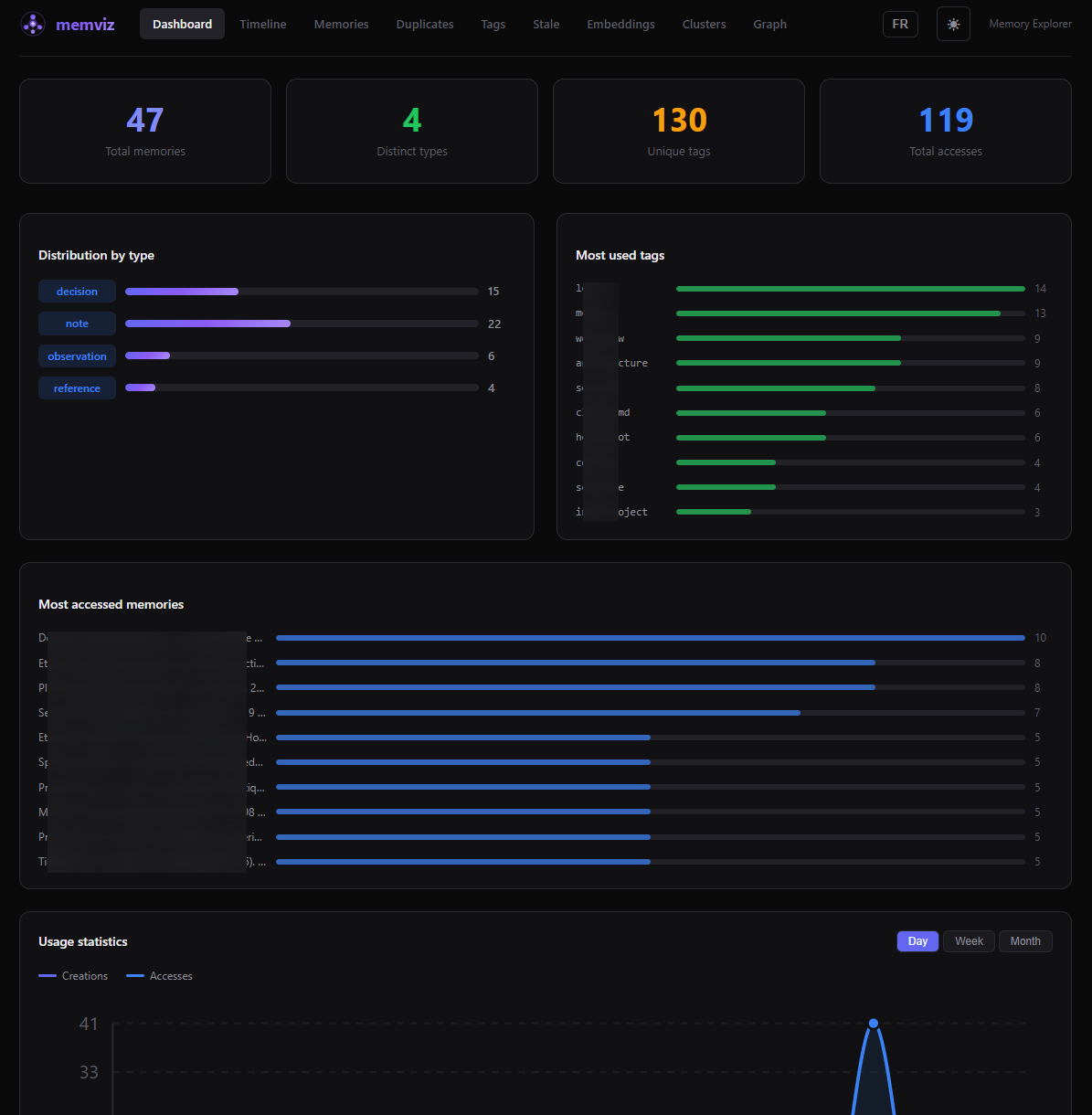
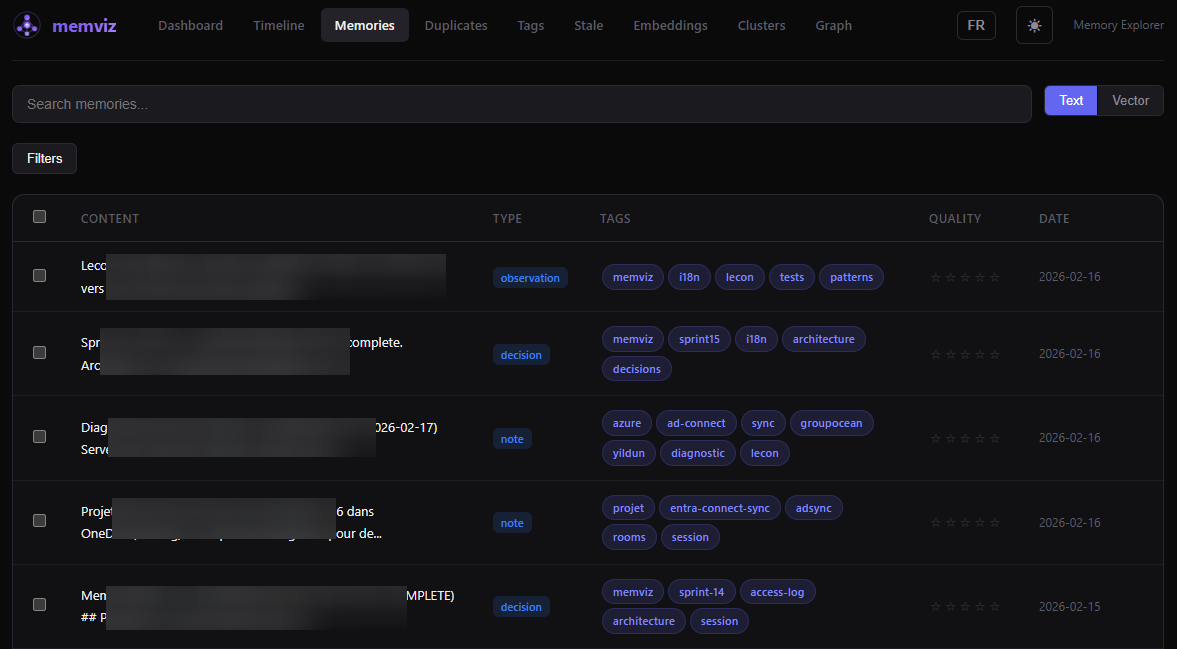
Memories - Browse, search, filter, and manage
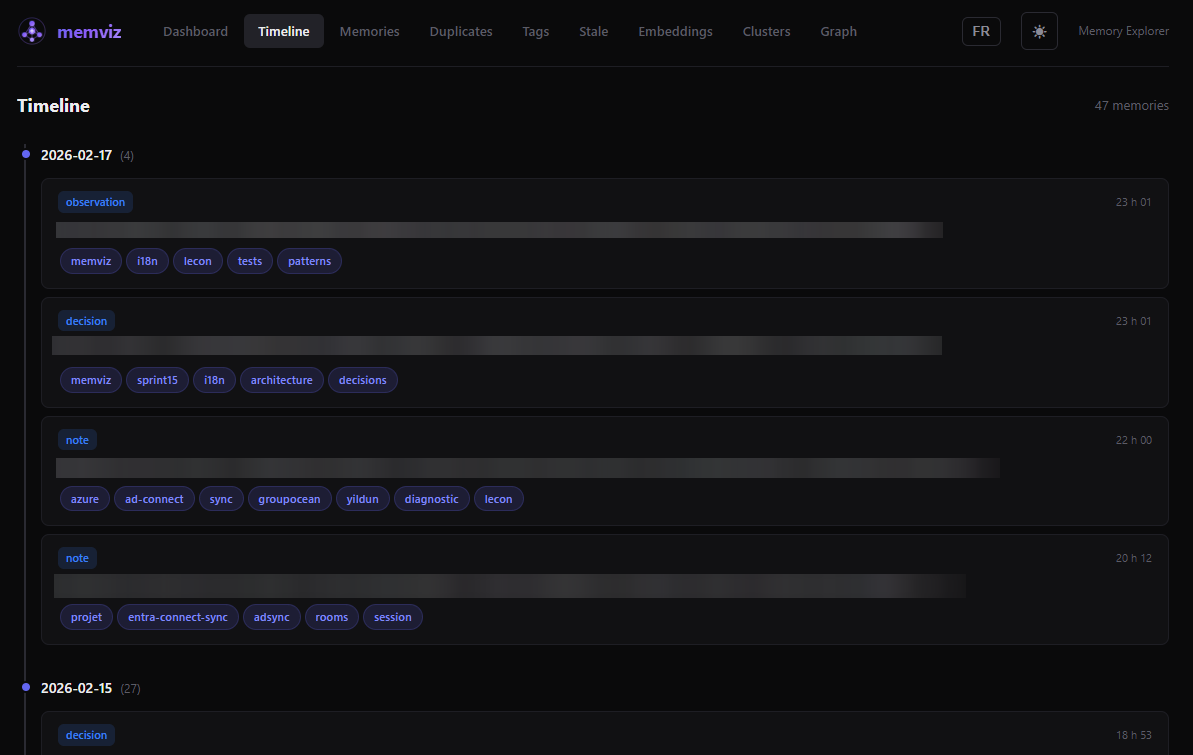
Timeline - Chronological view grouped by day
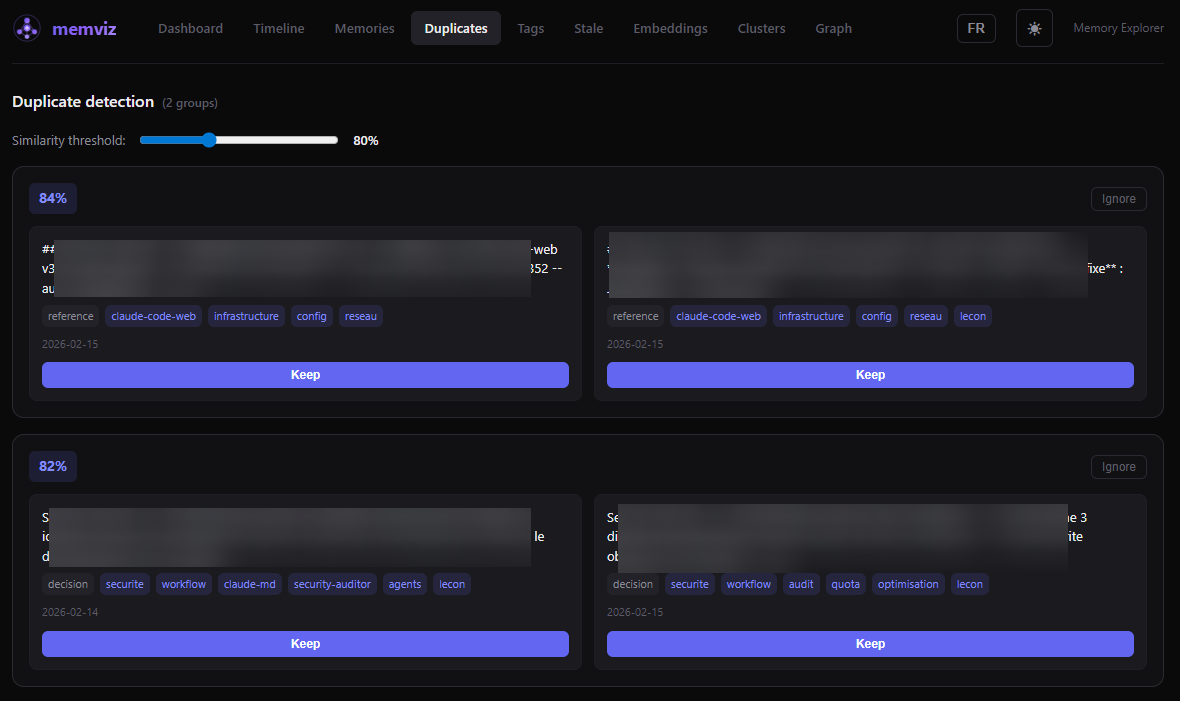
Duplicates - Detect near-duplicates by vector similarity
Graph - Association graph with type-colored nodes
# Clone the repo
git clone https://github.com/pfillion42/memviz.git
cd memviz

# Backend
cd server
npm install
cp .env.example .env
# Edit .env and set MEMORY_DB_PATH to your SQLite-vec database path
npm run dev

# Frontend (in another terminal)
cd client
npm install
npm run dev
Open http://localhost:5173 in your browser.
The repo includes PowerShell launcher scripts and an .ico icon file for a one-click desktop experience on Windows:
# Start both servers (minimized) + open browser
.\start-memviz.bat

# Stop both servers
.\stop-memviz.bat
To create a desktop shortcut: right-click on start-memviz.bat > Send to > Desktop (create shortcut), then change the icon to memviz.ico from the repo root.
The start script detects if servers are already running, waits for health checks (60s timeout), and opens your browser automatically.
All configuration is done through environment variables in server/.env:
| Variable | Required | Default | Description |
|---|---|---|---|
MEMORY_DB_PATH | Yes | - | Path to the SQLite-vec database from MCP Memory Service |
MEMORY_DB_READONLY | No | true | Open database in read-only mode (false to enable editing) |
CORS_ORIGINS | No | http://localhost:5173 | Comma-separated allowed origins |
ACCESS_LOG_DB_PATH | No | Derived from MEMORY_DB_PATH | Path for the access log database (writable) |
API_TOKEN | No | - | If set, requires Authorization: Bearer on all API requests |
HOST | No | 127.0.0.1 | Listen address (localhost only by default) |
memviz/
├── server/          # Express + TypeScript API
│   ├── src/
│   │   ├── routes/  # REST endpoints under /api/
│   │   ├── middleware/
│   │   └── index.ts
│   └── tests/       # Vitest (213 tests)
├── client/          # React + Vite + TypeScript
│   ├── src/
│   │   ├── pages/       # 10 pages
│   │   ├── components/  # 11 reusable components
│   │   ├── hooks/       # Custom React Query hooks
│   │   └── App.tsx
│   └── tests/       # Vitest + Testing Library (136 tests)
└── .github/workflows/   # CI: lint, typecheck, test, build
Stack: Express, better-sqlite3, sqlite-vec, umap-js, Zod | React 18, React Query, React Router, react-force-graph-2d, Vite, Vitest
# Run all backend tests
cd server && npm test

# Run all frontend tests
cd client && npm test

# Watch mode
cd server && npm run test:watch
cd client && npm run test:watch
349 tests total (213 server + 136 client).
127.0.0.1 by default (not exposed to the network)| Key | Action |
|---|---|
j / k | Navigate down / up in lists |
/ | Focus search bar |
Enter | Open selected memory |
Escape | Close modal / clear selection |
? | Show keyboard shortcuts help |
memviz exists because of MCP Memory Service by doobidoo, which creates and manages the SQLite-vec database that memviz explores. Huge thanks for building it.
Built with umap-js, sqlite-vec, React, Express, Vite, React Query, react-force-graph-2d, and Vitest.
See CONTRIBUTING.md for guidelines.
Install via CLI
npx mdskills install pfillion42/memvizmemviz is a free, open-source AI agent skill. A local vector memory explorer with a modern UI inspired by Supabase and Pinecone. Browse, search, visualize and manage the SQLite-vec database created by MCP Memory Service . I'm a sysadmin by trade, not a developer. My coding background is some C++ from many years ago. I built memviz entirely through vibe coding with Claude Code as a way to test AI-assisted development workflows. The whole thing
Install memviz with a single command:
npx mdskills install pfillion42/memvizThis downloads the skill files into your project and your AI agent picks them up automatically.
memviz works with Claude Code, Claude Desktop, Cursor, Vscode Copilot, Windsurf, Continue Dev, Codex, Gemini Cli, Amp, Roo Code, Goose, Opencode, Trae, Qodo, Command Code. Skills use the open SKILL.md format which is compatible with any AI coding agent that reads markdown instructions.