
npx mdskills install ZhangHanDong/evolutionRelated
@ZhangHanDong? Sign in with GitHub to claim this listing.Comprehensive self-evolution system with hooks-based auto-triggering and structured contribution workflows
Agent skills for building cross-platform UI applications with the Makepad framework in Rust.
Makepad is a next-generation UI framework written in Rust that enables building high-performance, cross-platform applications. Key features include:
live_design! DSL for rapid UI developmentProject Robius is an open-source initiative to build a full-featured application development framework in Rust. Production applications built with Makepad include:
These skills are extracted from patterns used in Robrix and Moly.
Install via Claude Code's plugin marketplace:
# Step 1: Add marketplace
/plugin marketplace add ZhangHanDong/makepad-skills

# Step 2: Install the plugin (includes all 20 skills)
/plugin install makepad-skills@makepad-skills-marketplace
Using Plugin Skills:
Plugin skills are accessed via namespace format (they won't appear in /skills list, but can be loaded):
# Load specific skills by namespace
/makepad-skills:makepad-widgets
/makepad-skills:makepad-layout
/makepad-skills:robius-widget-patterns

# Or just ask questions - hooks will auto-route to relevant skills
"How do I create a Makepad button?"
"makepad 布局怎么居中?"
Manage installed plugins:
/plugin                  # List installed plugins
/plugin uninstall makepad-skills@makepad-skills-marketplace  # Uninstall
Use the install script for one-command setup:
# Install to current project
curl -fsSL https://raw.githubusercontent.com/ZhangHanDong/makepad-skills/main/install.sh | bash

# Install with hooks enabled
curl -fsSL https://raw.githubusercontent.com/ZhangHanDong/makepad-skills/main/install.sh | bash -s -- --with-hooks

# Install to specific project
curl -fsSL https://raw.githubusercontent.com/ZhangHanDong/makepad-skills/main/install.sh | bash -s -- --target /path/to/project

# Install for Codex (.codex/skills)
curl -fsSL https://raw.githubusercontent.com/ZhangHanDong/makepad-skills/main/install.sh | bash -s -- --agent codex

# Install for Gemini CLI (.gemini/skills)
curl -fsSL https://raw.githubusercontent.com/ZhangHanDong/makepad-skills/main/install.sh | bash -s -- --agent gemini
Gemini CLI note: Skills are experimental. Enable experimental.skills in /settings if needed.
Script features:
--with-hooks copies and configures self-evolution hooks (Claude Code only)--agent codex|claude-code|gemini chooses Codex, Claude Code, or Gemini CLI (default: claude-code)--target allows installing to any project directoryAvailable options:
| Option | Description |
|---|---|
--target DIR | Install to specific directory (default: current) |
--with-hooks | Enable self-evolution hooks (Claude Code only) |
--agent AGENT | Set agent: codex, claude-code, or gemini (default: claude-code) |
--branch NAME | Use specific branch (default: main) |
--help | Show help message |
# Clone this repo
git clone https://github.com/ZhangHanDong/makepad-skills.git

# Copy to your project (https://code.claude.com/docs/en/skills)
cp -r makepad-skills/skills your-project/.claude/skills

# Copy to your project for Codex (https://developers.openai.com/codex/skills)
cp -r makepad-skills/skills your-project/.codex/skills

# Copy to your project for Gemini CLI (https://geminicli.com/docs/cli/skills/)
cp -r makepad-skills/skills your-project/.gemini/skills
Your project structure should look like (use .codex or .gemini instead of .claude):
your-project/
├── .claude/
│   └── skills/
│       ├── .claude-plugin/
│       │   └── plugin.json
│       │
│       ├── # === Core Skills (16) ===
│       ├── makepad-basics/
│       ├── makepad-dsl/
│       ├── makepad-layout/
│       ├── makepad-widgets/
│       ├── makepad-event-action/
│       ├── makepad-animation/
│       ├── makepad-shaders/
│       ├── makepad-platform/
│       ├── makepad-font/
│       ├── makepad-splash/
│       ├── robius-app-architecture/
│       ├── robius-widget-patterns/
│       ├── robius-event-action/
│       ├── robius-state-management/
│       ├── robius-matrix-integration/
│       ├── molykit/
│       │
│       ├── # === Extended Skills (3) ===
│       ├── makepad-deployment/
│       ├── makepad-reference/
│       │
│       ├── evolution/          # Self-evolution system
│       │   └── templates/      # Contribution templates
│       └── CONTRIBUTING.md
├── src/
└── Cargo.toml
See Claude Code Skills documentation for more details.
Use the Makepad Packaging Action to build and release Makepad apps in CI. It wraps cargo-packager (desktop) and cargo-makepad (mobile), and can upload artifacts to GitHub Releases.
Marketplace: makepad-packaging-action
- uses: Project-Robius-China/makepad-packaging-action@v1
  with:
    args: --target x86_64-unknown-linux-gnu --release
Notes:
v2.1 introduces an atomic skill structure designed for collaborative development:
robius-widget-patterns/
├── SKILL.md              # Index file
├── _base/                # Official patterns (numbered, atomic)
│   ├── 01-widget-extension.md
│   ├── 02-modal-overlay.md
│   ├── ...
│   └── 18-drag-drop-reorder.md
└── community/            # Your contributions
    └── {descriptive-pattern-name}.md
Benefits:
community/ files never conflict with official _base/ updatesThe self-evolution feature allows you to capture patterns discovered during your development and add them to the skills.
During Development: You discover a useful pattern, shader, or error solution while building with Makepad
Capture the Pattern: Ask Claude to save it:
User: This tooltip positioning logic is useful. Save it as a community pattern.
Claude: [Creates community/{handle}-tooltip-positioning.md using template]
Auto-Detection (with hooks enabled): When you encounter and fix errors, the system can automatically capture solutions to troubleshooting
# Copy hooks from evolution to your project
cp -r your-project/.claude/skills/evolution/hooks your-project/.claude/skills/hooks

# Make hooks executable
chmod +x your-project/.claude/skills/hooks/*.sh

# Add hooks config to your .claude/settings.json
# See skills/evolution/hooks/settings.example.json for the configuration
Ask Claude directly:
User: Create a community pattern for the drag-drop reordering I just implemented
Claude: I'll create a pattern using the template...
Claude will:
evolution/templates/pattern-template.mdrobius-widget-patterns/community/{descriptive-pattern-name}.mdCreate your pattern file in the appropriate robius-* skill's community directory:
robius-widget-patterns/community/robius-state-management/community/robius-app-architecture/community/Use the template: Copy from evolution/templates/pattern-template.md
Required frontmatter:
---
name: my-pattern-name
author: your-github-handle
source: project-where-you-discovered-this
date: 2024-01-15
tags: [tag1, tag2, tag3]
level: beginner|intermediate|advanced
---
Submit PR to the main repository
Create your effect file:
makepad-shaders/community/{github-handle}-{effect-name}.md
Use the template: Copy from evolution/templates/shader-template.md
Create troubleshooting entry:
makepad-reference/troubleshooting/{error-name}.md
Use the template: Copy from evolution/templates/troubleshooting-template.md
Keep your local skills updated while preserving your contributions:
# If you've forked the repo
git fetch upstream
git merge upstream/main --no-edit
# Your community/ files won't conflict with _base/ changes
High-quality community contributions may be promoted to _base/:
author field| Skill | Description | When to Use |
|---|---|---|
| makepad-basics | App structure, live_design!, app_main! | "Create a new Makepad app" |
| makepad-dsl | DSL syntax, inheritance, prototypes | "How to define widgets in DSL" |
| makepad-layout | Flow, sizing, spacing, alignment | "Center a widget", "Arrange elements" |
| makepad-widgets | Common widgets, custom widgets | "Create a button", "Build a form" |
| makepad-event-action | Event handling, actions | "Handle click events" |
| makepad-animation | Animator, states, transitions | "Add hover animation" |
| makepad-shaders | Shaders, SDF, gradients, visual effects | "Custom visual effects" |
| makepad-platform | Platform support | "Build for Android/iOS" |
| makepad-font | Font, text, typography | "Change font, text styling" |
| makepad-splash | Splash scripting language | "Dynamic UI scripting" |
| Skill | Description | When to Use |
|---|---|---|
| robius-app-architecture | Tokio, async/sync patterns | "Structure an async app" |
| robius-widget-patterns | Reusable widgets, apply_over | "Create reusable components" |
| robius-event-action | Custom actions, MatchEvent | "Custom event handling" |
| robius-state-management | AppState, persistence | "Save/load app state" |
| robius-matrix-integration | Matrix SDK integration | "Chat client features" |
| Skill | Description | When to Use |
|---|---|---|
| molykit | AI chat, SSE streaming, BotClient | "AI chat integration" |
Note: Production patterns are now integrated into robius-* skills:
robius-widget-patterns/_base/robius-state-management/_base/robius-app-architecture/_base/Build for desktop (Linux, Windows, macOS), mobile (Android, iOS), and web (WebAssembly).
| File | Description | When to Use |
|---|---|---|
| troubleshooting.md | Common errors and fixes | "Apply error: no matching field" |
| code-quality.md | Makepad-aware refactoring | "Simplify this code" |
| adaptive-layout.md | Desktop/mobile responsive | "Support both desktop and mobile" |
| Component | Description |
|---|---|
templates/ | Pattern, shader, and troubleshooting templates |
hooks/ | Auto-detection and validation hooks |
references/ | Collaboration guidelines |
User: Create a new Makepad app called "my-app" with a counter button
Claude: [Uses makepad-basics for scaffolding, makepad-widgets for button/counter]
User: Add a tooltip that shows user info on hover
Claude: [Uses robius-widget-patterns/_base/14-callout-tooltip.md for complete implementation]
User: Save this infinite scroll implementation as a community pattern
Claude: [Creates robius-widget-patterns/community/infinite-scroll.md]
User: Getting "no matching field: font" error
Claude: [Uses makepad-reference/troubleshooting.md to identify correct text_style syntax]
With these skills, Claude can help you:
live_design! DSLReal-world projects created using makepad-skills and Claude Code:
| Project | Description | Time |
|---|---|---|
| makepad-skills-demo | Currency converter app demo | ~20 min |
| makepad-component | Reusable Makepad component library | - |
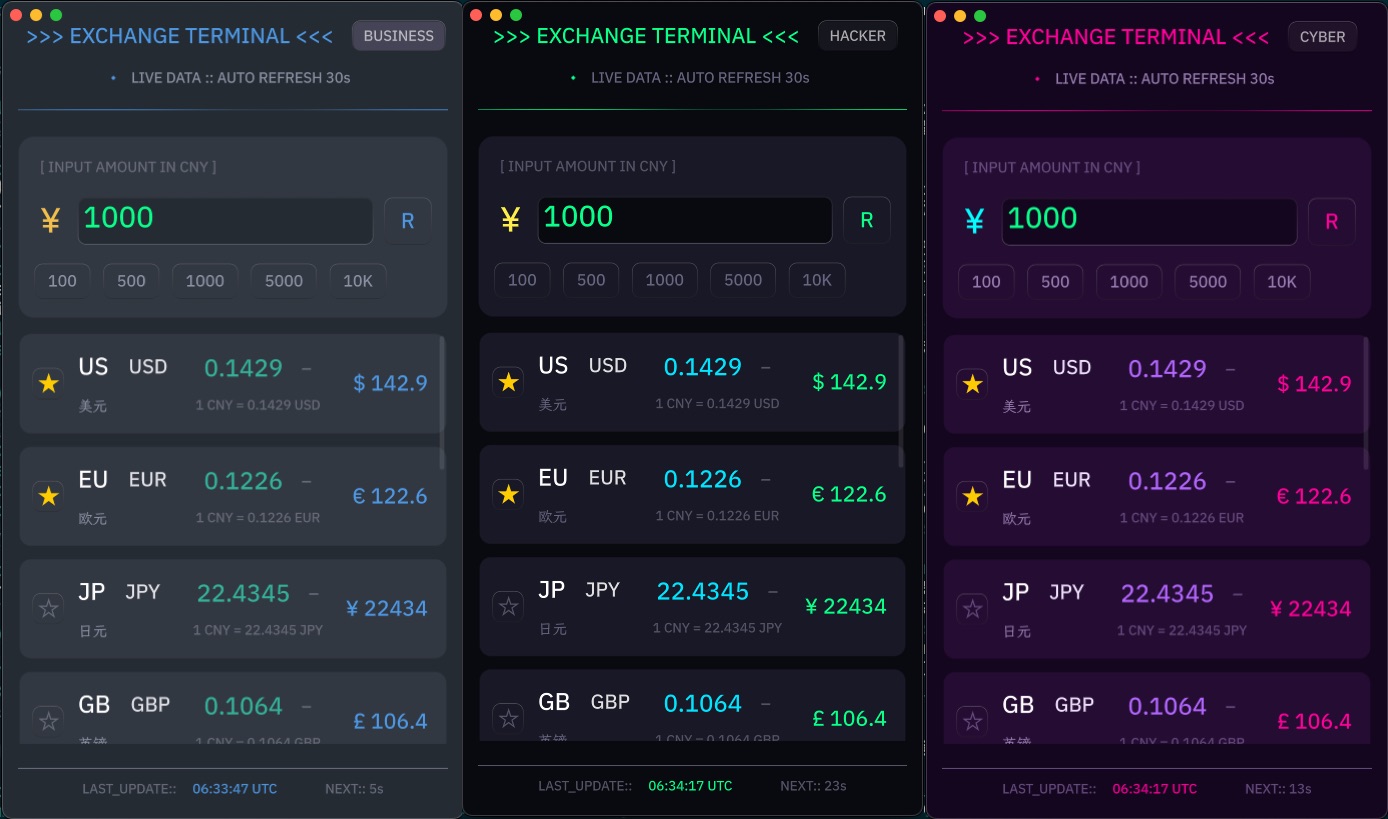
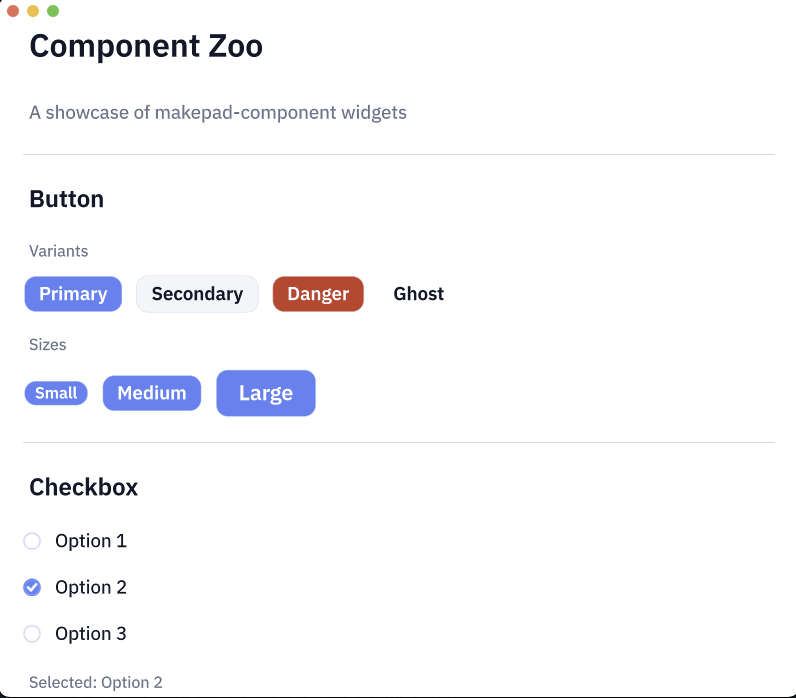
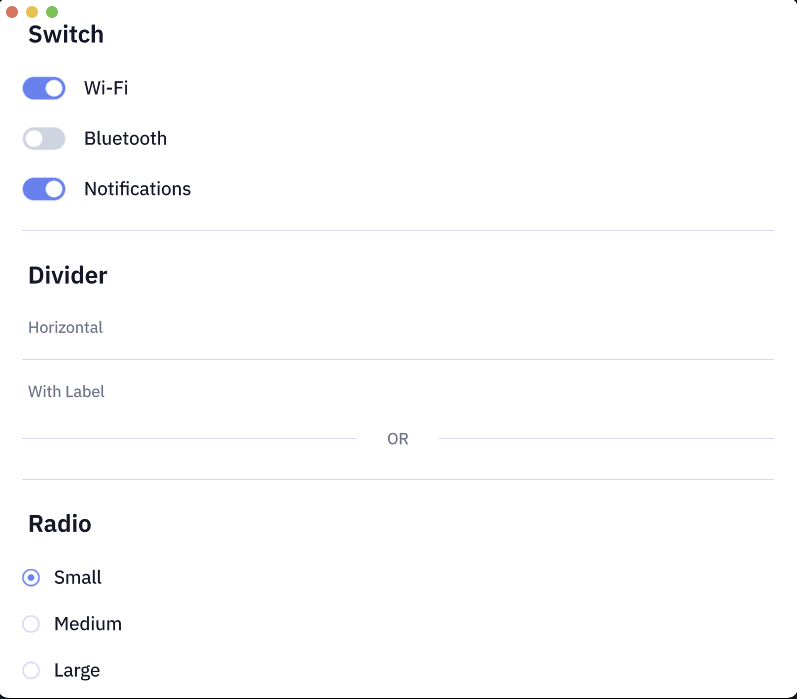
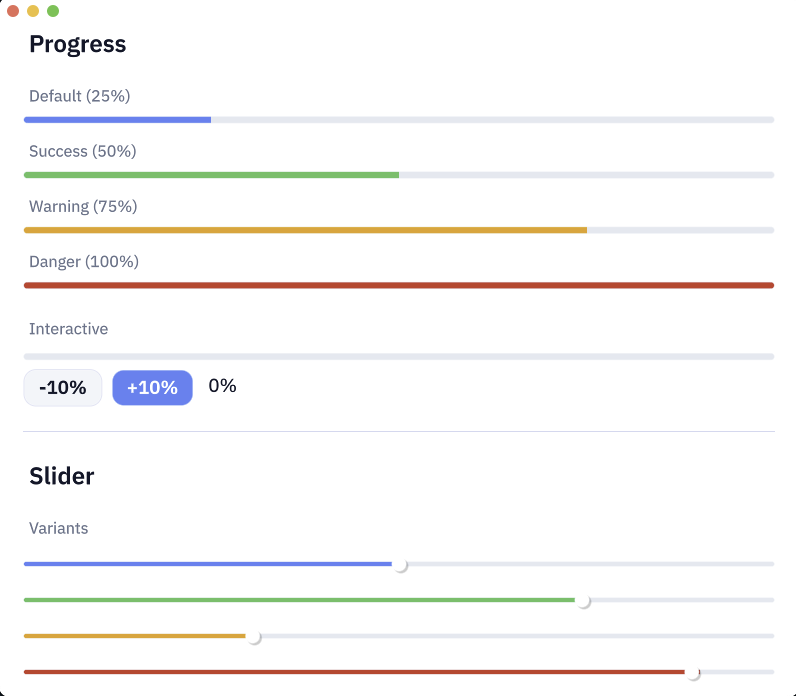
MIT
Install via CLI
npx mdskills install ZhangHanDong/evolutionAgent Skills for Makepad is a free, open-source AI agent skill.
Install Agent Skills for Makepad with a single command:
npx mdskills install ZhangHanDong/evolutionThis downloads the skill files into your project and your AI agent picks them up automatically.
Agent Skills for Makepad works with Claude Code, Claude Desktop, Cursor, Vscode Copilot, Windsurf, Continue Dev, Codex, Gemini Cli, Amp, Roo Code, Goose, Opencode, Trae, Qodo, Command Code. Skills use the open SKILL.md format which is compatible with any AI coding agent that reads markdown instructions.