
Chat with your Kubernetes cluster using natural language! This project connects OpenWebUI to Kubernetes, letting you manage your cluster through conversational AI. Ask questions like "What pods are running?" or "Scale my deployment to 5 replicas" and get instant results. - Quick Start - Configure Open-WebUI - Step 1: Access Open-WebUI - Step 2: Add the MCP Bridge Tool Server - Step 3: Add Connecti
npx mdskills install elevy99927/devops-mcp-webuiRelated
@elevy99927? Sign in with GitHub to claim this listing.Comprehensive Kubernetes management through natural language chat with excellent setup docs
Chat with your Kubernetes cluster using natural language!
This project connects OpenWebUI to Kubernetes, letting you manage your cluster through conversational AI. Ask questions like "What pods are running?" or "Scale my deployment to 5 replicas" and get instant results.
One-command setup:
./install.sh
Componentes installed:
After successful installation, you'll see: ✅ Docker Compose startup complete!
Services available at:
Configure Open WebUI to use the MCP tools
After running the installation script, you need to configure Open-WebUI to use the Kubernetes tools:
Kubernetes Toolshttp://mcpo:9000Kubernetes management via kubectl and helm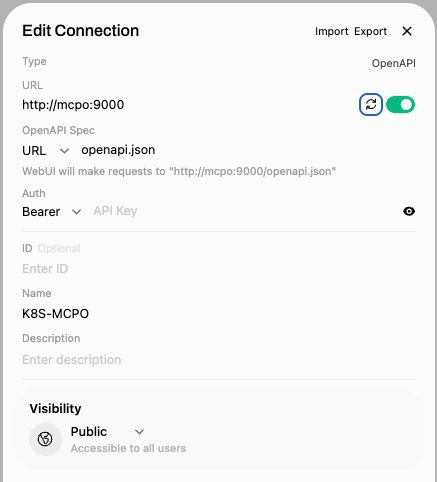
Configure your AI model connections - use the local Ollama or add remote connections:
http://ollama:11434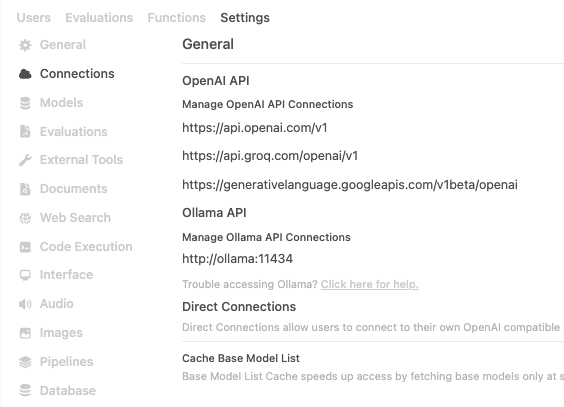
kubectl_get - List Kubernetes resourceskubectl_apply - Apply manifestskubectl_describe - Describe resourceshelm_install - Install Helm chartsTry asking these questions to verify everything works (copy and paste into the chat):
Copy & Paste these queries:
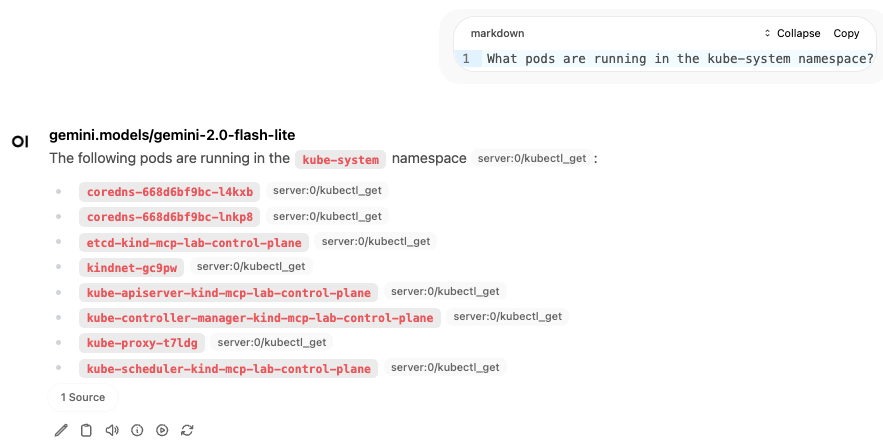
What pods are running in the kube-system namespace?
Show me all services in the default namespace
List all deployments across all namespaces
Create a new namespace called production
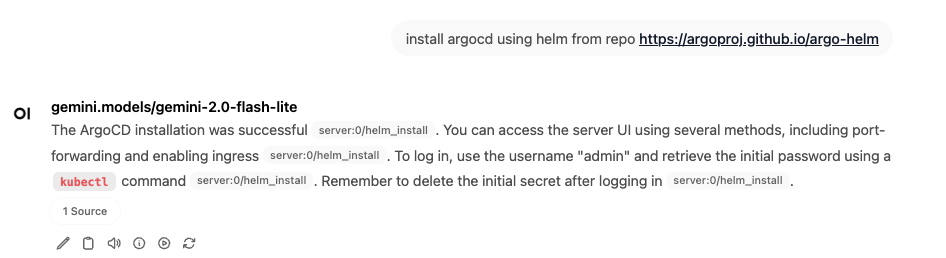
Install Jenkins using Helm in the jenkins namespace
If tools don't appear:
curl http://localhost:9000/healthhttp://mcpo:9000docker-compose restart open-webuiIf you get connection errors:
docker-compose psdocker-compose logs mcpoThen open http://localhost:3000 and start chatting with your cluster!
Example queries:
This project integrates Open WebUI with Kubernetes management capabilities through a bridge architecture that connects multiple components to provide AI-powered Kubernetes operations.
graph TB

    subgraph "External AI Services"
        Gemini[Google Gemini
External API]
    end

    subgraph "User Interface"
        User[User]
    end

    subgraph "UI Layer"
        OpenWebUI[Open WebUI
Port: 3000]
        Ollama[Ollama
LLM Server
Port: 11434]
    end

    subgraph "Bridge Layer"
        MCP-Bridge[MCP-Bridge
OpenAPI Bridge
Port: 9000]
    end

    subgraph "Target Infrastructure"
        K8s[Kubernetes Cluster
kubectl, helm, istioctl]
    end

    subgraph "Configuration"
        KubeConfig[kubeconfig
./kube/config]
    end


    %% User interactions
    User -->|Chat & Commands| OpenWebUI

    %% AI Layer connections
    OpenWebUI -->|LLM Requests| Ollama
    OpenWebUI -.->|External API Calls| Gemini
    OpenWebUI -->|Tool Calls
OpenAPI/REST| MCP-Bridge

    %% Bridge Layer to Kubernetes
    MCP-Bridge -->|kubectl commands| K8s
    MCP-Bridge -->|helm operations| K8s
    MCP-Bridge -->|istioctl commands| K8s

    %% Configuration
    KubeConfig -.->|Mounted Volume| MCP-Bridge

    %% Styling
    classDef userLayer fill:#e1f5fe
    classDef aiLayer fill:#f3e5f5
    classDef externalLayer fill:#fff8e1
    classDef bridgeLayer fill:#fff3e0
    classDef mcpLayer fill:#e8f5e8
    classDef k8sLayer fill:#fce4ec
    classDef configLayer fill:#f1f8e9

    class User userLayer
    class OpenWebUI,Ollama aiLayer
    class Gemini,OpenAI,Anthropic externalLayer
    class MCP-Bridge bridgeLayer
    class K8s k8sLayer
    class KubeConfig configLayer
graph LR
    subgraph "Docker Network: mcp-lab-network"
        subgraph "External Access"
            Host[Host Machine
localhost:3000
localhost:9000]
        end

        subgraph "Internal Services"
            OW[open-webui:8080]
            MC[mcpo:9000]
            K8S[Kubernetes:6443]
            OL[ollama:11434]
        end
    end

    Host -->|Port 3000| OW
    Host -->|Port 9000| MC
    OW --> OL
    OW --> MC
    MC --> K8S
openwebui-k8s-bridge/
├── mcp-bridge/          # Bridge service code
├── scripts/             # Setup and utility scripts
├── tests/               # Test scripts and examples
├── docs/                # Documentation
├── kube/               # Kubernetes configuration
├── docker-compose.yml  # Complete stack setup
└── README.md           # Main documentation
Once configured, you can ask natural language questions about your Kubernetes cluster:
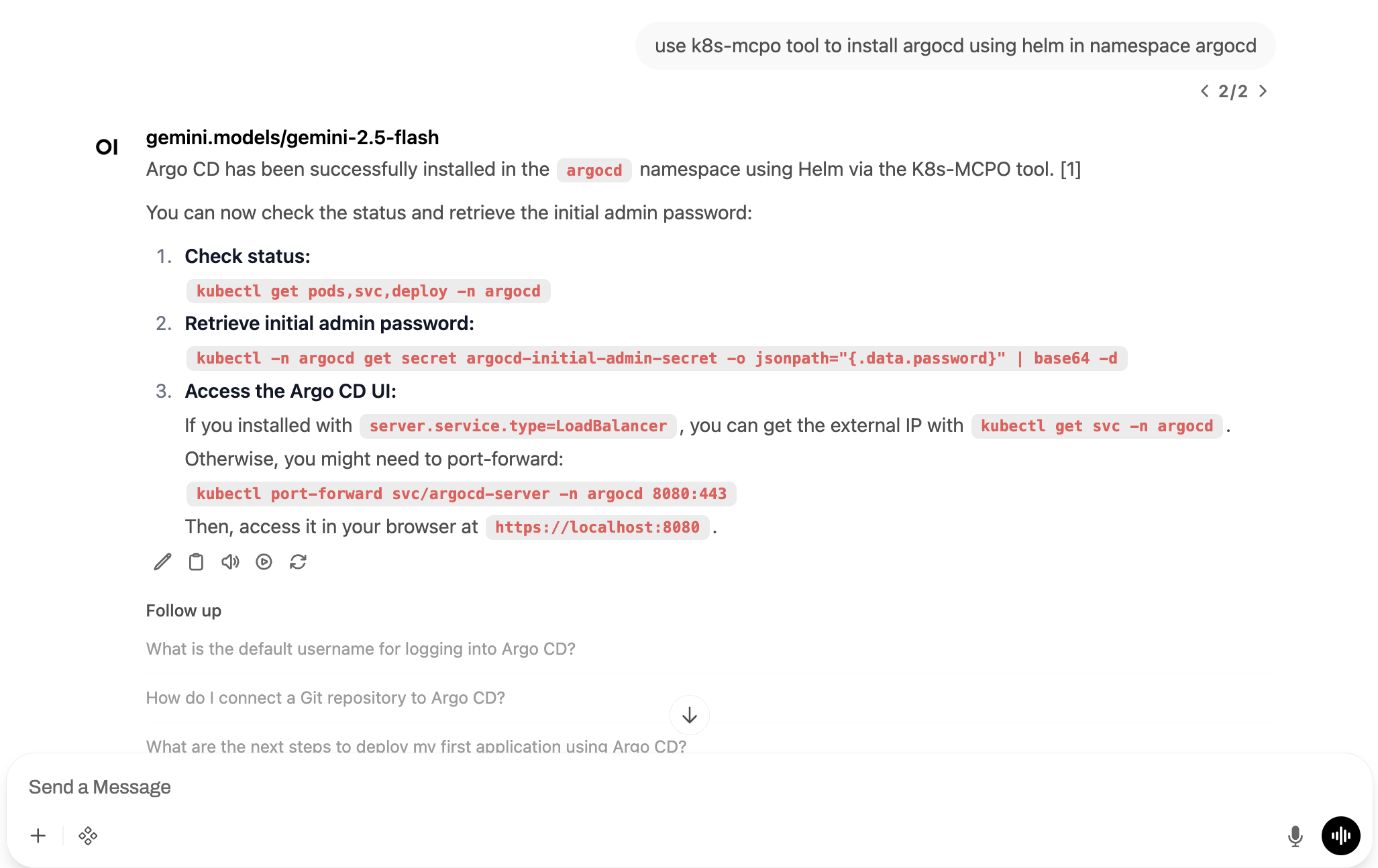
You can directly open this repository in Google Cloud Shell to start exploring the examples:
For questions or feedback, feel free to reach out:
Install via CLI
npx mdskills install elevy99927/devops-mcp-webuiOpen WebUI Kubernetes Integration is a free, open-source AI agent skill. Chat with your Kubernetes cluster using natural language! This project connects OpenWebUI to Kubernetes, letting you manage your cluster through conversational AI. Ask questions like "What pods are running?" or "Scale my deployment to 5 replicas" and get instant results. - Quick Start - Configure Open-WebUI - Step 1: Access Open-WebUI - Step 2: Add the MCP Bridge Tool Server - Step 3: Add Connecti
Install Open WebUI Kubernetes Integration with a single command:
npx mdskills install elevy99927/devops-mcp-webuiThis downloads the skill files into your project and your AI agent picks them up automatically.
Open WebUI Kubernetes Integration works with Claude Code, Claude Desktop, Cursor, Vscode Copilot, Windsurf, Continue Dev, Codex, Gemini Cli, Amp, Roo Code, Goose, Opencode, Trae, Qodo, Command Code. Skills use the open SKILL.md format which is compatible with any AI coding agent that reads markdown instructions.