
The semantic engine for MCP clients. Define metrics once, query from anywhere. Docs · Getting Started · Changelog · Discord · Bonnard is an agent-native semantic layer CLI. Deploy an MCP server and governed analytics API in minutes -for AI agents, BI tools, and data teams. Define metrics and dimensions in YAML, validate locally, and ship to production. Works with Snowfl
npx mdskills install meal-inc/bonnard-cliRelated
@meal-inc? Sign in with GitHub to claim this listing.Excellent README documenting a powerful semantic layer CLI with strong agent integrations

The semantic engine for MCP clients. Define metrics once, query from anywhere.
Docs · Getting Started · Changelog · Discord · Website
Bonnard is an agent-native semantic layer CLI. Deploy an MCP server and governed analytics API in minutes -for AI agents, BI tools, and data teams. Define metrics and dimensions in YAML, validate locally, and ship to production. Works with Snowflake, BigQuery, Databricks, and PostgreSQL. Ships with native integrations for Claude Code, Cursor, and Codex. Built with TypeScript.
Most semantic layers were built for dashboards and retrofitted for AI. Bonnard was built the other way around -agent-native from day one with Model Context Protocol (MCP) as a core feature, not a plugin. One CLI takes you from an empty directory to a production semantic layer serving AI agents, BI tools, and human analysts through a single governed API.
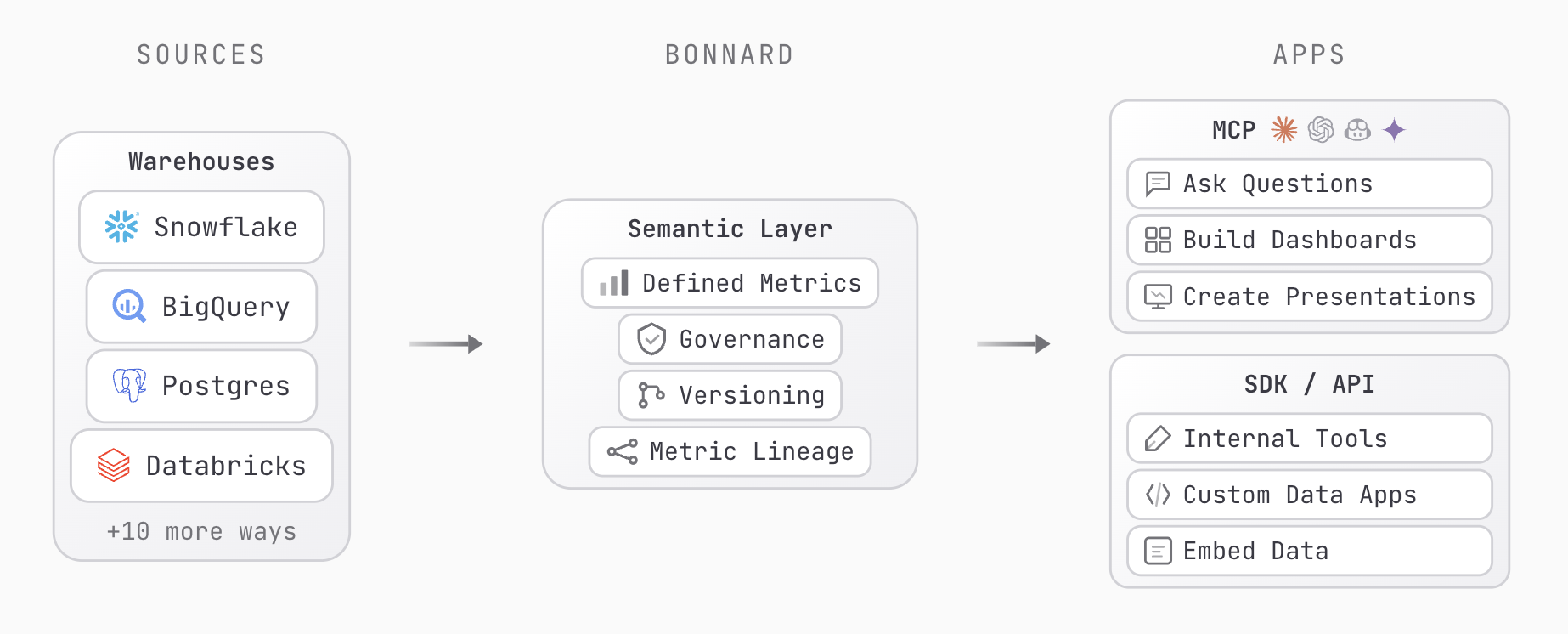
No install required. Run directly with npx:
npx @bonnard/cli init
Or install globally:
npm install -g @bonnard/cli
Then follow the setup flow:
bon init                      # Scaffold project + agent configs
bon datasource add            # Connect your warehouse
bon validate                  # Check your models locally
bon login                     # Authenticate
bon deploy                    # Ship it
No warehouse yet? Start exploring with a full retail demo dataset:
bon datasource add --demo
Requires Node.js 20+.
When you run bon init, Bonnard generates context files so AI coding agents understand your semantic layer from the first prompt:
you@work my-project % bon init

Initialised Bonnard project
Core files:
  bon.yaml
  bonnard/cubes/
  bonnard/views/
Agent support:
  .claude/rules/bonnard.md
  .claude/skills/bonnard-get-started/
  .cursor/rules/bonnard.mdc
  AGENTS.md
| Agent | What gets generated |
|---|---|
| Claude Code | .claude/rules/bonnard.md + skill templates in .claude/skills/ |
| Cursor | .cursor/rules/bonnard.mdc with frontmatter configuration |
| Codex | AGENTS.md + skills directory |
Set up your MCP server so agents can query your semantic layer directly:
bon mcp                       # Show MCP server setup instructions
bon mcp test                  # Verify the connection
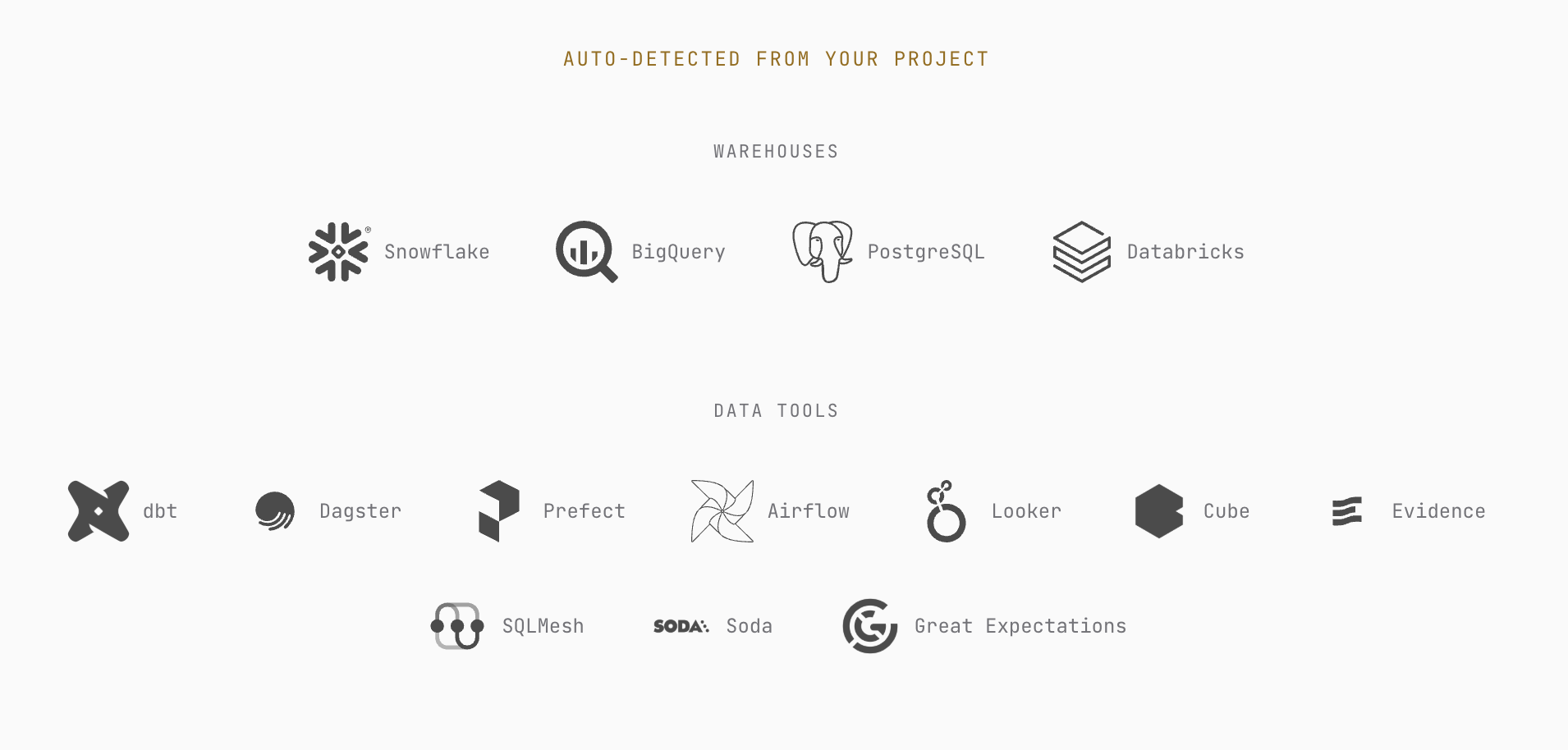
Bonnard automatically detects your warehouses and data tools. Point it at your project and it discovers schemas, tables, and relationships.
Query your semantic layer from the terminal using JSON or SQL syntax:
# JSON query
bon query --measures revenue,order_count --dimensions product_category --time-dimension created_at

# SQL query
bon query --sql "SELECT product_category, MEASURE(revenue) FROM orders GROUP BY 1"
Agents connected via MCP can run the same queries programmatically, with full access to your governed metric definitions.
my-project/
├── bon.yaml              # Project configuration
├── bonnard/
│   ├── cubes/            # Metric and dimension definitions
│   └── views/            # Curated query interfaces
├── .bon/                 # Local credentials (gitignored)
├── .claude/              # Claude Code agent context
├── .cursor/              # Cursor agent context
└── AGENTS.md             # Codex agent context
Deploy from your pipeline with the --ci flag for non-interactive mode:
bon deploy --ci
Handles automatic datasource synchronisation and skips interactive prompts. Fits into GitHub Actions, GitLab CI, or any pipeline that runs Node.js.
| Command | Description |
|---|---|
bon init | Scaffold a new project with agent configs |
bon datasource add | Connect a data source (or --demo for sample data) |
bon datasource add --from-dbt | Import from dbt profiles |
bon datasource list | List connected data sources |
bon validate | Validate models locally before deploying |
bon deploy | Deploy semantic layer to production |
bon deployments | List active deployments |
bon diff | Preview changes before deploying |
bon annotate | Add metadata and descriptions to models |
bon query | Run queries from the terminal (JSON or SQL) |
bon mcp | Show MCP server setup instructions |
bon mcp test | Test MCP connection |
bon dashboard dev | Preview a markdown dashboard locally with live reload |
bon dashboard deploy | Deploy a markdown or HTML dashboard |
bon dashboard list | List deployed dashboards |
bon dashboard remove | Remove a deployed dashboard |
bon dashboard open | Open a dashboard in the browser |
bon pull | Download deployed models to local project |
bon keys list / create / revoke | Manage API keys |
bon docs | Browse or search documentation from the CLI |
bon login / bon logout | Manage authentication |
bon whoami | Check current session |
For the full CLI reference, see the documentation.
Contributions are welcome. If you find a bug or have an idea, open an issue or submit a pull request.
Install via CLI
npx mdskills install meal-inc/bonnard-cliJSON query is a free, open-source AI agent skill. The semantic engine for MCP clients. Define metrics once, query from anywhere. Docs · Getting Started · Changelog · Discord · Bonnard is an agent-native semantic layer CLI. Deploy an MCP server and governed analytics API in minutes -for AI agents, BI tools, and data teams. Define metrics and dimensions in YAML, validate locally, and ship to production. Works with Snowfl
Install JSON query with a single command:
npx mdskills install meal-inc/bonnard-cliThis downloads the skill files into your project and your AI agent picks them up automatically.
JSON query works with Claude Code, Claude Desktop, Cursor, Vscode Copilot, Windsurf, Continue Dev, Codex, Gemini Cli, Amp, Roo Code, Goose, Opencode, Trae, Qodo, Command Code, Databricks. Skills use the open SKILL.md format which is compatible with any AI coding agent that reads markdown instructions.