
This VS Code extension provides a Model Context Protocol (MCP) server that exposes VSCode's powerful development tools and language features to AI tools. It enables advanced code navigation, analysis, and manipulation capabilities when using AI coding assistants that support the MCP protocol. - Installation/Usage - Multi-Project Support - Available Tools - Available Commands - Troubleshooting - Co
npx mdskills install biegehydra/bifrostmcpRelated
@biegehydra? Sign in with GitHub to claim this listing.Comprehensive MCP server exposing VSCode language features with excellent multi-project support and setup docs
This VS Code extension provides a Model Context Protocol (MCP) server that exposes VSCode's powerful development tools and language features to AI tools. It enables advanced code navigation, analysis, and manipulation capabilities when using AI coding assistants that support the MCP protocol.
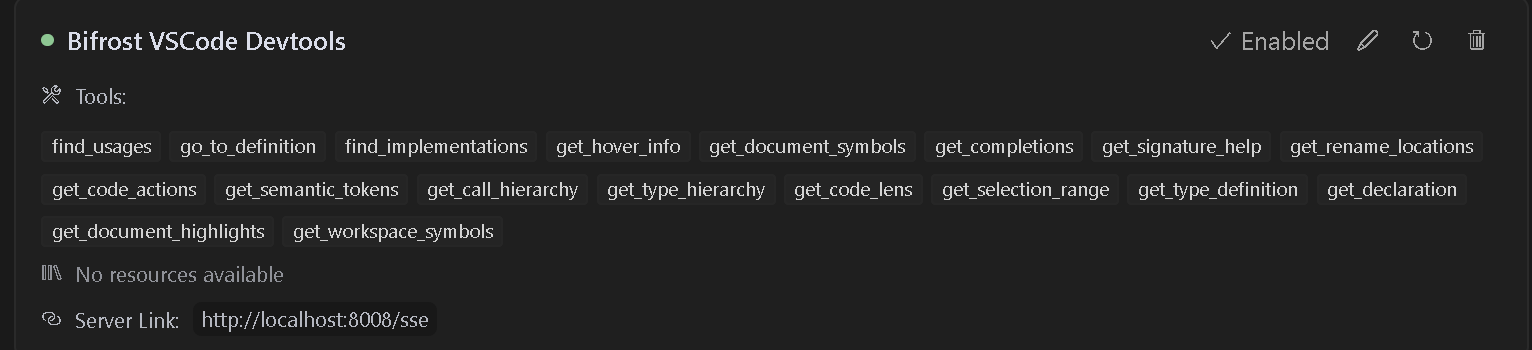
The extension will automatically start an MCP server when activated. To configure an AI assistant to use this server:
bifrost.config.json)http://localhost:8008/ssehttp://localhost:8008/messageI have also provided sample rules that can be used in .cursorrules files for better results.
{
  "mcpServers": {
    "Bifrost": {
      "command": "cmd",
      "args": [
        "/c",
        "npx",
        "-y",
        "supergateway",
        "--sse",
        "http://localhost:8008/sse"
      ],
      "disabled": false,
      "autoApprove": [],
      "timeout": 600
    }
  }
}
{
  "mcpServers": {
    "Bifrost": {
      "command": "npx",
      "args": [
        "-y",
        "supergateway",
        "--sse",
        "http://localhost:8008/sse"
      ],
      "disabled": false,
      "autoApprove": [],
      "timeout": 600
    }
  }
}
{
  "mcpServers": {
    "Bifrost": {
      "url": "http://localhost:8008/sse"
    }
  }
}
Follow this video to install and use with cursor
{
  "mcpServers": {
    "Bifrost": {
      "url": "http://localhost:8008/sse"
    }
  }
}
When working with multiple projects, each project can have its own dedicated MCP server endpoint and port. This is useful when you have multiple VS Code windows open or are working with multiple projects that need language server capabilities.
Create a bifrost.config.json file in your project root:
{
    "projectName": "MyProject",
    "description": "Description of your project",
    "path": "/my-project",
    "port": 5642
}
The server will use this configuration to:
http://localhost:5642/my-project/sse){
"projectName": "BackendAPI",
"description": "Node.js REST API with TypeScript",
"path": "/backend-api",
"port": 5643
}
{
    "projectName": "FrontendApp",
    "description": "React frontend application",
    "path": "/frontend-app",
    "port": 5644
}
Each project should specify its own unique port to avoid conflicts when multiple VS Code instances are running:
port field in bifrost.config.json determines which port the server will useUpdate your AI assistant configuration to use the project-specific endpoint and port:
{
  "mcpServers": {
    "BackendAPI": {
      "url": "http://localhost:5643/backend-api/sse"
    },
    "FrontendApp": {
      "url": "http://localhost:5644/frontend-app/sse"
    }
  }
}
If no bifrost.config.json is present, the server will use the default configuration:
http://localhost:8008/ssehttp://localhost:8008/messageThis maintains compatibility with existing configurations and tools.
The extension provides access to many VSCode language features including:
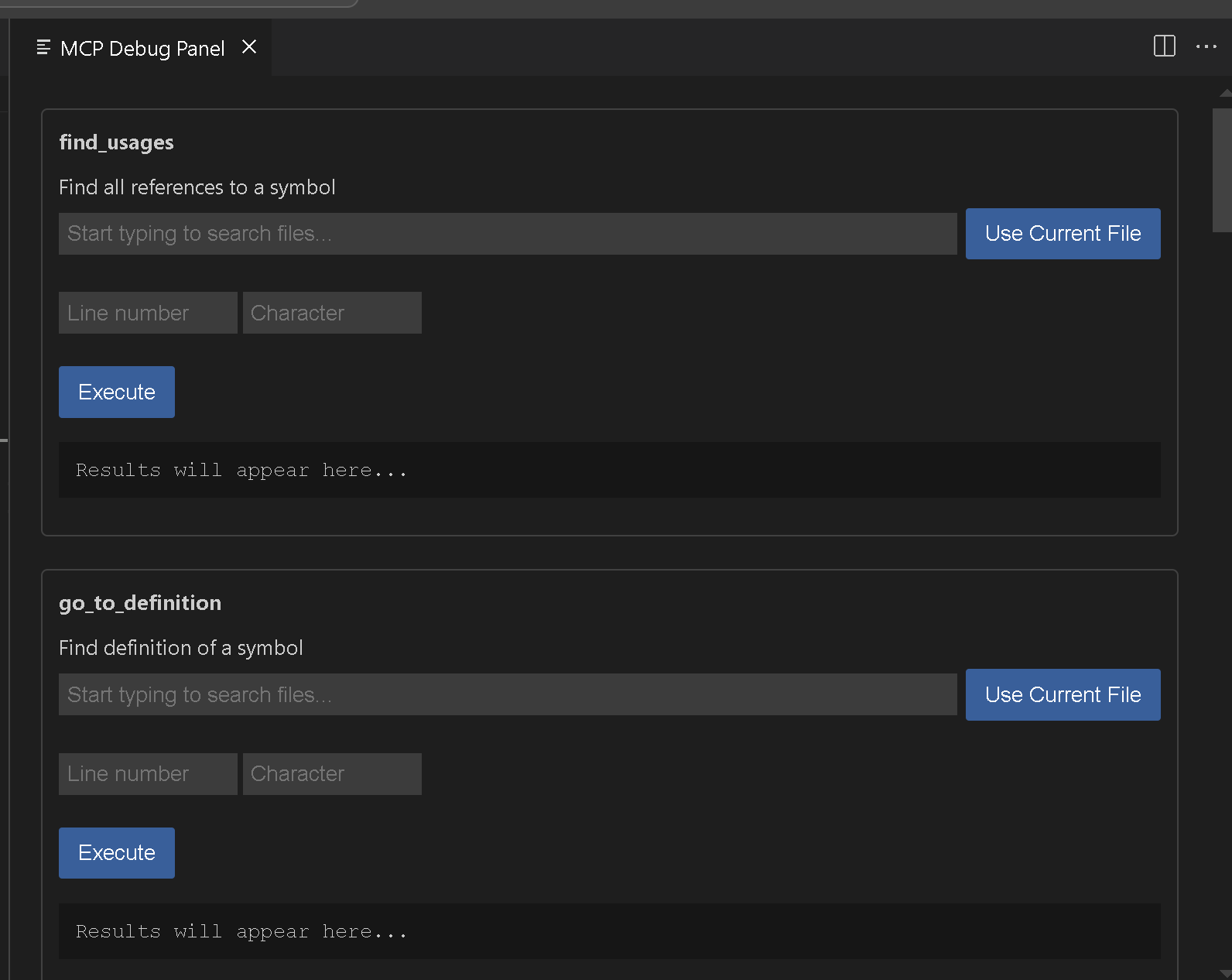
Bifrost MCP: Start Server - Manually start the MCP server on port 8008Bifrost MCP: Start Server on port - Manually start the MCP server on specified portBifrost MCP: Stop Server - Stop the running MCP serverBifrost MCP: Open Debug Panel - Open the debug panel to test available tools
{
  "name": "find_usages",
  "arguments": {
    "textDocument": {
      "uri": "file:///path/to/your/file"
    },
    "position": {
      "line": 10,
      "character": 15
    },
    "context": {
      "includeDeclaration": true
    }
  }
}
{
  "name": "get_workspace_symbols",
  "arguments": {
    "query": "MyClass"
  }
}
If you encounter issues:
Here are Vscodes commands if you want to add additional functionality go ahead. I think we still need rename and a few others. Please feel free to submit issues or pull requests to the GitHub repository.
vsce package
Use the MCP: Open Debug Panel command
This extension is licensed under the APGL-3.0 License.
Install via CLI
npx mdskills install biegehydra/bifrostmcpBifrost - VSCode Dev Tools MCP Server is a free, open-source AI agent skill. This VS Code extension provides a Model Context Protocol (MCP) server that exposes VSCode's powerful development tools and language features to AI tools. It enables advanced code navigation, analysis, and manipulation capabilities when using AI coding assistants that support the MCP protocol. - Installation/Usage - Multi-Project Support - Available Tools - Available Commands - Troubleshooting - Co
Install Bifrost - VSCode Dev Tools MCP Server with a single command:
npx mdskills install biegehydra/bifrostmcpThis downloads the skill files into your project and your AI agent picks them up automatically.
Bifrost - VSCode Dev Tools MCP Server works with Claude Code, Claude Desktop, Cursor, Vscode Copilot, Windsurf, Continue Dev, Codex, Gemini Cli, Amp, Roo Code, Goose, Opencode, Trae, Qodo, Command Code. Skills use the open SKILL.md format which is compatible with any AI coding agent that reads markdown instructions.