
mcp-name: io.github.aikts/yandex-tracker-mcp A comprehensive Model Context Protocol (MCP) server that enables AI assistants to interact with Yandex Tracker APIs. This server provides secure, authenticated access to Yandex Tracker issues, queues, comments, worklogs, and search functionality with optional Redis caching for improved performance. Documentation in Russian is available here / Документац
npx mdskills install aikts/yandex-tracker-mcpRelated
@aikts? Sign in with GitHub to claim this listing.Comprehensive MCP server with extensive Yandex Tracker integration, excellent documentation and multiple authentication methods
mcp-name: io.github.aikts/yandex-tracker-mcp
A comprehensive Model Context Protocol (MCP) server that enables AI assistants to interact with Yandex Tracker APIs. This server provides secure, authenticated access to Yandex Tracker issues, queues, comments, worklogs, and search functionality with optional Redis caching for improved performance.
Documentation in Russian is available here / Документация на русском языке доступна здесь.
Choose one of the following based on your Yandex organization type:
TRACKER_CLOUD_ORG_ID env var later for Yandex Cloud-managed organizationsTRACKER_ORG_ID env var later for Yandex 360 organizationsYou can find your organization ID in the Yandex Tracker URL or organization settings.
Yandex Tracker MCP Server can be one-click installed in Claude Desktop as and extension.
*.mcpb file from GitHub Releases.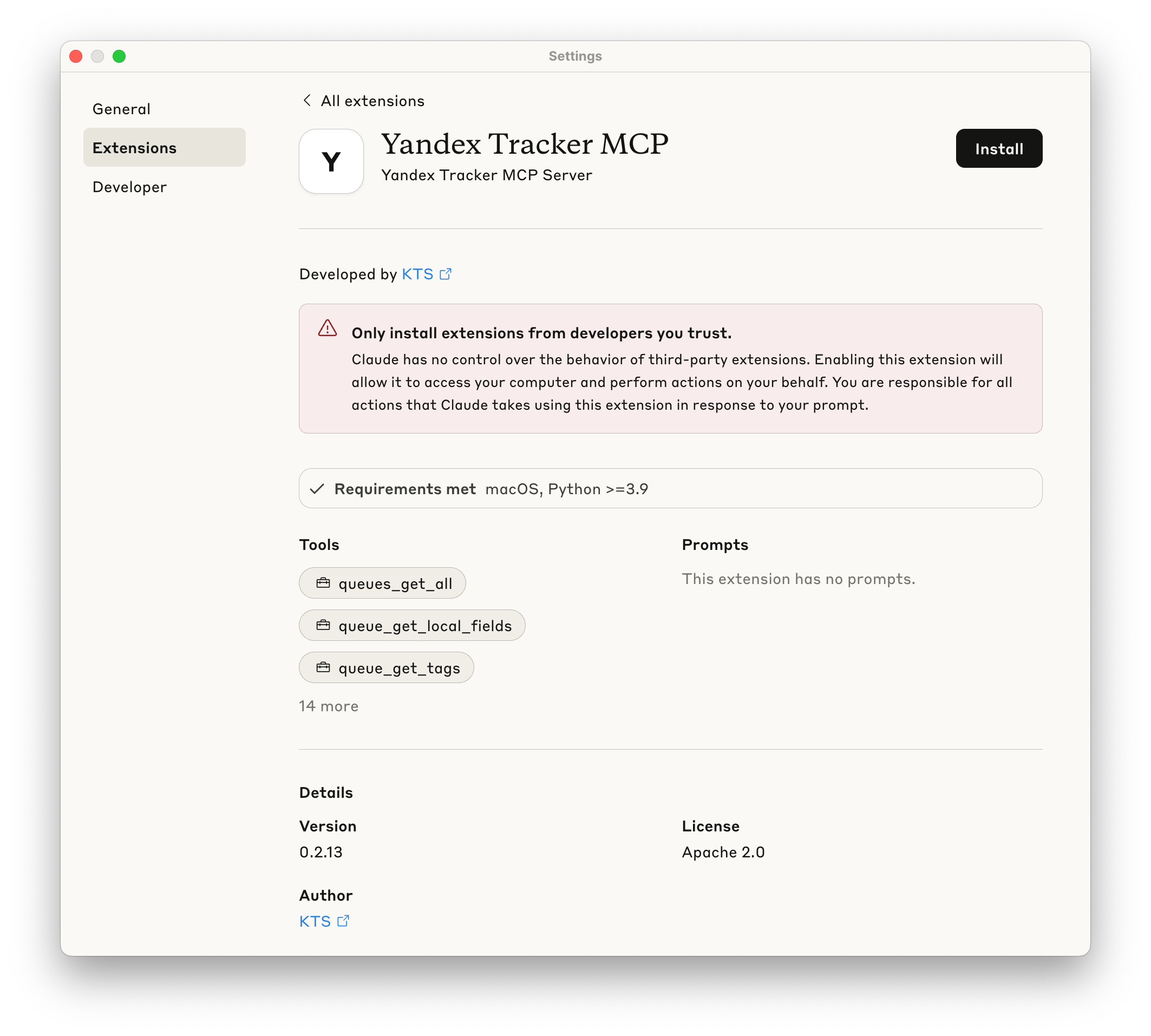
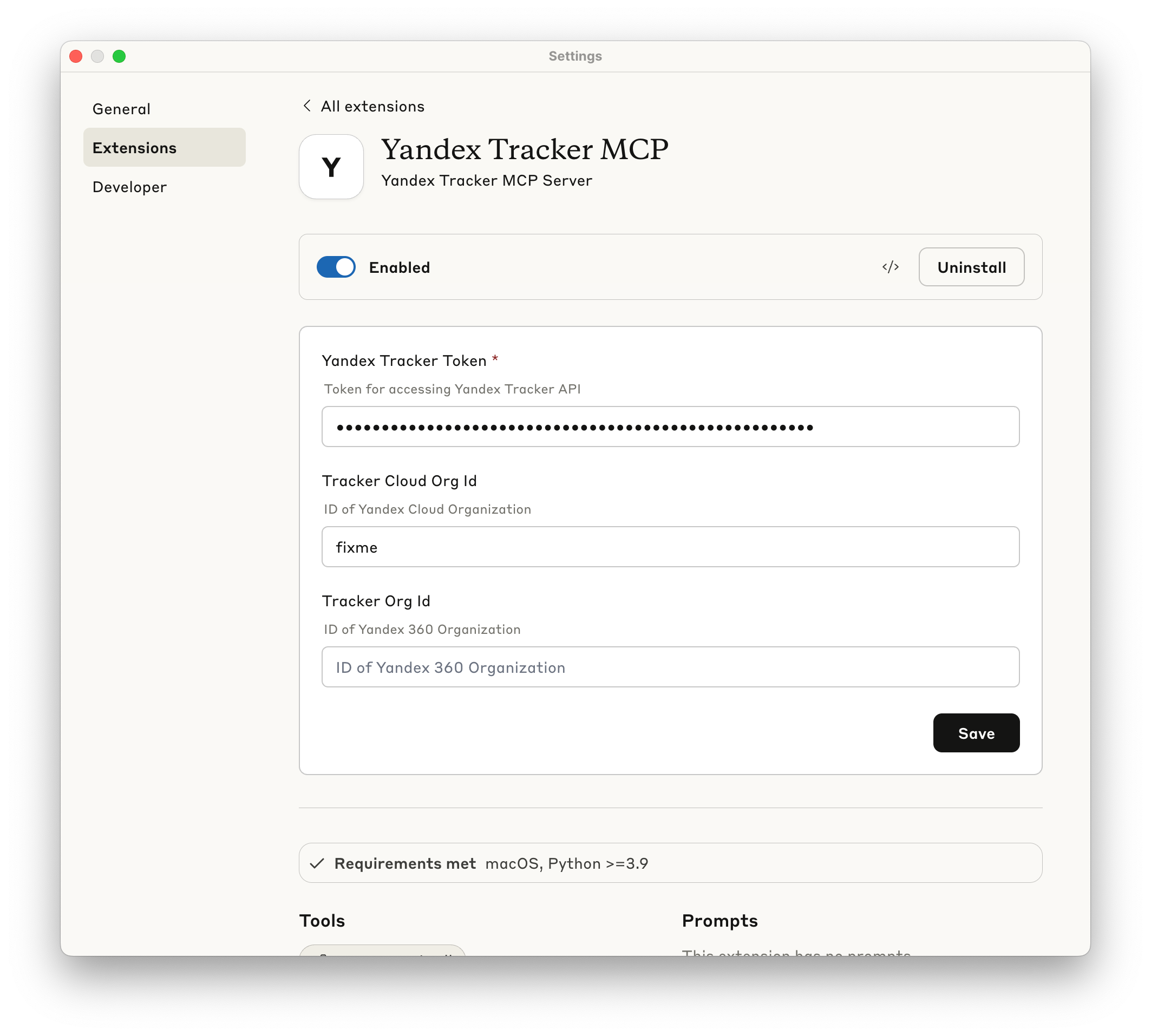
The following sections show how to configure the MCP server for different AI clients. You can use either uvx yandex-tracker-mcp@latest or the Docker image ghcr.io/aikts/yandex-tracker-mcp:latest. Both require these environment variables:
TRACKER_TOKEN - Your Yandex Tracker OAuth tokenTRACKER_IAM_TOKEN - Your IAM tokenTRACKER_SA_KEY_ID, TRACKER_SA_SERVICE_ACCOUNT_ID, TRACKER_SA_PRIVATE_KEY - Service account credentialsTRACKER_CLOUD_ORG_ID or TRACKER_ORG_ID - Your Yandex Cloud (or Yandex 360) organization IDClaude Desktop
Configuration file path:
~/Library/Application Support/Claude/claude_desktop_config.json%APPDATA%\Claude\claude_desktop_config.jsonUsing uvx:
{
  "mcpServers": {
    "yandex-tracker": {
      "command": "uvx",
      "args": ["yandex-tracker-mcp@latest"],
      "env": {
        "TRACKER_TOKEN": "your_tracker_token_here",
        "TRACKER_CLOUD_ORG_ID": "your_cloud_org_id_here",
        "TRACKER_ORG_ID": "your_org_id_here"
      }
    }
  }
}
Using Docker:
{
  "mcpServers": {
    "yandex-tracker": {
      "command": "docker",
      "args": [
        "run", "--rm", "-i",
        "-e", "TRACKER_TOKEN",
        "-e", "TRACKER_CLOUD_ORG_ID",
        "-e", "TRACKER_ORG_ID",
        "ghcr.io/aikts/yandex-tracker-mcp:latest"
      ],
      "env": {
        "TRACKER_TOKEN": "your_tracker_token_here",
        "TRACKER_CLOUD_ORG_ID": "your_cloud_org_id_here",
        "TRACKER_ORG_ID": "your_org_id_here"
      }
    }
  }
}
Claude Code
Using uvx:
claude mcp add yandex-tracker uvx yandex-tracker-mcp@latest \
  -e TRACKER_TOKEN=your_tracker_token_here \
  -e TRACKER_CLOUD_ORG_ID=your_cloud_org_id_here \
  -e TRACKER_ORG_ID=your_org_id_here \
  -e TRANSPORT=stdio
Using Docker:
claude mcp add yandex-tracker docker "run --rm -i -e TRACKER_TOKEN=your_tracker_token_here -e TRACKER_CLOUD_ORG_ID=your_cloud_org_id_here -e TRACKER_ORG_ID=your_org_id_here -e TRANSPORT=stdio ghcr.io/aikts/yandex-tracker-mcp:latest"
Cursor
Configuration file path:
.cursor/mcp.json in your project directory~/.cursor/mcp.jsonUsing uvx:
{
  "mcpServers": {
    "yandex-tracker": {
      "command": "uvx",
      "args": ["yandex-tracker-mcp@latest"],
      "env": {
        "TRACKER_TOKEN": "your_tracker_token_here",
        "TRACKER_CLOUD_ORG_ID": "your_cloud_org_id_here",
        "TRACKER_ORG_ID": "your_org_id_here"
      }
    }
  }
}
Using Docker:
{
  "mcpServers": {
    "yandex-tracker": {
      "command": "docker",
      "args": [
        "run", "--rm", "-i",
        "-e", "TRACKER_TOKEN",
        "-e", "TRACKER_CLOUD_ORG_ID",
        "-e", "TRACKER_ORG_ID",
        "ghcr.io/aikts/yandex-tracker-mcp:latest"
      ],
      "env": {
        "TRACKER_TOKEN": "your_tracker_token_here",
        "TRACKER_CLOUD_ORG_ID": "your_cloud_org_id_here",
        "TRACKER_ORG_ID": "your_org_id_here"
      }
    }
  }
}
Windsurf
Configuration file path:
~/.codeium/windsurf/mcp_config.jsonAccess via: Windsurf Settings → Cascade tab → Model Context Protocol (MCP) Servers → "View raw config"
Using uvx:
{
  "mcpServers": {
    "yandex-tracker": {
      "command": "uvx",
      "args": ["yandex-tracker-mcp@latest"],
      "env": {
        "TRACKER_TOKEN": "your_tracker_token_here",
        "TRACKER_CLOUD_ORG_ID": "your_cloud_org_id_here",
        "TRACKER_ORG_ID": "your_org_id_here"
      }
    }
  }
}
Using Docker:
{
  "mcpServers": {
    "yandex-tracker": {
      "command": "docker",
      "args": [
        "run", "--rm", "-i",
        "-e", "TRACKER_TOKEN",
        "-e", "TRACKER_CLOUD_ORG_ID",
        "-e", "TRACKER_ORG_ID",
        "ghcr.io/aikts/yandex-tracker-mcp:latest"
      ],
      "env": {
        "TRACKER_TOKEN": "your_tracker_token_here",
        "TRACKER_CLOUD_ORG_ID": "your_cloud_org_id_here",
        "TRACKER_ORG_ID": "your_org_id_here"
      }
    }
  }
}
Zed
Configuration file path:
~/.config/zed/settings.jsonAccess via: Cmd+, (macOS) or Ctrl+, (Linux/Windows) or command palette: "zed: open settings"
Note: Requires Zed Preview version for MCP support.
Using uvx:
{
  "context_servers": {
    "yandex-tracker": {
      "source": "custom",
      "command": {
        "path": "uvx",
        "args": ["yandex-tracker-mcp@latest"],
        "env": {
          "TRACKER_TOKEN": "your_tracker_token_here",
          "TRACKER_CLOUD_ORG_ID": "your_cloud_org_id_here",
          "TRACKER_ORG_ID": "your_org_id_here"
        }
      }
    }
  }
}
Using Docker:
{
  "context_servers": {
    "yandex-tracker": {
      "source": "custom",
      "command": {
        "path": "docker",
        "args": [
          "run", "--rm", "-i",
          "-e", "TRACKER_TOKEN",
          "-e", "TRACKER_CLOUD_ORG_ID",
          "-e", "TRACKER_ORG_ID",
          "ghcr.io/aikts/yandex-tracker-mcp:latest"
        ],
        "env": {
          "TRACKER_TOKEN": "your_tracker_token_here",
          "TRACKER_CLOUD_ORG_ID": "your_cloud_org_id_here",
          "TRACKER_ORG_ID": "your_org_id_here"
        }
      }
    }
  }
}
GitHub Copilot (VS Code)
Configuration file path:
.vscode/mcp.json in your project directorysettings.jsonOption 1: Workspace Configuration (Recommended for security)
Create .vscode/mcp.json:
Using uvx:
{
  "inputs": [
    {
      "type": "promptString",
      "id": "tracker-token",
      "description": "Yandex Tracker Token",
      "password": true
    },
    {
      "type": "promptString",
      "id": "cloud-org-id",
      "description": "Yandex Cloud Organization ID"
    },
    {
      "type": "promptString",
      "id": "org-id",
      "description": "Yandex Tracker Organization ID (optional)"
    }
  ],
  "servers": {
    "yandex-tracker": {
      "type": "stdio",
      "command": "uvx",
      "args": ["yandex-tracker-mcp@latest"],
      "env": {
        "TRACKER_TOKEN": "${input:tracker-token}",
        "TRACKER_CLOUD_ORG_ID": "${input:cloud-org-id}",
        "TRACKER_ORG_ID": "${input:org-id}",
        "TRANSPORT": "stdio"
      }
    }
  }
}
Using Docker:
{
  "inputs": [
    {
      "type": "promptString",
      "id": "tracker-token",
      "description": "Yandex Tracker Token",
      "password": true
    },
    {
      "type": "promptString",
      "id": "cloud-org-id",
      "description": "Yandex Cloud Organization ID"
    },
    {
      "type": "promptString",
      "id": "org-id",
      "description": "Yandex Tracker Organization ID (optional)"
    }
  ],
  "servers": {
    "yandex-tracker": {
      "type": "stdio",
      "command": "docker",
      "args": [
        "run", "--rm", "-i",
        "-e", "TRACKER_TOKEN",
        "-e", "TRACKER_CLOUD_ORG_ID",
        "-e", "TRACKER_ORG_ID",
        "ghcr.io/aikts/yandex-tracker-mcp:latest"
      ],
      "env": {
        "TRACKER_TOKEN": "${input:tracker-token}",
        "TRACKER_CLOUD_ORG_ID": "${input:cloud-org-id}",
        "TRACKER_ORG_ID": "${input:org-id}",
        "TRANSPORT": "stdio"
      }
    }
  }
}
Option 2: Global Configuration
Add to VS Code settings.json:
Using uvx:
{
  "github.copilot.chat.mcp.servers": {
    "yandex-tracker": {
      "type": "stdio",
      "command": "uvx",
      "args": ["yandex-tracker-mcp@latest"],
      "env": {
        "TRACKER_TOKEN": "your_tracker_token_here",
        "TRACKER_CLOUD_ORG_ID": "your_cloud_org_id_here",
        "TRACKER_ORG_ID": "your_org_id_here"
      }
    }
  }
}
Using Docker:
{
  "github.copilot.chat.mcp.servers": {
    "yandex-tracker": {
      "type": "stdio",
      "command": "docker",
      "args": [
        "run", "--rm", "-i",
        "-e", "TRACKER_TOKEN",
        "-e", "TRACKER_CLOUD_ORG_ID",
        "-e", "TRACKER_ORG_ID",
        "ghcr.io/aikts/yandex-tracker-mcp:latest"
      ],
      "env": {
        "TRACKER_TOKEN": "your_tracker_token_here",
        "TRACKER_CLOUD_ORG_ID": "your_cloud_org_id_here",
        "TRACKER_ORG_ID": "your_org_id_here"
      }
    }
  }
}
Other MCP-Compatible Clients
For other MCP-compatible clients, use the standard MCP server configuration format:
Using uvx:
{
  "mcpServers": {
    "yandex-tracker": {
      "command": "uvx",
      "args": ["yandex-tracker-mcp@latest"],
      "env": {
        "TRACKER_TOKEN": "your_tracker_token_here",
        "TRACKER_CLOUD_ORG_ID": "your_cloud_org_id_here",
        "TRACKER_ORG_ID": "your_org_id_here"
      }
    }
  }
}
Using Docker:
{
  "mcpServers": {
    "yandex-tracker": {
      "command": "docker",
      "args": [
        "run", "--rm", "-i",
        "-e", "TRACKER_TOKEN",
        "-e", "TRACKER_CLOUD_ORG_ID",
        "-e", "TRACKER_ORG_ID",
        "ghcr.io/aikts/yandex-tracker-mcp:latest"
      ],
      "env": {
        "TRACKER_TOKEN": "your_tracker_token_here",
        "TRACKER_CLOUD_ORG_ID": "your_cloud_org_id_here",
        "TRACKER_ORG_ID": "your_org_id_here"
      }
    }
  }
}
Important Notes:
uvx is installed and available in your system PATHThe server exposes the following tools through the MCP protocol:
Queue Management
queues_get_all: List all available Yandex Tracker queues
fields (optional): Fields to include in the response (e.g., ["key", "name"]). Helps optimize context window usage by selecting only needed fields. If not specified, returns all available fields.page (optional): Page number to return. If not specified, retrieves all pages automatically.per_page (optional): Number of items per page (default: 100)TRACKER_LIMIT_QUEUES restrictionsqueue_get_tags: Get all tags for a specific queue
queue_id (string, queue key like "SOMEPROJECT")TRACKER_LIMIT_QUEUES restrictionsqueue_get_versions: Get all versions for a specific queue
queue_id (string, queue key like "SOMEPROJECT")TRACKER_LIMIT_QUEUES restrictionsqueue_get_fields: Get fields for a specific queue
queue_id (string, required): Queue key like "SOMEPROJECT"include_local_fields (boolean, optional, default: true): Whether to include queue-specific local fieldsinclude_local_fields is trueschema.required property indicates whether a field is mandatoryissue_create toolTRACKER_LIMIT_QUEUES restrictionsqueue_get_metadata: Get detailed metadata about a specific queue
queue_id (string, required): Queue key like "SOMEPROJECT"expand (array of strings, optional): Fields to expand in the response. Available options: all, projects, components, versions, types, team, workflows, fields, issueTypesConfigexpand: ["issueTypesConfig"] to get available resolutions for each issue type (needed for issue_close tool)TRACKER_LIMIT_QUEUES restrictionsUser Management
users_get_all: Get information about user accounts registered in the organization
per_page (optional): Number of users per page (default: 50)page (optional): Page number to return (default: 1)user_get: Get information about a specific user by login or UID
user_id (string, user login like "john.doe" or UID like "12345")user_get_current: Get information about the current authenticated user
users_search: Search user based on login, email or real name (first or last name, or both)
login_or_email_or_name (string, user login, email or real name to search for)Field Management
get_global_fields: Get all global fields available in Yandex Tracker
Status and Type Management
get_statuses: Get all available issue statuses
get_issue_types: Get all available issue types
get_priorities: Get all available issue priorities
get_resolutions: Get all available issue resolutions
Issue Operations
issue_get: Retrieve detailed issue information by ID
issue_id (string, format: "QUEUE-123")include_description (boolean, optional, default: true): Whether to include issue description in the result. Can be large, so use only when needed.issue_get_url: Generate web URL for an issue
issue_id (string)https://tracker.yandex.ru/{issue_id}issue_get_comments: Fetch all comments for an issue
issue_id (string)issue_add_comment: Add a comment to an issue
issue_id (string, required, format: "QUEUE-123")text (string, required): Comment text (markdown supported by Tracker)summonees (array of strings, optional): Users to summon (logins or IDs). This is the API way to mention/call users (notifications are triggered by this field, not by @login in text).maillist_summonees (array of strings, optional): Mailing lists to summon (emails)markup_type (string, optional): Use md for YFM (markdown)is_add_to_followers (boolean, optional, default: true): Add comment author to followersissue_update_comment: Update an existing comment in an issue
issue_id (string, required, format: "QUEUE-123")comment_id (int, required): Comment IDtext (string, required): New comment text (markdown supported by Tracker)summonees (array of strings, optional): Users to summon (logins or IDs)maillist_summonees (array of strings, optional): Mailing lists to summon (emails)markup_type (string, optional): Use md for YFM (markdown)issue_delete_comment: Delete a comment from an issue
issue_id (string, required, format: "QUEUE-123")comment_id (int, required): Comment IDnull (success)issue_get_links: Get related issue links
issue_id (string)issue_get_worklogs: Retrieve worklog entries
issue_ids (array of strings)issue_add_worklog: Add a worklog entry (log spent time) to an issue
issue_id (string, required, format: "QUEUE-123")duration (string, required): ISO-8601 duration (e.g. PT1H30M)comment (string, optional): Worklog commentstart (datetime, optional): Work start datetime (UTC assumed if timezone is not provided)issue_update_worklog: Update a worklog entry (spent time record) in an issue
issue_id (string, required, format: "QUEUE-123")worklog_id (int, required): Worklog entry IDduration (string, optional): ISO-8601 duration (e.g. PT1H30M)comment (string, optional): Worklog commentstart (datetime, optional): Work start datetime (UTC assumed if timezone is not provided)issue_delete_worklog: Delete a worklog entry (spent time record) from an issue
issue_id (string, required, format: "QUEUE-123")worklog_id (int, required): Worklog entry IDnull (success)issue_get_attachments: Get attachments for an issue
issue_id (string, format: "QUEUE-123")issue_get_checklist: Get checklist items of an issue
issue_id (string, format: "QUEUE-123")issue_get_transitions: Get possible status transitions for an issue
issue_id (string, format: "QUEUE-123")issue_execute_transition: Execute a status transition for an issue
issue_id (string, required, format: "QUEUE-123"): The issue keytransition_id (string, required): The transition ID to execute. IMPORTANT: Must be one of the IDs returned by issue_get_transitions toolcomment (string, optional): Optional comment to add when executing the transitionfields (object, optional): Dictionary of additional fields to set during the transition. Common fields include resolution (e.g., 'fixed', 'wontFix') for closing issues, assignee for reassigning, etc.issue_get_transitions to retrieve available transitions, then pass one of the returned transition IDs. Do NOT use arbitrary transition IDs.issue_close: Close an issue with a resolution (convenience tool)
issue_id (string, required, format: "QUEUE-123"): The issue keyresolution_id (string, required): The resolution ID to set when closing (e.g., 'fixed', 'wontFix', 'duplicate')comment (string, optional): Optional comment to add when closing the issueissue_get to retrieve the issue's type fieldget_queue_metadata with expand: ["issueTypesConfig"] to get available resolutionsissueTypesConfig entry matching the issue's type - each issue type has its own set of valid resolutionsissue_create: Create a new issue in a queue
queue (string, required): Queue key where to create the issue (e.g., 'MYQUEUE')summary (string, required): Issue title/summarytype (int, optional): Issue type ID (from get_issue_types tool)description (string, optional): Issue descriptionassignee (string or int, optional): Assignee login or UIDpriority (string, optional): Priority key (from get_priorities tool)fields (object, optional): Additional fields to set during issue creation. IMPORTANT: Before creating an issue, you MUST call queue_get_fields to get available fields (it returns both global and local fields by default). Fields with schema.required=true are mandatory. Use the field's id property as the key in this map (e.g., {"fieldId": "value"})TRACKER_LIMIT_QUEUES restrictionsissue_update: Update an existing issue
issue_id (string, required, format: "QUEUE-123"): The issue key to updatesummary (string, optional): New issue title/summarydescription (string, optional): New issue descriptionmarkup_type (string, optional): Markup type for description text (use 'md' for YFM markup)parent (IssueUpdateParent, optional): Parent issue reference with id (string) and/or key (string, e.g., 'QUEUE-123')sprint (array of IssueUpdateSprint, optional): Sprint assignments - array of objects with id (int) fieldtype (IssueUpdateType, optional): Issue type with id (string) and/or key (string, e.g., 'bug', 'task')priority (IssueUpdatePriority, optional): Priority with id (string) and/or key (string, e.g., 'critical', 'normal')followers (array of IssueUpdateFollower, optional): Followers - array of objects with id (string, user ID or login)project (IssueUpdateProject, optional): Project with primary (int, main project shortId) and optional secondary (array of ints)attachment_ids (array of strings, optional): IDs of temporary files to attachdescription_attachment_ids (array of strings, optional): IDs of temporary files to embed in descriptiontags (array of strings, optional): Issue tagsversion (int, optional): Issue version for optimistic locking - changes only made to current versionfields (object, optional): Additional fields to update. Use queue_get_fields to discover available fields.TRACKER_LIMIT_QUEUES restrictionsSearch and Discovery
issues_find: Search issues using Yandex Tracker Query Language
query (required): Query string using Yandex Tracker Query Language syntaxinclude_description (boolean, optional, default: false): Whether to include issue description in the issues result. Can be large, so use only when needed.fields (list of strings, optional): Fields to include in the response. Helps optimize context window usage by selecting only needed fields. If not specified, returns all available fields.page (optional): Page number for pagination (default: 1)per_page (optional): Number of items per page (default: 100). May be decreased if results exceed context window.issues_count: Count issues matching a query using Yandex Tracker Query Language
query (required): Query string using Yandex Tracker Query Language syntaxThe MCP server can also be run in streamable-http mode for web-based integrations or when stdio transport is not suitable.
# Required - Set transport to streamable-http mode
TRANSPORT=streamable-http

# Server Configuration
HOST=0.0.0.0  # Default: 0.0.0.0 (all interfaces)
PORT=8000     # Default: 8000
# Basic streamable-http server startup
TRANSPORT=streamable-http uvx yandex-tracker-mcp@latest

# With custom host and port
TRANSPORT=streamable-http \
HOST=localhost \
PORT=9000 \
uvx yandex-tracker-mcp@latest

# With all environment variables
TRANSPORT=streamable-http \
HOST=0.0.0.0 \
PORT=8000 \
TRACKER_TOKEN=your_token \
TRACKER_CLOUD_ORG_ID=your_org_id \
uvx yandex-tracker-mcp@latest
You may skip configuring TRACKER_CLOUD_ORG_ID or TRACKER_ORG_ID if you are using the following format when connecting to MCP Server (example for Claude Code):
claude mcp add --transport http yandex-tracker "http://localhost:8000/mcp/?cloudOrgId=your_cloud_org_id&"
or
claude mcp add --transport http yandex-tracker "http://localhost:8000/mcp/?orgId=org_id&"
You may also skip configuring global TRACKER_TOKEN environment variable if you choose to use OAuth 2.0 authentication (see below).
The Yandex Tracker MCP Server supports OAuth 2.0 authentication as a secure alternative to static API tokens. When configured, the server acts as an OAuth provider, facilitating authentication between your MCP client and Yandex OAuth services.
The MCP server implements a standard OAuth 2.0 authorization code flow:
MCP Client → MCP Server → Yandex OAuth → User Authentication
    ↑                                           ↓
    └────────── Access Token ←─────────────────┘
To enable OAuth authentication, set the following environment variables:
# Enable OAuth mode
OAUTH_ENABLED=true

# Yandex OAuth Application Credentials (required for OAuth)
OAUTH_CLIENT_ID=your_yandex_oauth_app_id
OAUTH_CLIENT_SECRET=your_yandex_oauth_app_secret

# Public URL of your MCP server (required for OAuth callbacks)
MCP_SERVER_PUBLIC_URL=https://your-mcp-server.example.com

# Optional OAuth settings
OAUTH_SERVER_URL=https://oauth.yandex.ru  # Default Yandex OAuth server

# When OAuth is enabled, TRACKER_TOKEN becomes optional
{MCP_SERVER_PUBLIC_URL}/oauth/yandex/callbacktracker:read - Read permissions for Trackertracker:write - Write permissions for Tracker| Feature | OAuth | Static Token |
|---|---|---|
| Security | Dynamic tokens with expiration | Long-lived static tokens |
| User Experience | Interactive login flow | One-time configuration |
| Token Management | Automatic refresh | Manual rotation |
| Access Control | Per-user authentication | Shared token |
| Setup Complexity | Requires OAuth app setup | Simple token configuration |
When OAuth is enabled, MCP clients will need to:
Note: Not all MCP clients currently support OAuth authentication. Check your client's documentation for OAuth compatibility.
Example configuration for Claude Code:
claude mcp add --transport http yandex-tracker https://your-mcp-server.example.com/mcp/ -s user
The MCP server supports two different storage backends for OAuth data (client registrations, access tokens, refresh tokens, and authorization states):
The in-memory store keeps all OAuth data in server memory. This is the default option and requires no additional configuration.
Characteristics:
Configuration:
OAUTH_STORE=memory # Default value, can be omitted
The Redis store provides persistent storage for OAuth data using a Redis database. This ensures OAuth sessions survive server restarts and enables multi-instance deployments.
Characteristics:
Configuration:
# Enable Redis store for OAuth data
OAUTH_STORE=redis

# Redis connection settings (same as used for tools caching)
REDIS_ENDPOINT=localhost                  # Default: localhost
REDIS_PORT=6379                           # Default: 6379
REDIS_DB=0                                # Default: 0
REDIS_PASSWORD=your_redis_password        # Optional: Redis password
REDIS_POOL_MAX_SIZE=10                    # Default: 10
Storage Behavior:
oauth:* prefixes to avoid conflicts with other Redis dataWhen using Redis store, you must configure encryption to protect OAuth tokens at rest. Token values are encrypted using Fernet (AES-128) and Redis keys use SHA-256 hashes instead of raw tokens, preventing token exposure if Redis is compromised.
Generate an encryption key:
python3 -c "import base64, os; print(base64.b64encode(os.urandom(32)).decode())"
Configuration:
# Single encryption key
OAUTH_ENCRYPTION_KEYS=

# Multiple keys for rotation (first encrypts, all decrypt)
OAUTH_ENCRYPTION_KEYS=,
Key rotation allows seamless key updates: add the new key first, wait for old tokens to expire, then remove the old key.
Important Notes:
OAUTH_STORE setting only affects OAuth data storage; tools caching uses TOOLS_CACHE_ENABLEDYandex Tracker MCP Server supports multiple authentication methods with a clear priority order. The server will use the first available authentication method based on this hierarchy:
Dynamic OAuth Token (highest priority)
OAUTH_ENABLED=true, OAUTH_CLIENT_ID, OAUTH_CLIENT_SECRET, MCP_SERVER_PUBLIC_URLOAUTH_SERVER_URL=https://auth.yandex.cloud/oauth, OAUTH_TOKEN_TYPE=Bearer, OAUTH_USE_SCOPES=falseStatic OAuth Token
TRACKER_TOKEN (your OAuth token)Static IAM Token
TRACKER_IAM_TOKEN (your IAM token)Dynamic IAM Token (lowest priority)
TRACKER_SA_KEY_ID, TRACKER_SA_SERVICE_ACCOUNT_ID, TRACKER_SA_PRIVATE_KEY# Enable OAuth mode
OAUTH_ENABLED=true
OAUTH_CLIENT_ID=your_oauth_app_id
OAUTH_CLIENT_SECRET=your_oauth_app_secret
MCP_SERVER_PUBLIC_URL=https://your-server.com
# Organization ID (choose one)
TRACKER_CLOUD_ORG_ID=your_cloud_org_id # or TRACKER_ORG_ID
# OAuth token
TRACKER_TOKEN=your_oauth_token

# Organization ID (choose one)
TRACKER_CLOUD_ORG_ID=your_cloud_org_id  # or TRACKER_ORG_ID
# IAM token
TRACKER_IAM_TOKEN=your_iam_token

# Organization ID (choose one)
TRACKER_CLOUD_ORG_ID=your_cloud_org_id  # or TRACKER_ORG_ID
# Service account credentials
TRACKER_SA_KEY_ID=your_key_id
TRACKER_SA_SERVICE_ACCOUNT_ID=your_service_account_id
TRACKER_SA_PRIVATE_KEY=your_private_key

# Organization ID (choose one)
TRACKER_CLOUD_ORG_ID=your_cloud_org_id  # or TRACKER_ORG_ID
# Enable OAuth with Yandex Cloud federation
OAUTH_ENABLED=true
OAUTH_SERVER_URL=https://auth.yandex.cloud/oauth
OAUTH_TOKEN_TYPE=Bearer
OAUTH_USE_SCOPES=false
OAUTH_CLIENT_ID=your_oidc_client_id
OAUTH_CLIENT_SECRET=your_oidc_client_secret
MCP_SERVER_PUBLIC_URL=https://your-server.com

# Organization ID (choose one)
TRACKER_CLOUD_ORG_ID=your_cloud_org_id  # or TRACKER_ORG_ID
This configuration enables authentication through Yandex Cloud OIDC applications, which is required for federated accounts in Yandex Cloud. Federated users authenticate through their organization's identity provider (IdP) and use this OAuth flow to access Yandex Tracker APIs.
# Authentication (use one of the following methods)
# Method 1: OAuth Token
TRACKER_TOKEN=your_yandex_tracker_oauth_token

# Method 2: IAM Token
TRACKER_IAM_TOKEN=your_iam_token

# Method 3: Service Account (for dynamic IAM token)
TRACKER_SA_KEY_ID=your_key_id                    # Service account key ID
TRACKER_SA_SERVICE_ACCOUNT_ID=your_sa_id        # Service account ID
TRACKER_SA_PRIVATE_KEY=your_private_key          # Service account private key

# Organization Configuration (choose one)
TRACKER_CLOUD_ORG_ID=your_cloud_org_id    # For Yandex Cloud organizations
TRACKER_ORG_ID=your_org_id                # For Yandex 360 organizations

# API Configuration (optional)
TRACKER_API_BASE_URL=https://api.tracker.yandex.net  # Default: https://api.tracker.yandex.net

# Security - Restrict access to specific queues (optional)
TRACKER_LIMIT_QUEUES=PROJ1,PROJ2,DEV      # Comma-separated queue keys

# Server Configuration
HOST=0.0.0.0                              # Default: 0.0.0.0
PORT=8000                                 # Default: 8000
TRANSPORT=stdio                           # Options: stdio, streamable-http, sse

# Redis connection settings (used for caching and OAuth store)
REDIS_ENDPOINT=localhost                  # Default: localhost
REDIS_PORT=6379                           # Default: 6379
REDIS_DB=0                                # Default: 0
REDIS_PASSWORD=your_redis_password        # Optional: Redis password
REDIS_POOL_MAX_SIZE=10                    # Default: 10

# Tools caching configuration (optional)
TOOLS_CACHE_ENABLED=true                  # Default: false
TOOLS_CACHE_REDIS_TTL=3600                # Default: 3600 seconds (1 hour)

# OAuth 2.0 Authentication (optional)
OAUTH_ENABLED=true                        # Default: false
OAUTH_STORE=redis                         # Options: memory, redis (default: memory)
OAUTH_SERVER_URL=https://oauth.yandex.ru  # Default: https://oauth.yandex.ru (use https://auth.yandex.cloud/oauth for federation)
OAUTH_TOKEN_TYPE=>   # Default:  (required to be Bearer for Yandex Cloud federation)
OAUTH_USE_SCOPES=true                     # Default: true (set to false for Yandex Cloud federation)
OAUTH_CLIENT_ID=your_oauth_client_id      # Required when OAuth enabled
OAUTH_CLIENT_SECRET=your_oauth_secret     # Required when OAuth enabled
MCP_SERVER_PUBLIC_URL=https://your.server.com  # Required when OAuth enabled
TRACKER_READ_ONLY=true                    # Default: false - Limit OAuth to read-only permissions
# Using environment file
docker run --env-file .env -p 8000:8000 ghcr.io/aikts/yandex-tracker-mcp:latest

# With inline environment variables
docker run -e TRACKER_TOKEN=your_token \
           -e TRACKER_CLOUD_ORG_ID=your_org_id \
           -p 8000:8000 \
           ghcr.io/aikts/yandex-tracker-mcp:latest
docker build -t yandex-tracker-mcp .
Using pre-built image:
version: '3.8'
services:
  mcp-tracker:
    image: ghcr.io/aikts/yandex-tracker-mcp:latest
    ports:
      - "8000:8000"
    environment:
      - TRACKER_TOKEN=${TRACKER_TOKEN}
      - TRACKER_CLOUD_ORG_ID=${TRACKER_CLOUD_ORG_ID}
Building locally:
version: '3.8'
services:
  mcp-tracker:
    build: .
    ports:
      - "8000:8000"
    environment:
      - TRACKER_TOKEN=${TRACKER_TOKEN}
      - TRACKER_CLOUD_ORG_ID=${TRACKER_CLOUD_ORG_ID}
# Clone and setup
git clone https://github.com/aikts/yandex-tracker-mcp
cd yandex-tracker-mcp

# Install development dependencies
uv sync --dev

# Formatting and static checking
task
This project is licensed under the terms specified in the LICENSE file.
For issues and questions:
Install via CLI
npx mdskills install aikts/yandex-tracker-mcpYandex Tracker MCP Server is a free, open-source AI agent skill. mcp-name: io.github.aikts/yandex-tracker-mcp A comprehensive Model Context Protocol (MCP) server that enables AI assistants to interact with Yandex Tracker APIs. This server provides secure, authenticated access to Yandex Tracker issues, queues, comments, worklogs, and search functionality with optional Redis caching for improved performance. Documentation in Russian is available here / Документац
Install Yandex Tracker MCP Server with a single command:
npx mdskills install aikts/yandex-tracker-mcpThis downloads the skill files into your project and your AI agent picks them up automatically.
Yandex Tracker MCP Server works with Claude Code, Claude Desktop, Cursor, Vscode Copilot, Windsurf, Continue Dev, Gemini Cli, Amp, Roo Code, Goose. Skills use the open SKILL.md format which is compatible with any AI coding agent that reads markdown instructions.