
MCP server for the Urlbox Screenshot API. Enables your client to take screenshots, generate PDFs, extract HTML/markdown, and more from websites. Visit Urlbox for more information, and have a read of our docs or chat with your LLM post install to get a good understanding of its options and capabilities. 1. Install dependencies and build: 2. Get Urlbox API credentials: - Sign up at urlbox.com - Get
npx mdskills install urlbox/urlbox-mcp-serverRelated
@urlbox? Sign in with GitHub to claim this listing.Well-documented screenshot API with clear setup, practical examples, and multiple output formats
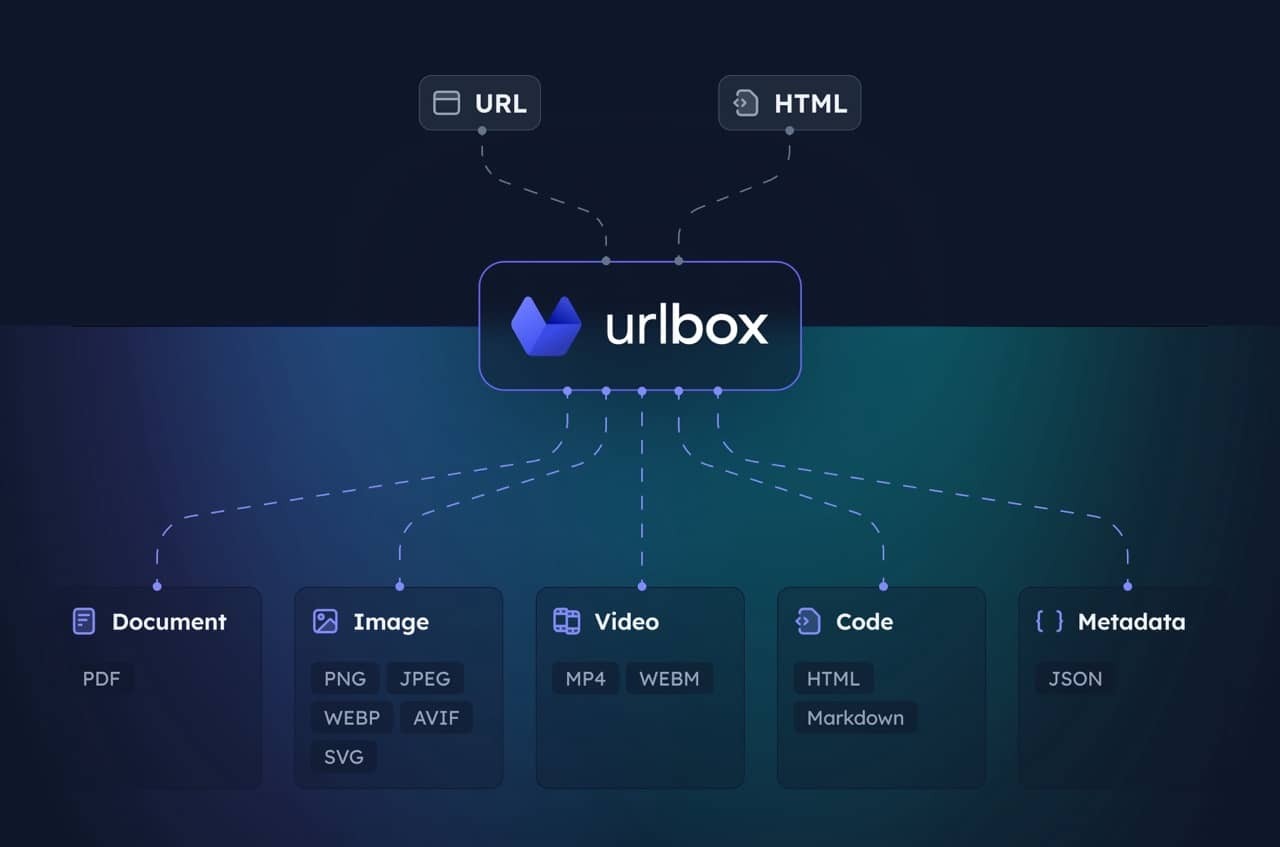
MCP server for the Urlbox Screenshot API. Enables your client to take screenshots, generate PDFs, extract HTML/markdown, and more from websites.
Visit Urlbox for more information, and have a read of our docs or chat with your LLM post install to get a good understanding of its options and capabilities.
Install dependencies and build:
npm install
npm run build
Get Urlbox API credentials:
Set environment variables:
claude_desktop_config.json
{
  "mcpServers": {
    "screenshot": {
      "command": "npx",
      "args": ["-y", "@urlbox/screenshot-mcp"],
      "env": {
        "SECRET_KEY": "your_api_key_here"
      }
    }
  }
}
The server provides a render tool that can:
store_renders: trueClaude will automatically use this when you ask it to screenshot websites or convert web content.
Take a clean screenshot without ads or cookie banners:
Take a screenshot of https://example.com but block ads and hide cookie banners
Screenshot and save side renders like HTML/markdown:
Take a screenshot of https://example.com and also save it as HTML and markdown. Download the result to my computer.
Generate a PDF of the full page:
Convert https://urlbox.com to a PDF and save it to my computer. Make sure to generate a PDF that has an outline and is tagged.
Install via CLI
npx mdskills install urlbox/urlbox-mcp-serverUrlbox MCP Server is a free, open-source AI agent skill. MCP server for the Urlbox Screenshot API. Enables your client to take screenshots, generate PDFs, extract HTML/markdown, and more from websites. Visit Urlbox for more information, and have a read of our docs or chat with your LLM post install to get a good understanding of its options and capabilities. 1. Install dependencies and build: 2. Get Urlbox API credentials: - Sign up at urlbox.com - Get
Install Urlbox MCP Server with a single command:
npx mdskills install urlbox/urlbox-mcp-serverThis downloads the skill files into your project and your AI agent picks them up automatically.
Urlbox MCP Server works with Claude Code, Claude Desktop, Cursor, Vscode Copilot, Windsurf, Continue Dev, Gemini Cli, Amp, Roo Code, Goose. Skills use the open SKILL.md format which is compatible with any AI coding agent that reads markdown instructions.