
A remote MCP server that lets Claude plan, edit, and save your trips to Triplyfy. A simple trip‑planning app to create and share itineraries. View is public by link, editing requires Google sign‑in. Drag‑and‑drop places and notes across days, see everything on a map, and add flights. Open Claude Desktop → Settings → Developer → MCP Servers → Add server - Name: Triplyfy - MCP SSE endpoint: https://
npx mdskills install helpful-AIs/triplyfy-mcpRelated
@helpful-AIs? Sign in with GitHub to claim this listing.Clear setup for trip planning integration but lacks tool descriptions and over-requests filesystem permissions
A remote MCP server that lets Claude plan, edit, and save your trips to Triplyfy.
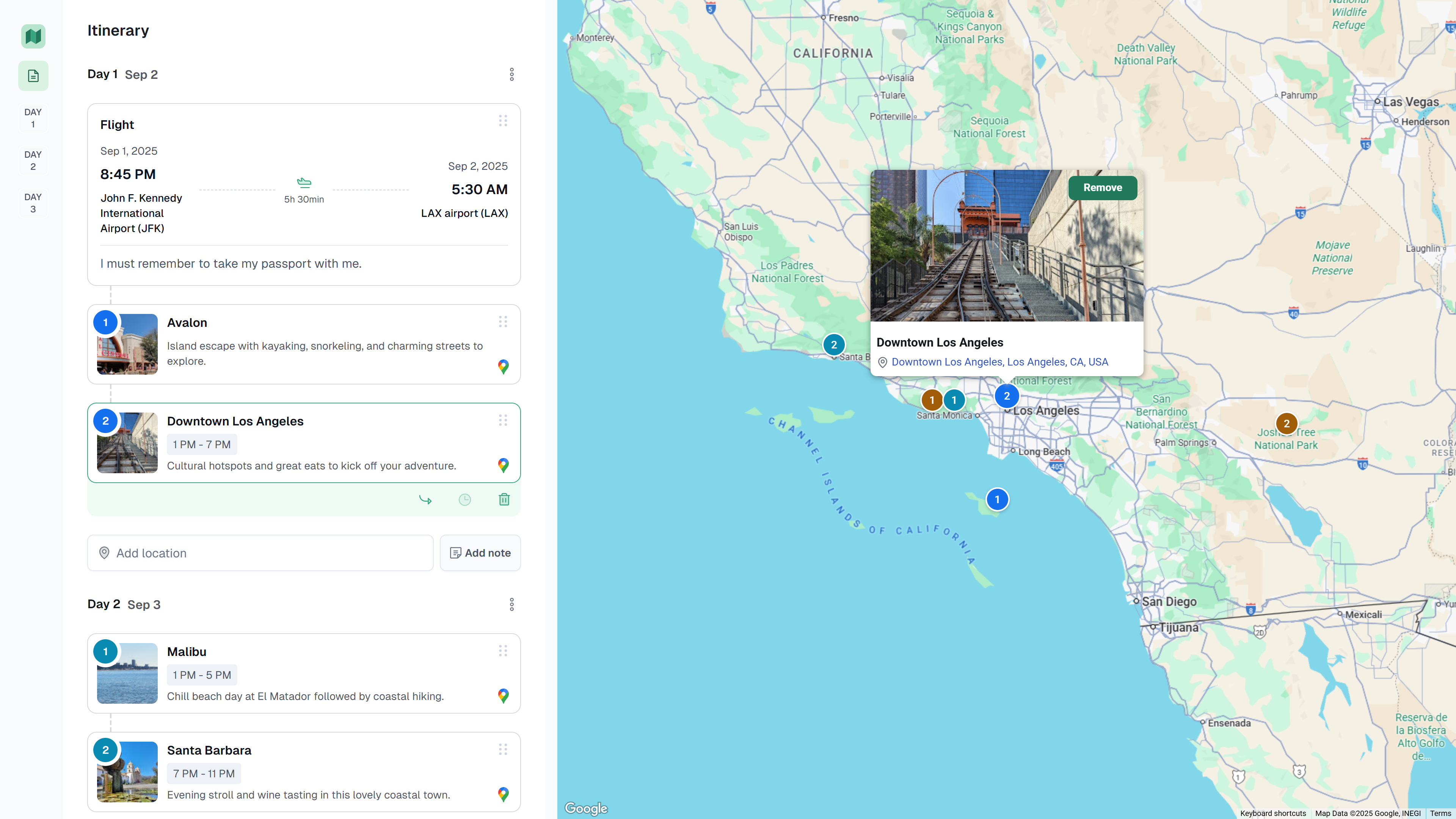
A simple trip‑planning app to create and share itineraries. View is public by link, editing requires Google sign‑in. Drag‑and‑drop places and notes across days, see everything on a map, and add flights.
Open Claude Desktop → Settings → Developer → MCP Servers → Add server
Triplyfyhttps://triplyfy.com/mcp/sseOn first connect, you’ll be prompted to sign in with Google and approve access. No manual gateway run is required.
Install via CLI
npx mdskills install helpful-AIs/triplyfy-mcpTriplyfy MCP is a free, open-source AI agent skill. A remote MCP server that lets Claude plan, edit, and save your trips to Triplyfy. A simple trip‑planning app to create and share itineraries. View is public by link, editing requires Google sign‑in. Drag‑and‑drop places and notes across days, see everything on a map, and add flights. Open Claude Desktop → Settings → Developer → MCP Servers → Add server - Name: Triplyfy - MCP SSE endpoint: https://
Install Triplyfy MCP with a single command:
npx mdskills install helpful-AIs/triplyfy-mcpThis downloads the skill files into your project and your AI agent picks them up automatically.
Triplyfy MCP works with Claude Code, Claude Desktop, Cursor, Vscode Copilot, Windsurf, Continue Dev, Gemini Cli, Amp, Roo Code, Goose. Skills use the open SKILL.md format which is compatible with any AI coding agent that reads markdown instructions.