
Connect TrainingPeaks to Claude and other AI assistants via the Model Context Protocol (MCP). Query your workouts, analyze training load, compare power data, and track fitness trends through natural conversation. No API approval required. The official Training Peaks API is approval-gated, but this server uses secure cookie authentication that any user can set up in minutes. Your cookie is stored i
npx mdskills install JamsusMaximus/trainingpeaks-mcpRelated
@JamsusMaximus? Sign in with GitHub to claim this listing.Polished MCP server with comprehensive tools for training analytics and excellent security documentation
Connect TrainingPeaks to Claude and other AI assistants via the Model Context Protocol (MCP). Query your workouts, analyze training load, compare power data, and track fitness trends through natural conversation.
No API approval required. The official Training Peaks API is approval-gated, but this server uses secure cookie authentication that any user can set up in minutes. Your cookie is stored in your system keyring, never transmitted anywhere except to TrainingPeaks.
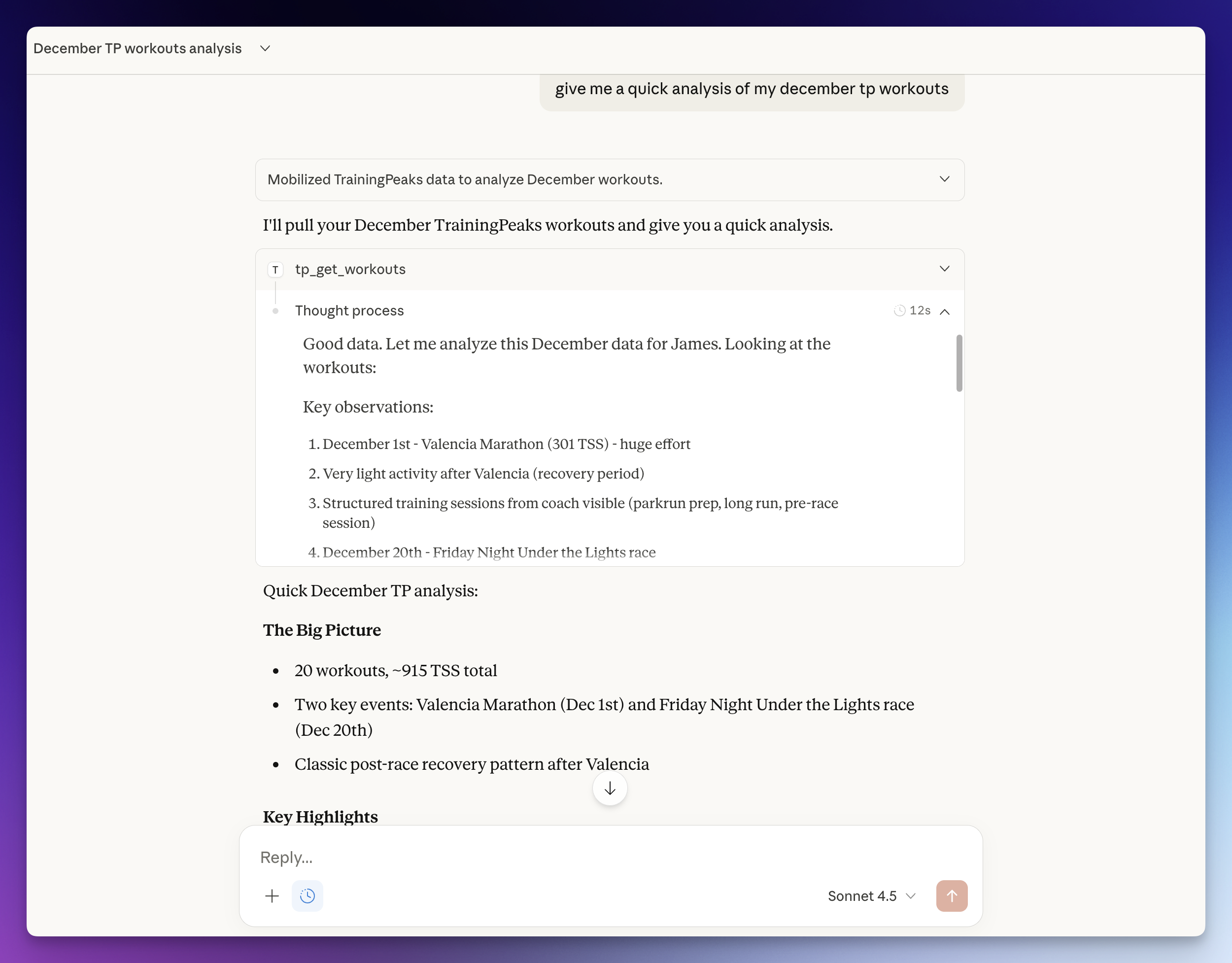
Ask your AI assistant questions like:
| Tool | Description |
|---|---|
tp_get_workouts | Query workouts by date range (planned and completed) |
tp_get_workout | Get detailed metrics for a single workout |
tp_get_peaks | Compare power PRs (5sec to 90min) and running PRs (400m to marathon) |
tp_get_fitness | Track CTL, ATL, and TSB (fitness, fatigue, form) |
tp_get_workout_prs | See personal records set in a specific session |
tp_refresh_auth | Re-authenticate if your session expires (extracts fresh cookie from browser) |
If you have Claude Code, paste this prompt:
Set up the TrainingPeaks MCP server from https://github.com/JamsusMaximus/trainingpeaks-mcp - clone it, create a venv, install it, then walk me through getting my TrainingPeaks cookie from my browser and run tp-mcp auth. Finally, add it to my Claude Desktop config.
Claude will handle the installation and guide you through authentication step-by-step.
git clone https://github.com/JamsusMaximus/trainingpeaks-mcp.git
cd trainingpeaks-mcp
python3 -m venv .venv
source .venv/bin/activate  # Windows: .venv\Scripts\activate
pip install -e .
Option A: Auto-extract from browser (easiest)
If you're logged into TrainingPeaks in your browser:
pip install tp-mcp[browser]  # One-time: install browser support
tp-mcp auth --from-browser chrome  # Or: firefox, safari, edge, auto
macOS note: You may see security prompts for Keychain or Full Disk Access. This is normal - browser cookies are encrypted and require permission to read.
Option B: Manual cookie entry
F12) → Application tab → CookiesProduction_tpAuth and copy its valuetp-mcp auth and paste when promptedOther auth commands:
tp-mcp auth-status  # Check if authenticated
tp-mcp auth-clear   # Remove stored cookie
Run this to get your config snippet:
tp-mcp config
Edit ~/Library/Application Support/Claude/claude_desktop_config.json (macOS) or %APPDATA%\Claude\claude_desktop_config.json (Windows) and paste it inside mcpServers. Example with multiple servers:
{
  "mcpServers": {
    "some-other-server": {
      "command": "npx",
      "args": ["some-other-mcp"]
    },
    "trainingpeaks": {
      "command": "/Users/you/trainingpeaks-mcp/.venv/bin/tp-mcp",
      "args": ["serve"]
    }
  }
}
Restart Claude Desktop. You're ready to go!
List workouts in a date range. Max 90 days per query.
{ "start_date": "2026-01-01", "end_date": "2026-01-07", "type": "completed" }
Get full details for one workout including power, HR, cadence, TSS.
{ "workout_id": "123456789" }
Get ranked personal records. Bike: power metrics. Run: pace/speed metrics.
{ "sport": "Bike", "pr_type": "power20min", "days": 365 }
Bike types: power5sec, power1min, power5min, power10min, power20min, power60min, power90min
Run types: speed400Meter, speed1K, speed5K, speed10K, speedHalfMarathon, speedMarathon
Get training load metrics over time.
{ "days": 90 }
Returns daily CTL (chronic training load / fitness), ATL (acute training load / fatigue), and TSB (training stress balance / form).
Get PRs set during a specific workout.
{ "workout_id": "123456789" }
Model Context Protocol is an open standard for connecting AI assistants to external data sources. MCP servers expose tools that AI models can call to fetch real-time data, enabling assistants like Claude to access your Training Peaks account through natural language.
TL;DR: Your cookie is encrypted on disk, exchanged for short-lived OAuth tokens, never shown to Claude, and only ever sent to TrainingPeaks. The server is read-only and has no network ports.
This server is designed with defense-in-depth. Your TrainingPeaks session cookie is sensitive - it grants access to your training data - so we treat it accordingly.
| Platform | Primary Storage | Fallback |
|---|---|---|
| macOS | System Keychain | Encrypted file |
| Windows | Windows Credential Manager | Encrypted file |
| Linux | Secret Service (GNOME/KDE) | Encrypted file |
Your cookie is never stored in plaintext. The encrypted file fallback uses Fernet symmetric encryption with a machine-specific key.
The AI assistant (Claude) never sees your cookie value. Multiple layers ensure this:
cookie, token, auth, credential, password, or secret before being sent to ClaudeBrowserCookieResult class overrides __repr__ to show cookie= instead of the actual valueThe browser cookie extraction only accesses .trainingpeaks.com:
# From src/tp_mcp/auth/browser.py - HARDCODED, not a parameter
cj = func(domain_name=".trainingpeaks.com")
Claude cannot modify this via tool parameters. The only parameter is browser (chrome/firefox/etc), not the domain. To change the domain would require modifying the source code.
This server provides read-only access to TrainingPeaks:
The MCP server uses stdio transport only - it communicates with Claude Desktop via stdin/stdout, not over the network. There is no HTTP server, no open ports, no remote access.
| Action | Possible? |
|---|---|
| Read your workouts | ✅ Yes |
| Read your fitness metrics | ✅ Yes |
| Modify any TrainingPeaks data | ❌ No |
| Access other websites | ❌ No (domain hardcoded) |
| Send your cookie/token anywhere except TrainingPeaks | ❌ No |
| Expose your cookie to Claude | ❌ No (sanitized) |
| Open network ports | ❌ No (stdio only) |
This server is fully open source. You can audit every line of code before running it. Key security files:
src/tp_mcp/auth/browser.py - Cookie extraction with hardcoded domainsrc/tp_mcp/tools/refresh_auth.py - Result sanitizationtests/test_tools/test_refresh_auth_security.py - Security testsThe server uses a two-step authentication process:
This means:
tp-mcp authtp_refresh_auth in Claude or run tp-mcp auth againpip install -e ".[dev]"
pytest tests/ -v
mypy src/
ruff check src/
MIT
Install via CLI
npx mdskills install JamsusMaximus/trainingpeaks-mcpTrainingPeaks MCP Server is a free, open-source AI agent skill. Connect TrainingPeaks to Claude and other AI assistants via the Model Context Protocol (MCP). Query your workouts, analyze training load, compare power data, and track fitness trends through natural conversation. No API approval required. The official Training Peaks API is approval-gated, but this server uses secure cookie authentication that any user can set up in minutes. Your cookie is stored i
Install TrainingPeaks MCP Server with a single command:
npx mdskills install JamsusMaximus/trainingpeaks-mcpThis downloads the skill files into your project and your AI agent picks them up automatically.
TrainingPeaks MCP Server works with Claude Code, Claude Desktop, Cursor, Vscode Copilot, Windsurf, Continue Dev, Gemini Cli, Amp, Roo Code, Goose. Skills use the open SKILL.md format which is compatible with any AI coding agent that reads markdown instructions.