
AI image enhancement for LLMs. An MCP server that lets Claude and other AI assistants enhance images using Topaz Labs AI models. Topaz Labs makes AI-powered image and video enhancement software used by photographers, filmmakers, and developers worldwide. Enhanced with the Wonder 2 model. View interactive comparison → Sign up at developer.topazlabs.com. Add to your Claude Desktop config (~/Library/
npx mdskills install TopazLabs/topaz-mcpRelated
@TopazLabs? Sign in with GitHub to claim this listing.Well-documented MCP server providing AI image enhancement with clear setup and model options
1# @topazlabs/mcp23[](https://www.npmjs.com/package/@topazlabs/mcp)4[](https://www.npmjs.com/package/@topazlabs/mcp)5[](https://github.com/topazlabs/topaz-mcp/blob/main/LICENSE)67**AI image enhancement for LLMs.** An [MCP server](https://modelcontextprotocol.io) that lets Claude and other AI assistants enhance images using [Topaz Labs](https://www.topazlabs.com) AI models.89Topaz Labs makes AI-powered image and video enhancement software used by photographers, filmmakers, and developers worldwide.1011## See It in Action1213| Before | After |14|--------|-------|15| 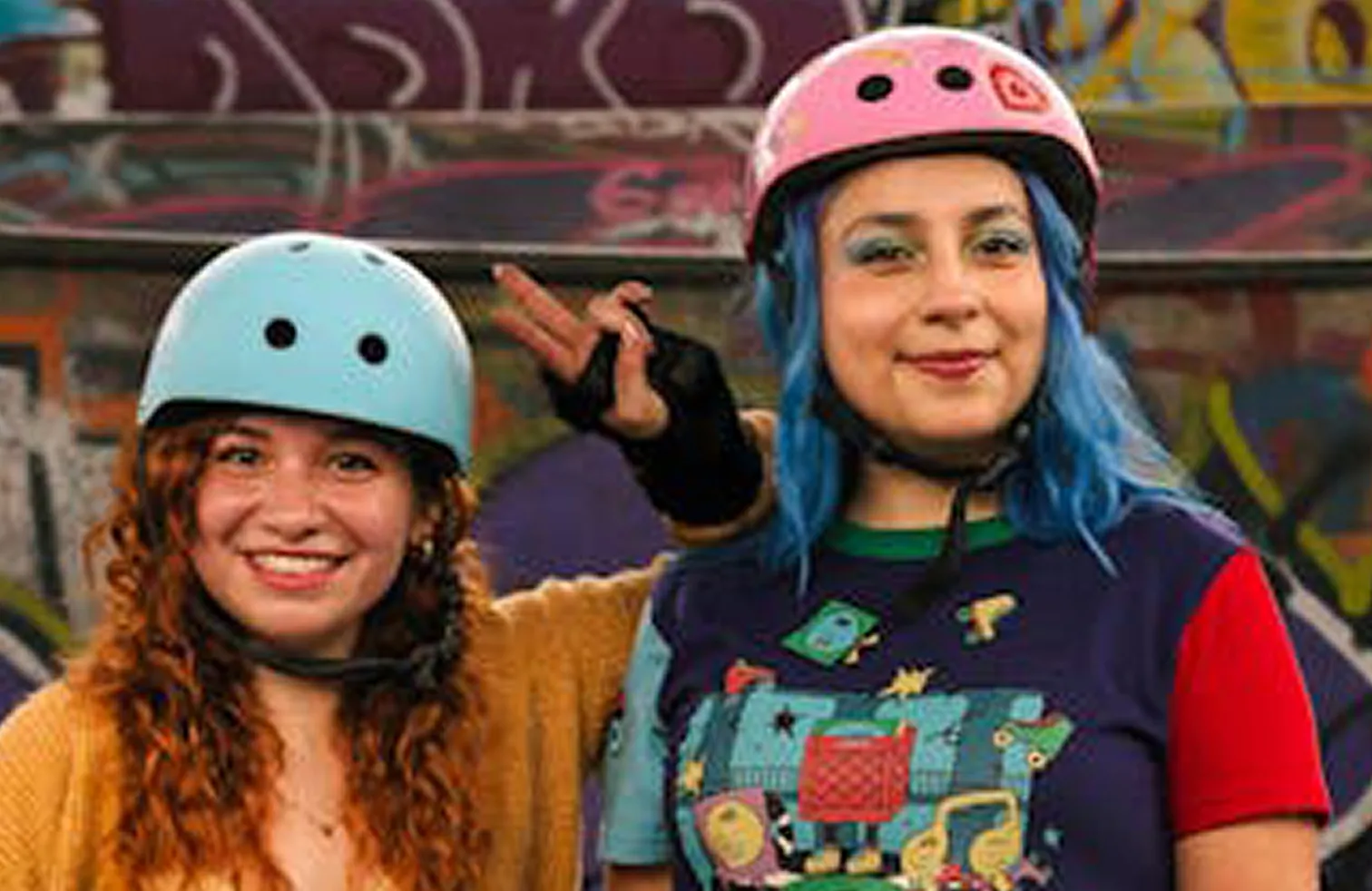 | 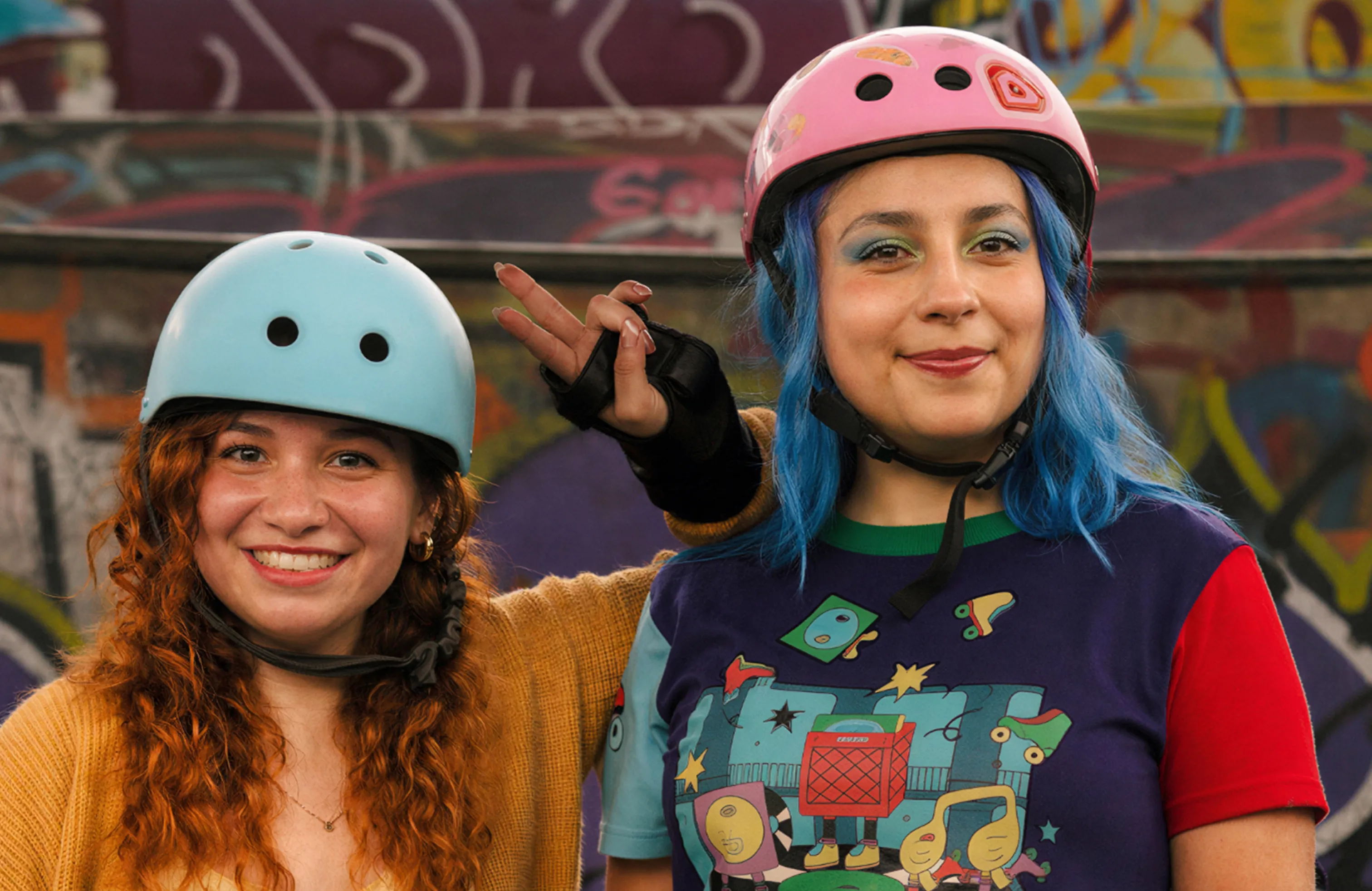 |1617Enhanced with the **Wonder 2** model. [View interactive comparison →](https://compare.topazlabs.com/share/image?src1=https%3A%2F%2Fcdn.prod.website-files.com%2F6005fac27a49a9cd477afb63%2F696fce95820c4035f17a1159_wondercompare-fidelity-1-original.webp&src1label=Before&src2=https%3A%2F%2Fcdn.prod.website-files.com%2F6005fac27a49a9cd477afb63%2F696fce96e2494c7a7935814b_wondercompare-fidelity-1-wonder2.webp&src2label=After&view=slider&zoom=1)1819## Quick Start2021### 1. Get an API key2223Sign up at [developer.topazlabs.com](https://developer.topazlabs.com/getting-started/how-do-i-get-my-api-key).2425### 2. Add to your MCP client2627Add to your Claude Desktop config (`~/Library/Application Support/Claude/claude_desktop_config.json` on macOS, `%APPDATA%\Claude\claude_desktop_config.json` on Windows):2829```json30{31 "mcpServers": {32 "Topaz Labs": {33 "command": "npx",34 "args": ["-y", "@topazlabs/mcp"],35 "env": {36 "TOPAZ_API_KEY": "<your-api-key>"37 }38 }39 }40}41```4243### 3. Enhance images4445> **You:** "Enhance ~/Desktop/photo.jpg with Wonder 2"46>47> **Claude:** I'll enhance your photo using Topaz Labs' Wonder 2 model.48>49> *\[calls image-enhance tool\]*5051> **Note:** This tool requires a file path or URL — it cannot process images uploaded directly in the chat. It works best with **Claude Cowork**, which has file system access. It does not work in Claude Chat mode (no file system access).5253> Here's your enhanced image -- upscaled and sharpened with improved detail and clarity.5455## Compatibility5657This server uses **stdio transport**, supported by all major MCP desktop clients:5859| Client | Status |60|--------|--------|61| Claude Cowork | ✅ (recommended — has file system access) |62| Claude Desktop (Chat) | ⚠️ Requires user to provide file paths manually |63| Cursor | ✅ |64| Windsurf | ✅ |65| VS Code (Copilot) | ✅ |66| Cline | ✅ |67| Claude Code | ✅ |68| Zed | ✅ |6970HTTP streaming transport (for ChatGPT, remote agents, web/mobile clients) is not yet supported but may be added in a future release.7172## Tool7374### `image-enhance`7576Send an image, get back an enhanced version. Defaults to Standard V2 and auto-upscales to 2K.7778```79image: "~/Photos/photo.jpg" # Local path or URL (required)80size: { scale: 2 } # Optional: exact dims, single dim, or scale factor81model: "Standard V2" # Optional: defaults to Standard V282```8384**Size options:** `{ width, height }` for exact, `{ width }` or `{ height }` for proportional, `{ scale }` for a multiplier. If omitted, images under 2K are auto-upscaled to 2K width.8586**Models:**8788| Model | Type | Best for |89|-------|------|----------|90| Standard V2 | standard | General photos (default) |91| Low Resolution V2 | standard | Tiny images, thumbnails |92| CGI | standard | Digital art, renders, illustrations |93| High Fidelity V2 | standard | High-quality sources needing upscale |94| Redefine | generative | Creative reinterpretation |95| Recover 3 | generative | Low-res images, old photos |96| Standard MAX | generative | Maximum quality, slower |97| Wonder 2 | generative | Nature photography, portraits, fine detail |9899## Environment Variables100101| Variable | Required | Description |102|----------|----------|-------------|103| `TOPAZ_API_KEY` | Yes | [Topaz Labs API key](https://developer.topazlabs.com/getting-started/how-do-i-get-my-api-key) |104105## Architecture106107```108src/109 api/ -- Topaz API client, types, model definitions110 lib/ -- Path security, URL fetching utilities111 tools/ -- enhance tool handler112 server.ts -- MCP server setup and tool registration113 main.ts -- Entry point (stdio transport)114test/ -- Vitest test suite115```116117## Development118119```bash120npm install121npm run build122npm test123```124125## Limitations126127- **Image only** -- video enhancement is not yet supported128- **Paid API key required** -- sign up at [developer.topazlabs.com](https://developer.topazlabs.com/getting-started/how-do-i-get-my-api-key)129- **Cloud processing** -- images are sent to the Topaz Labs API for enhancement130131## Contributing132133Found a bug or have a feature request? [Open an issue](https://github.com/topazlabs/topaz-mcp/issues) on GitHub.134135## License136137MIT -- [Topaz Labs](https://www.topazlabs.com)138
Full transparency — inspect the skill content before installing.