
A powerful MCP server for generating, editing, and converting SVG images using SVGMaker API. This very illustration came to life through our own SVGMaker MCP server—a living example of AI assistants and vector graphics working in perfect harmony via the Model Context Protocol. - 🎨 AI-Powered SVG Generation: Create SVGs from text descriptions - ✏️ Smart SVG Editing: Edit existing SVGs with natural
npx mdskills install GenWaveLLC/svgmaker-mcpRelated
@GenWaveLLC? Sign in with GitHub to claim this listing.Well-documented MCP server with three useful SVG tools and comprehensive integration guides
A powerful MCP server for generating, editing, and converting SVG images using SVGMaker API.
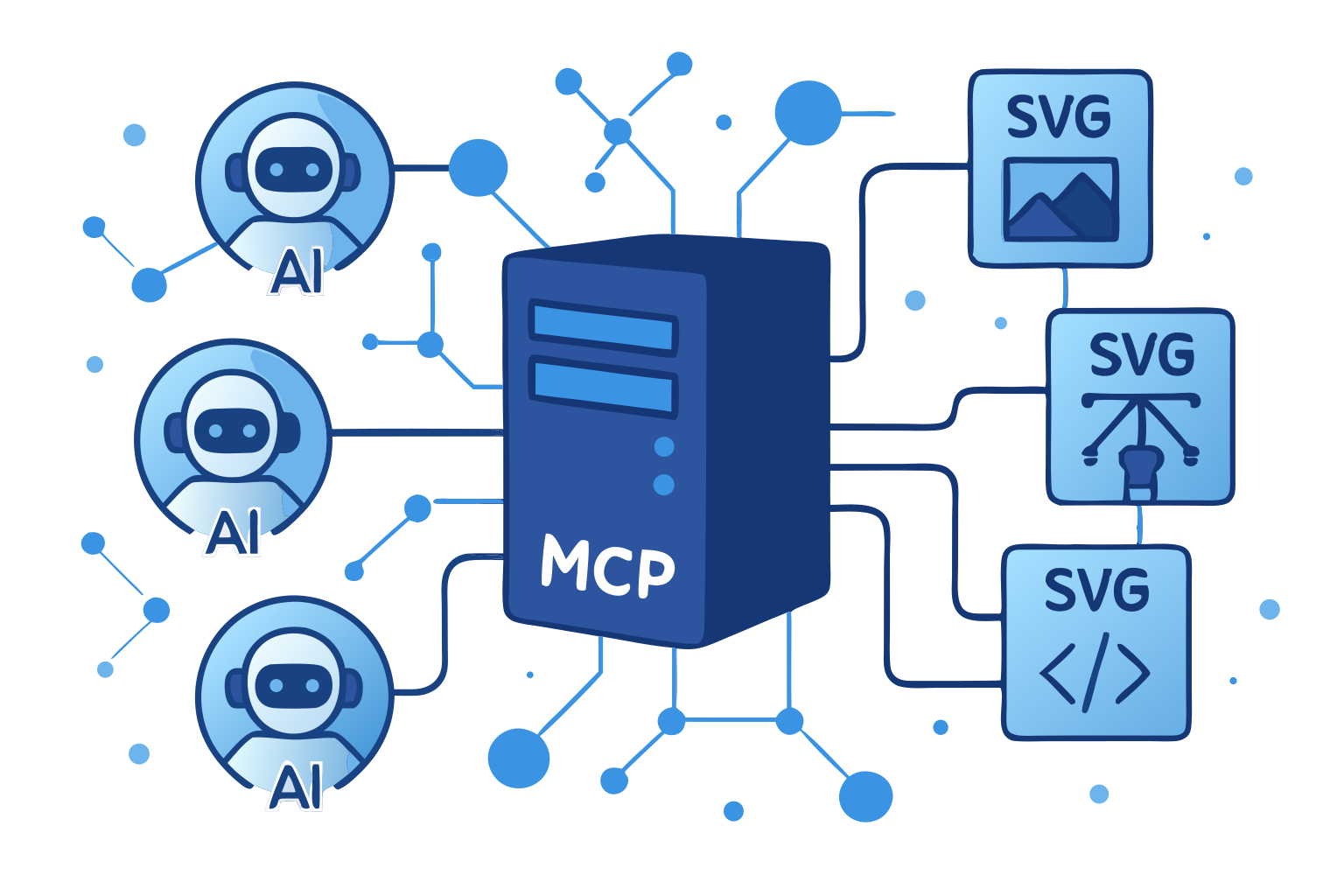
This very illustration came to life through our own SVGMaker MCP server—a living example of AI assistants and vector graphics working in perfect harmony via the Model Context Protocol.
node --version # Should be >= v18.0.0
npm --version # Should be >= 7.0.0
@genwave/svgmaker-mcp/
├── build/             # Compiled JavaScript files
├── docs/              # Documentation
│   └── api/           # API documentation
├── src/               # Source TypeScript files
│   ├── tools/         # MCP tool implementations
│   ├── services/      # API integration
│   └── utils/         # Utility functions
└── types/             # TypeScript declarations
# Using npm
npm install @genwave/svgmaker-mcp

# Using yarn
yarn add @genwave/svgmaker-mcp
SVGMAKER_API_KEY="your_api_key_here"
npx svgmaker-mcp
{
  "mcpServers": {
    "svgmaker": {
      "command": "npx",
      "args": ["@genwave/svgmaker-mcp"],
      "transport": "stdio",
      "env": {
        "SVGMAKER_API_KEY": "your_api_key_here"
      }
    }
  }
}
Generate an SVG of a minimalist mountain landscape:

{
  "server": "svgmaker",
  "tool": "svgmaker_generate",
  "arguments": {
    "prompt": "Minimalist mountain landscape with sun",
    "output_path": "./landscape.svg",
    "quality": "high",
    "aspectRatio": "landscape"
  }
}

Or configure manually:
{
  "mcpServers": {
    "svgmaker": {
      "type": "local",
      "command": "npx",
      "args": ["@genwave/svgmaker-mcp"],
      "transport": "stdio",
      "env": {
        "SVGMAKER_API_KEY": "your_api_key_here"
      }
    }
  }
}
Use svgmaker to edit the logo.svg file and make it more modern:

{
  "server": "svgmaker",
  "tool": "svgmaker_edit",
  "arguments": {
    "input_path": "./logo.svg",
    "prompt": "Make it more modern and minimalist",
    "output_path": "./modern_logo.svg",
    "quality": "high"
  }
}
Or configure manually:
{
  "servers": {
    "svgmaker": {
      "type": "stdio",
      "command": "npx",
      "args": ["-y", "@genwave/svgmaker-mcp"],
      "env": {
        "SVGMAKER_API_KEY": ""
      }
    }
  }
}
Generate a new icon for my app:

{
  "server": "svgmaker",
  "tool": "svgmaker_generate",
  "arguments": {
    "prompt": "Modern app icon with abstract geometric shapes",
    "output_path": "./assets/icon.svg",
    "quality": "high",
    "aspectRatio": "square"
  }
}
{
  "mcpServers": {
    "svgmaker": {
      "command": "npx",
      "args": ["-y", "@genwave/svgmaker-mcp"],
      "env": {
        "SVGMAKER_API_KEY": ""
      }
    }
  }
}
Convert the company logo to SVG:

{
  "server": "svgmaker",
  "tool": "svgmaker_convert",
  "arguments": {
    "input_path": "./branding/logo.png",
    "output_path": "./branding/vector_logo.svg"
  }
}
{
  "context_servers": {
    "svgmaker": {
      "command": {
        "path": "npx",
        "args": ["-y", "@genwave/svgmaker-mcp"],
        "env": {
          "SVGMAKER_API_KEY": ""
        }
      },
      "settings": {}
    }
  }
}
Edit an existing SVG file:

{
  "server": "svgmaker",
  "tool": "svgmaker_edit",
  "arguments": {
    "input_path": "./diagrams/flowchart.svg",
    "prompt": "Add rounded corners and smooth gradients",
    "output_path": "./diagrams/enhanced_flowchart.svg",
    "quality": "high"
  }
}
Generate SVG images from text prompts. Supports style parameters for fine-grained control over the output.
{
  "prompt": "A minimalist mountain landscape with sun",
  "output_path": "/path/to/landscape.svg",
  "quality": "medium",
  "style": "flat",
  "color_mode": "few_colors",
  "composition": "full_scene",
  "background": "transparent"
}
Edit existing SVGs or images with natural language. Supports the same style parameters as generate.
{
  "input_path": "/path/to/input.svg",
  "prompt": "Add a gradient background and make it more vibrant",
  "output_path": "/path/to/enhanced.svg",
  "quality": "high",
  "style": "cartoon",
  "background": "opaque"
}
Convert raster images to SVG using AI-powered vectorization.
{
  "input_path": "/path/to/image.png",
  "output_path": "/path/to/vector.svg"
}
| Variable | Description | Required | Default |
|---|---|---|---|
SVGMAKER_API_KEY | Your SVGMaker API key | ✅ Yes | - |
SVGMMAKER_RATE_LIMIT_RPM | API rate limit (requests per minute) | ❌ No | 2 |
SVGMAKER_BASE_URL | Custom SVGMaker API base URL | ❌ No | https://api.svgmaker.io |
SVGMAKER_DEBUG | Enable debug logging | ❌ No | false |
The server includes comprehensive logging for debugging and monitoring:
Enable Logging:
# Enable debug logging
SVGMAKER_DEBUG=true npx @genwave/svgmaker-mcp

# Or set NODE_ENV to development
NODE_ENV=development npx @genwave/svgmaker-mcp
Log Files Location:
~/.cache/svgmaker-mcp/logs/%LOCALAPPDATA%/svgmaker-mcp/logs/./logs/ (in project directory)Log File Format:
mcp-debug-2025-06-04T10-30-45-123Z.log
npm install
SVGMAKER_API_KEY="your_api_key_here"
npm run dev
Use the MCP Inspector for testing:
npx @modelcontextprotocol/inspector node build/index.js
This project uses GitHub Actions for continuous integration and deployment:
Continuous Integration
Releasing a New Version
npm run release:patch
npm run release:minor
npm run release:major
Publishing
We welcome contributions! Please see our Contributing Guide for details.
MIT © Genwave AI - see the LICENSE file for details.
Install via CLI
npx mdskills install GenWaveLLC/svgmaker-mcpSVGMaker MCP Server is a free, open-source AI agent skill. A powerful MCP server for generating, editing, and converting SVG images using SVGMaker API. This very illustration came to life through our own SVGMaker MCP server—a living example of AI assistants and vector graphics working in perfect harmony via the Model Context Protocol. - 🎨 AI-Powered SVG Generation: Create SVGs from text descriptions - ✏️ Smart SVG Editing: Edit existing SVGs with natural
Install SVGMaker MCP Server with a single command:
npx mdskills install GenWaveLLC/svgmaker-mcpThis downloads the skill files into your project and your AI agent picks them up automatically.
SVGMaker MCP Server works with Claude Code, Claude Desktop, Cursor, Vscode Copilot, Windsurf, Continue Dev, Gemini Cli, Amp, Roo Code, Goose. Skills use the open SKILL.md format which is compatible with any AI coding agent that reads markdown instructions.