
A Model Context Protocol (MCP) server for converting Markdown content to interactive mindmaps. Or using uvx: Or using docker safer and easier. Three installation methods have been successfully tested on macOS and Linux. For Windows users experiencing issues with npx for this MCP, consider using the Docker method. Alternatively, if you use Visual Studio Code, the "Markmap" extension offers a potent
npx mdskills install YuChenSSR/mindmap-mcp-serverRelated
@YuChenSSR? Sign in with GitHub to claim this listing.Converts Markdown to interactive HTML mindmaps with multiple deployment options and clear setup instructions
1# Mindmap MCP Server23<p align="center">4 <img src="https://raw.githubusercontent.com/YuChenSSR/pics/master/imgs/2025-03-21/JMi7Mn89Hw5ikd9z.jpeg" alt="mindmap_mcp" width="50%">5</p>67A Model Context Protocol (MCP) server for converting Markdown content to interactive mindmaps.891011## Installation1213```bash14pip install mindmap-mcp-server15```1617Or using `uvx`:1819```bash20uvx mindmap-mcp-server21```22Or using `docker` safer and easier.2324## Attention2526Three installation methods have been successfully tested on macOS and Linux.2728For Windows users experiencing issues with `npx` for this MCP, consider using the Docker method. Alternatively, if you use Visual Studio Code, the ["Markmap"](https://marketplace.visualstudio.com/items?itemName=gera2ld.markmap-vscode) extension offers a potentially simpler solution than navigating command-line tools.2930---3132If you're experiencing unresolved issues, you can use my recent system prompt as a Mindmap Assistant instead of using this MCP server.3334<details>35<summary>Using my system prompt instead of using this MCP server</summary>3637```38You are a specialized assistant that generates HTML code for interactive markdown-based mind maps (markmaps). When a user sends you content, respond with a complete HTML document that displays their content as a markmap visualization.39If artifact tool is turned on, you can use the artifact.4041Follow these requirements:421. Use the markmap-autoloader library (version 0.18 or latest stable version)432. Format the HTML exactly according to the template below443. Replace the demo content in the template with the user's content, preserving their hierarchical structure454. Maintain the markmap configuration options (maxWidth: 300, colorFreezeLevel: 2)465. If the user doesn't provide markdown formatting (# for headings), format their content appropriately with main topics using # and subtopics using ##4748Template to follow:4950<!DOCTYPE html>51<html lang="en">52 <head>53 <meta charset="UTF-8" />54 <meta http-equiv="X-UA-Compatible" content="IE=edge" />55 <meta name="viewport" content="width=device-width, initial-scale=1.0" />56 <title>Markmap</title>57 <style>58 svg.markmap {59 width: 100%;60 height: 100vh;61 }62 </style>63 <script src="https://cdn.jsdelivr.net/npm/markmap-autoloader@0.18"></script>64 </head>65 <body>66 <div class="markmap">67 <script type="text/template">68 ---69 markmap:70 maxWidth: 30071 colorFreezeLevel: 272 ---7374 # markmap7576 ## Links7778 - <https://markmap.js.org/>79 - [GitHub](https://github.com/markmap/markmap)8081 ## Related8283 - [coc-markmap](https://github.com/markmap/coc-markmap)84 - [gatsby-remark-markmap](https://github.com/markmap/gatsby-remark-markmap)8586 ## Features8788 - links89 - **inline** ~~text~~ *styles*90 - multiline91 text92 - `inline code`93 - Katex - $x = {-b \pm \sqrt{b^2-4ac} \over 2a}$94 - This is a very very very very very very very very very very very very very very very long line.95 </script>96 </div>97 </body>98</html>99```100101*Visualization options:* (If formulas or symbols don’t display correctly, download the HTML file and open it in a browser.)1021. View the mindmap in artifacts (if available):103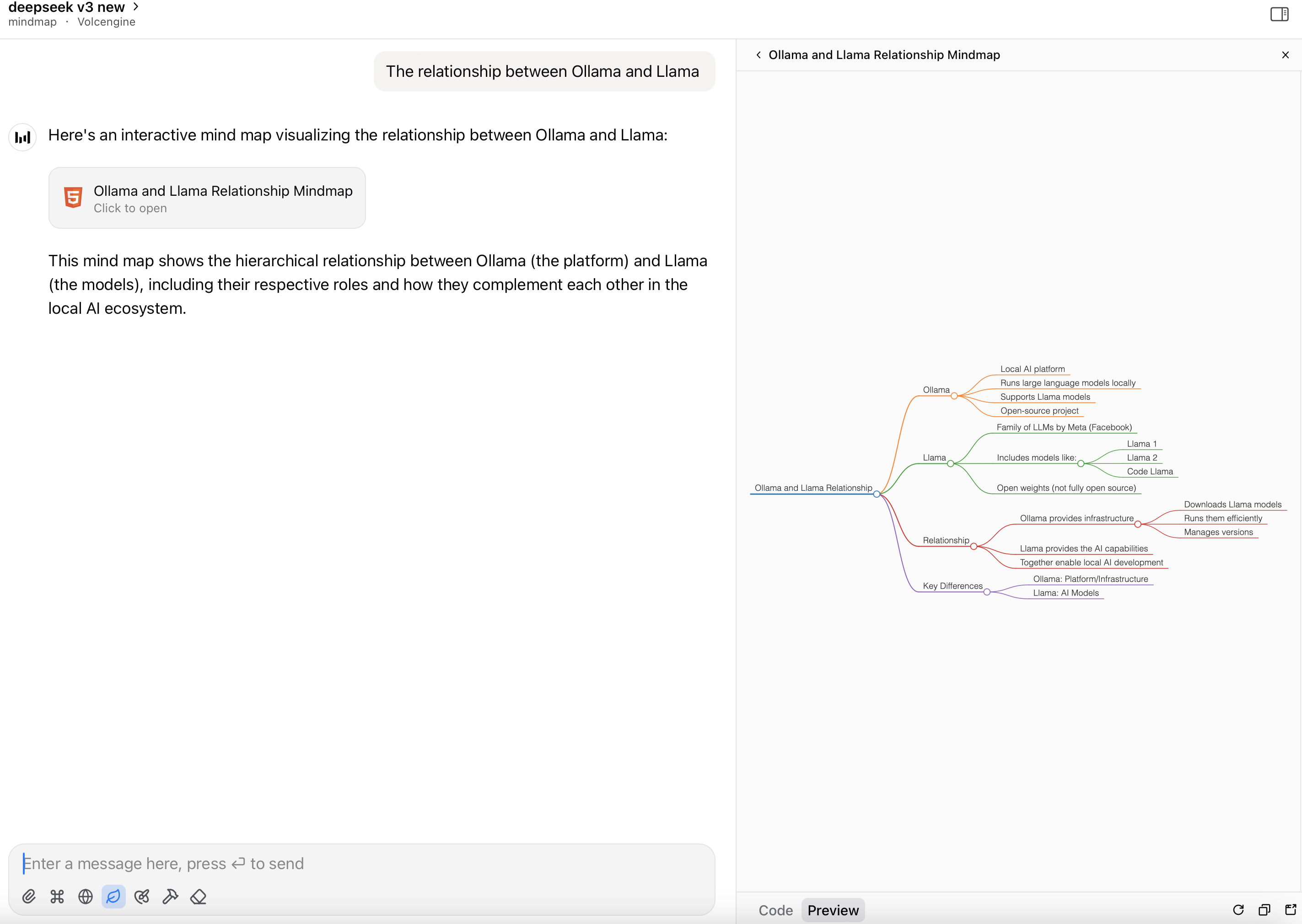1041052. Render the HTML file as a mindmap:106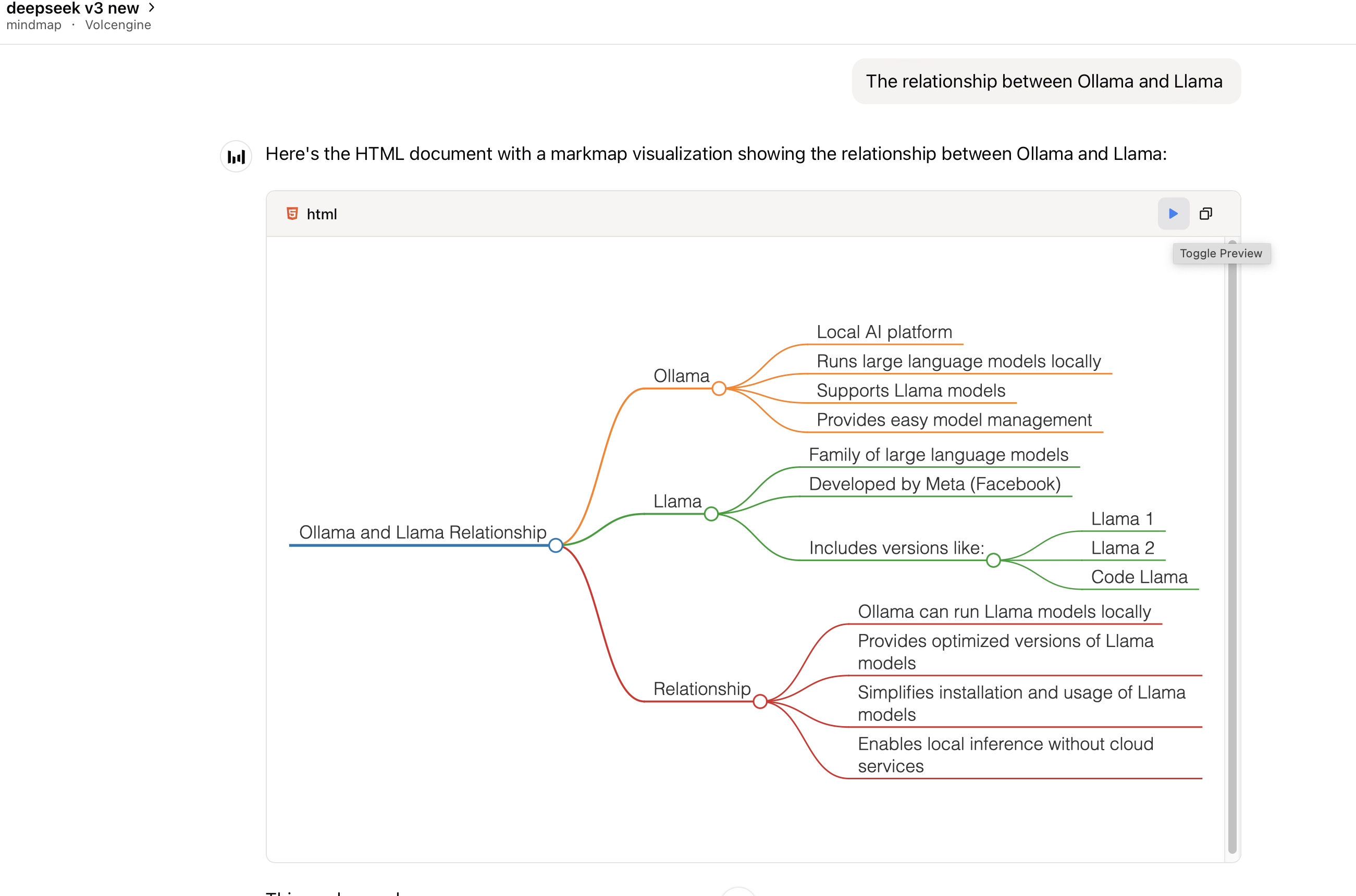107108</details>109110---111112## Prerequisites113114This package requires Node.js to be installed when using command `python` or `uvx` to run the server.115116117118## Usage119120### With Claude Desktop or other MCP clients121122Add this server to your `claude_desktop_config.json`:123124<details>125126 <summary>using `uvx`:</summary>127128```json129{130 "mcpServers": {131 "mindmap": {132 "command": "uvx",133 "args": ["mindmap-mcp-server", "--return-type", "html"]134 }135 }136}137```138139or140141recommended:142143```json144{145 "mcpServers": {146 "mindmap": {147 "command": "uvx",148 "args": ["mindmap-mcp-server", "--return-type", "filePath"]149 }150 }151}152```153154we use `--return-type` to specify the return type of the mindmap content, you can choose `html` or `filePath` according to your needs.155`html` will return the entire HTML content of the mindmap, which you can preview in your AI client's artifact;156157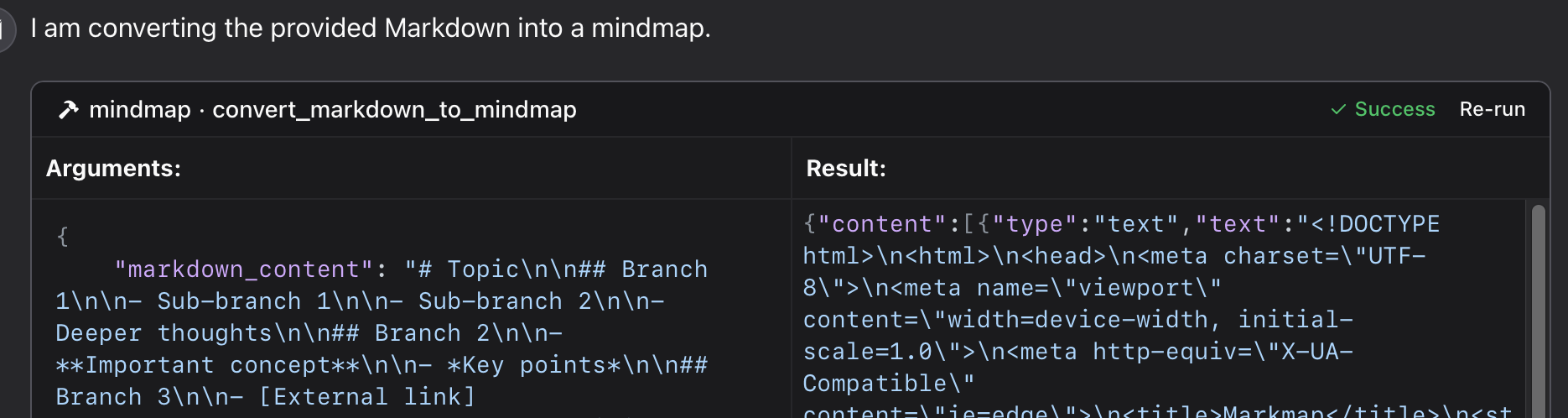158159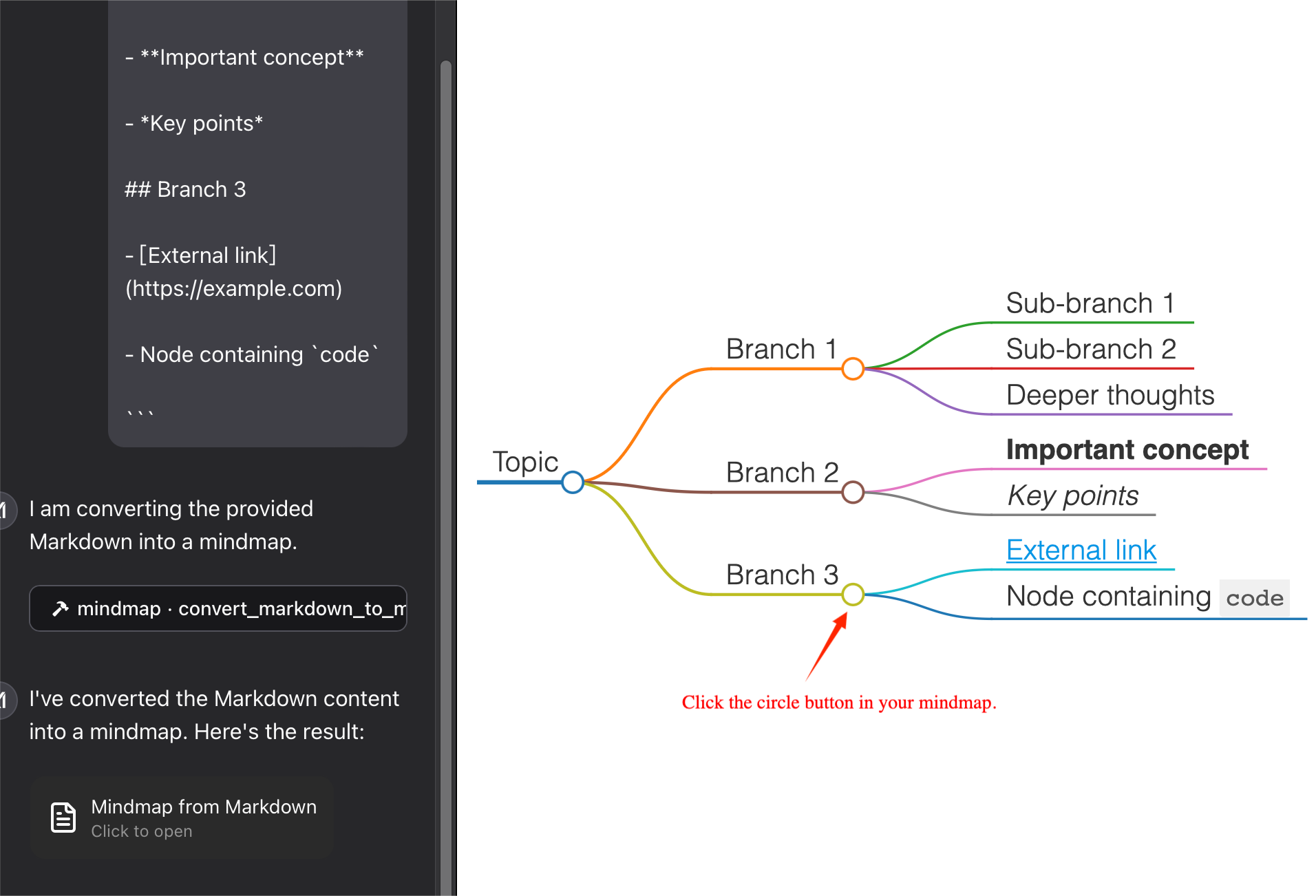160161162`filePath` will save the mindmap to a file and return the file path,which you can open in your browser. It can **save your tokens** !163164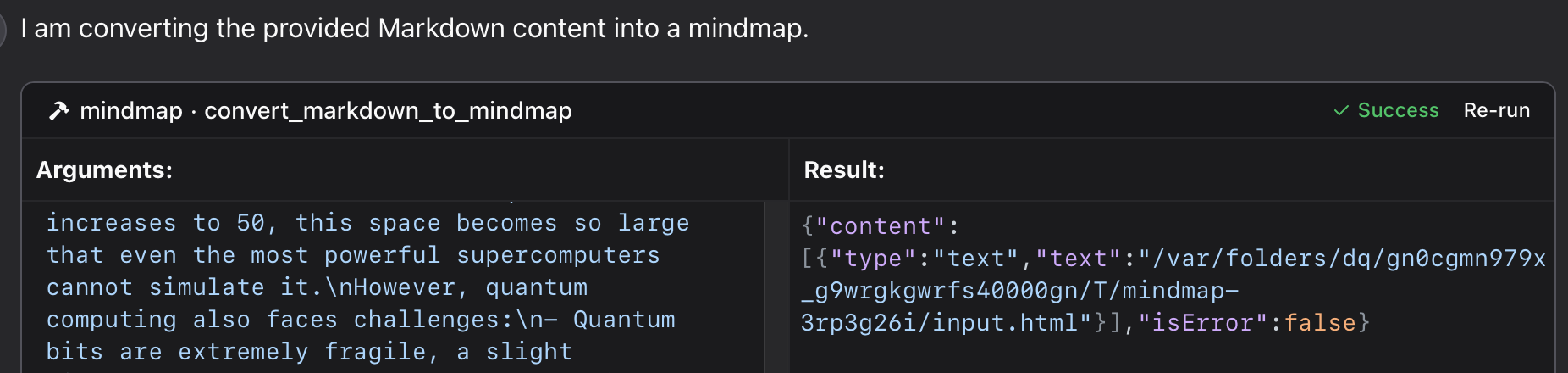165166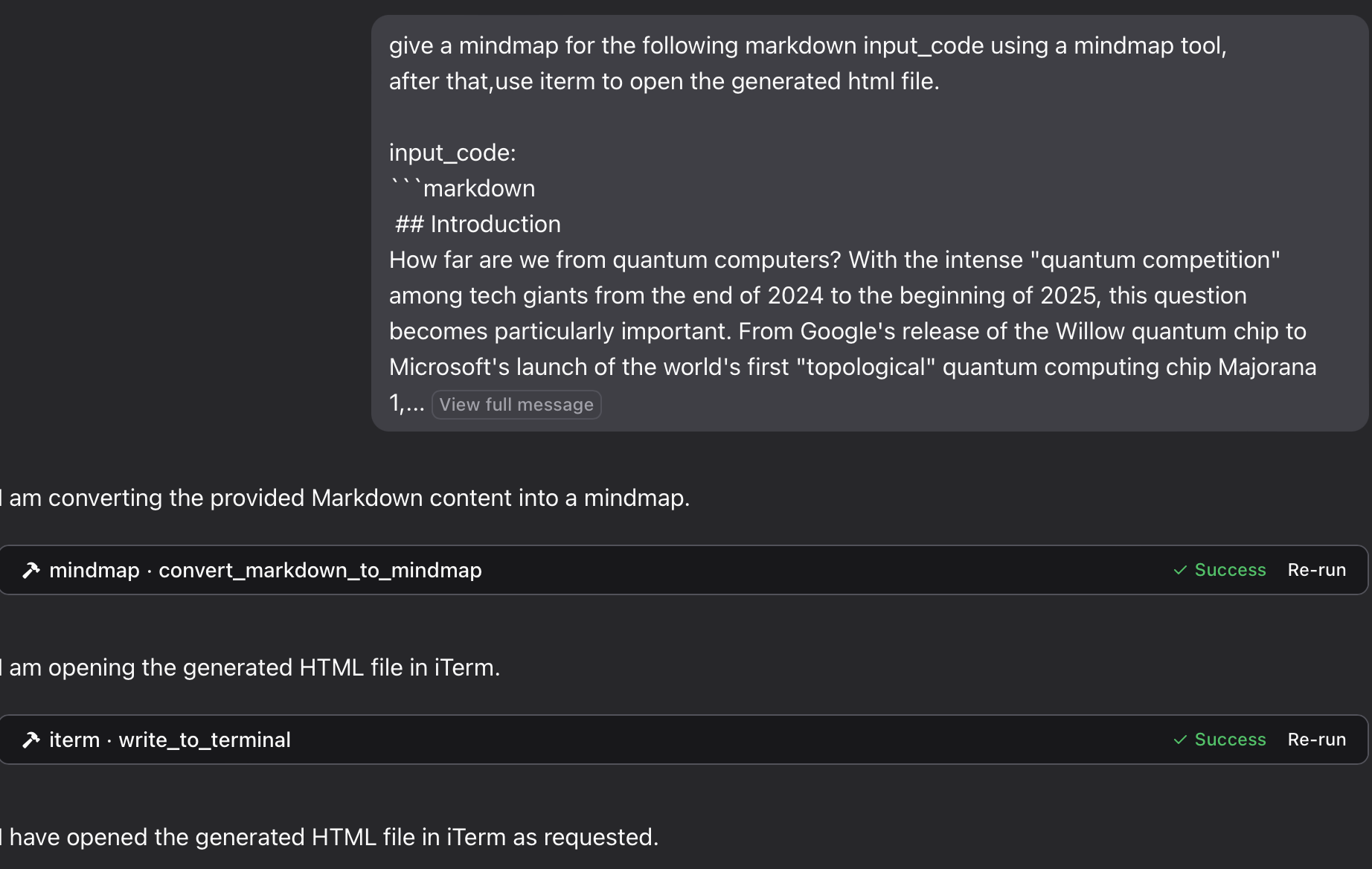167168</details>169170<details>171<summary>using `python`:</summary>172173Using [a specific Python file](https://github.com/YuChenSSR/mindmap-mcp-server/blob/main/mindmap_mcp_server/server.py) in this repository:174175176```json177{178 "mcpServers": {179 "mindmap": {180 "command": "python",181 "args": ["/path/to/your/mindmap_mcp_server/server.py", "--return-type", "html"]182 }183 }184}185```186187or188189```json190{191 "mcpServers": {192 "mindmap": {193 "command": "python",194 "args": ["/path/to/your/mindmap_mcp_server/server.py", "--return-type", "filePath"]195 }196 }197}198```199we use `--return-type` to specify the return type of the mindmap content, you can choose `html` or `filePath` according to your needs. see using \`uvx\` for more details.200201</details>202203<details>204205<summary>using `docker`:</summary>206207First, you pull the image:208209```bash210docker pull ychen94/mindmap-converter-mcp211```212213Second, set the server:214215```json216{217 "mcpServers": {218 "mindmap-converter": {219 "command": "docker",220 "args": ["run", "--rm", "-i", "-v", "/path/to/output/folder:/output", "ychen94/mindmap-converter-mcp:latest"]221 }222 }223}224```225⚠️ Replace `/path/to/output/folder` with an actual path on your system where you want to save mind maps, such as `/Users/username/Downloads` on macOS or `C:\\Users\\username\\Downloads` on Windows.226227**Tools Provided in the docker container**228The server provides the following MCP tools:2291. **markdown-to-mindmap-content**230Converts Markdown to an HTML mind map and returns the entire HTML content.231You don't use the args: `-v` and `/path/to/output/folder:/output` in the command `docker`.232**Parameters**:233 • markdown (string, required): The Markdown content to convert234 • toolbar (boolean, optional): Whether to show the toolbar (default: true)235**Best for**: Simple mind maps where the HTML content size isn't a concern. And you can use **artifact** in your AI client to preview the mindmap.2362. **markdown-to-mindmap-file**237Converts Markdown to an HTML mind map and saves it to a file in the mounted directory.238**Parameters**:239 • markdown (string, required): The Markdown content to convert240 • filename (string, optional): Custom filename (default: auto-generated timestamp name)241 • toolbar (boolean, optional): Whether to show the toolbar (default: true)242**Best for**: Complex mind maps or when you want to **save the tokens** for later use.243you can open the html file in your browser to view the mindmap. Also you can use the [iterm-mcp-server](https://github.com/ferrislucas/iterm-mcp) or other terminals' mcp servers to open the file in your browser without interrupting your workflow.244245</details>246247### Troubleshooting248249**File Not Found**250If your mind map file isn't accessible:251 1 Check that you've correctly mounted a volume to the Docker container252 2 Ensure the path format is correct for your operating system253 3 Make sure Docker has permission to access the directory254255**Docker Command Not Found**256 1 Verify Docker is installed and in your PATH257 2 Try using the absolute path to Docker258259**Server Not Appearing in Claude**260 1 Restart Claude for Desktop after configuration changes261 2 Check Claude logs for connection errors262 3 Verify Docker is running263264**Advanced Usage265Using with Other MCP Clients**266This server works with any MCP-compatible client, not just Claude for Desktop. The server implements the Model Context Protocol (MCP) version 1.0 specification.267268269270271## Features272273This server provides a tool for converting Markdown content to mindmaps using the `markmap-cli` library:274275- Convert Markdown to interactive mindmap HTML276- Option to create offline-capable mindmaps277- Option to hide the toolbar278- Return either HTML content or file path279280## Example281282In Claude, you can ask:2832841.285"**give a mindmap for the following markdown code, using a mindmap tool:**286```287# Project Planning288## Research289### Market Analysis290### Competitor Review291## Design292### Wireframes293### Mockups294## Development295### Frontend296### Backend297## Testing298### Unit Tests299### User Testing300```301"302303304if you want to save the mindmap to a file, and then open it in your browser using the iTerm MCP server:3053062.307"**give a mindmap for the following markdown input_code using a mindmap tool,308after that,use iterm to open the generated html file.309input_code:**310```311markdown content312```313"3143153163.317"**Think about the process of putting an elephant into a refrigerator, and provide a mind map. Open it with a terminal.**"318319<details>320321<summary>see the result</summary>322323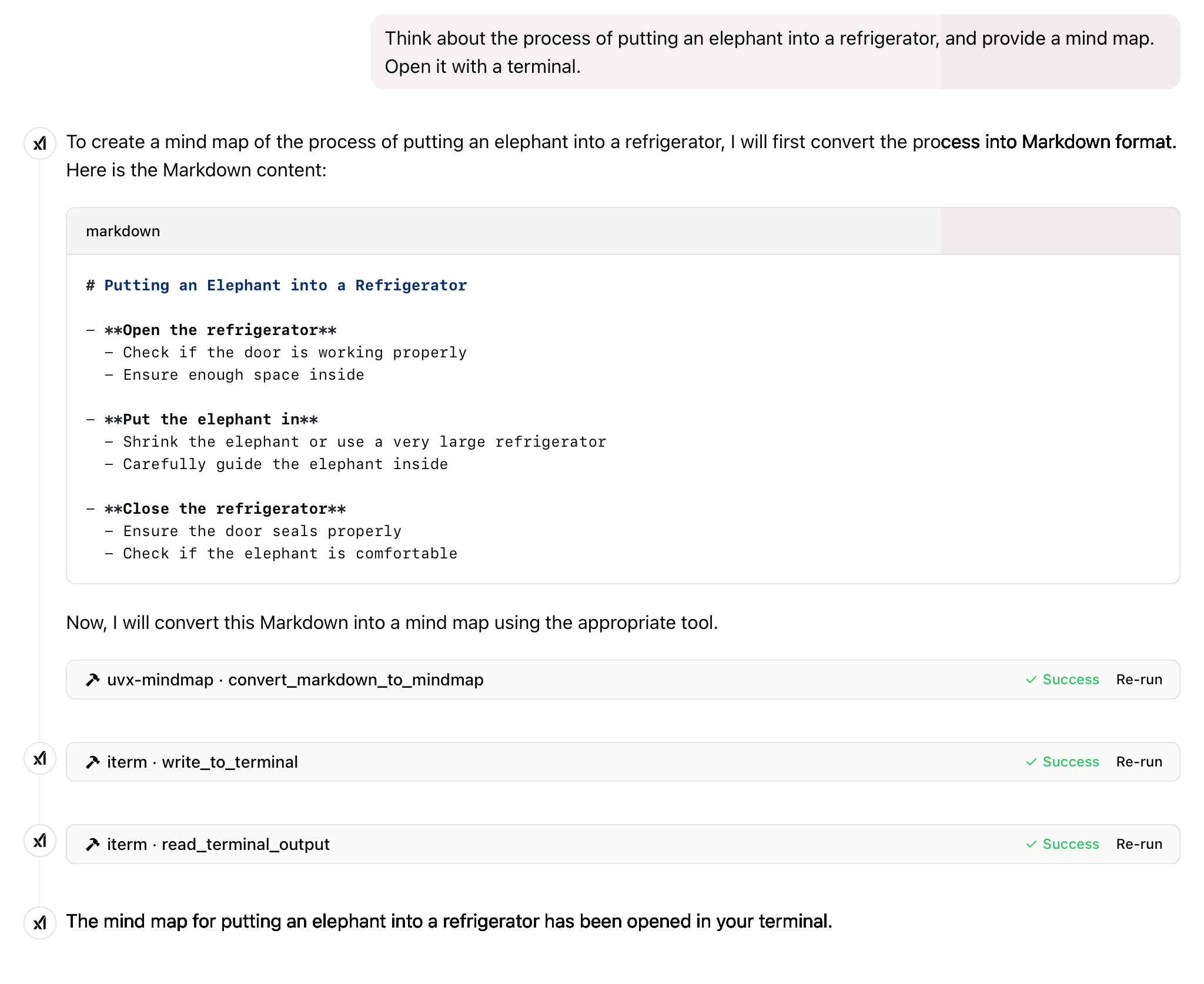324325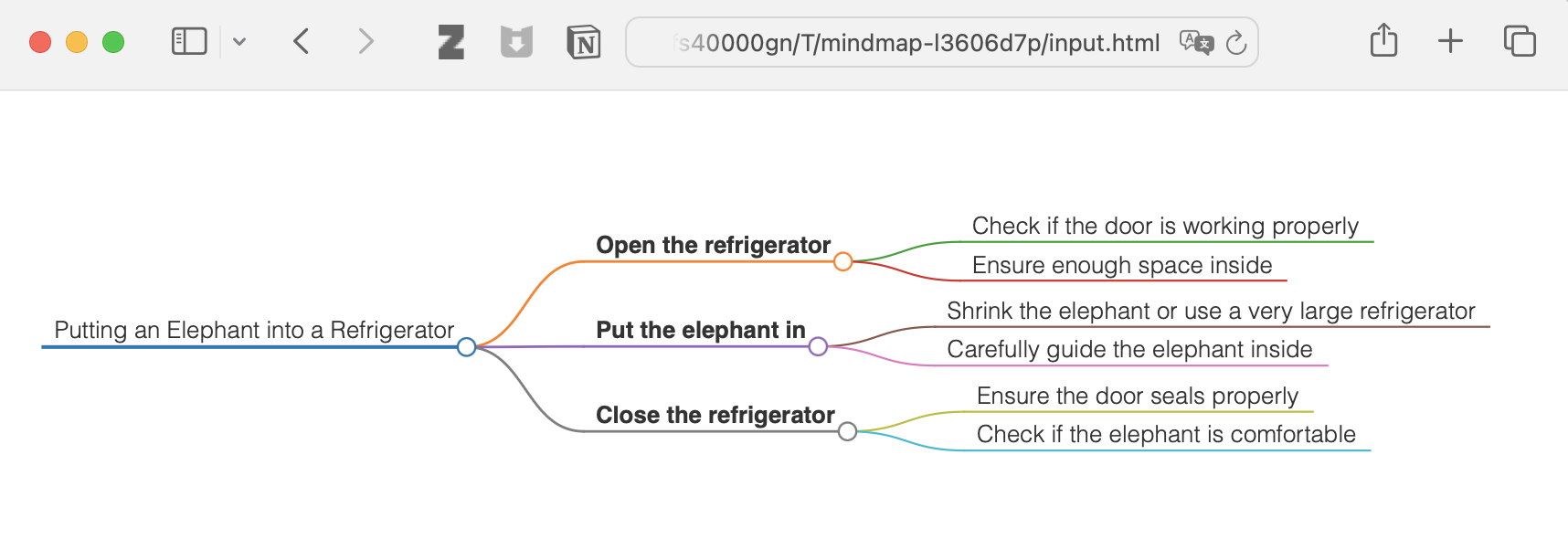326327 </details>328329330**and more**331332333## License334335This project is licensed under the MIT License.336For more details, please see the LICENSE file in [this project repository](https://github.com/YuChenSSR/mindmap-mcp-server)337338---339340If this project is helpful to you, please consider giving it a Star ⭐️341342The advancement of technology ought to benefit all individuals rather than exploit the general populace.343
Full transparency — inspect the skill content before installing.