
Seamlessly integrate Wolfram Alpha into your chat applications. This project implements an MCP (Model Context Protocol) server designed to interface with the Wolfram Alpha API. It enables chat-based applications to perform computational queries and retrieve structured knowledge, facilitating advanced conversational capabilities. Included is an MCP-Client example utilizing Gemini via LangChain, dem
npx mdskills install ricocf/mcp-wolframalphaRelated
@ricocf? Sign in with GitHub to claim this listing.Well-documented MCP server with clear setup, examples, and multiple integration options
Seamlessly integrate Wolfram Alpha into your chat applications.
This project implements an MCP (Model Context Protocol) server designed to interface with the Wolfram Alpha API. It enables chat-based applications to perform computational queries and retrieve structured knowledge, facilitating advanced conversational capabilities.
Included is an MCP-Client example utilizing Gemini via LangChain, demonstrating how to connect large language models to the MCP server for real-time interactions with Wolfram Alpha’s knowledge engine.

Wolfram|Alpha Integration for math, science, and data queries.
Modular Architecture Easily extendable to support additional APIs and functionalities.
Multi-Client Support Seamlessly handle interactions from multiple clients or interfaces.
MCP-Client example using Gemini (via LangChain).
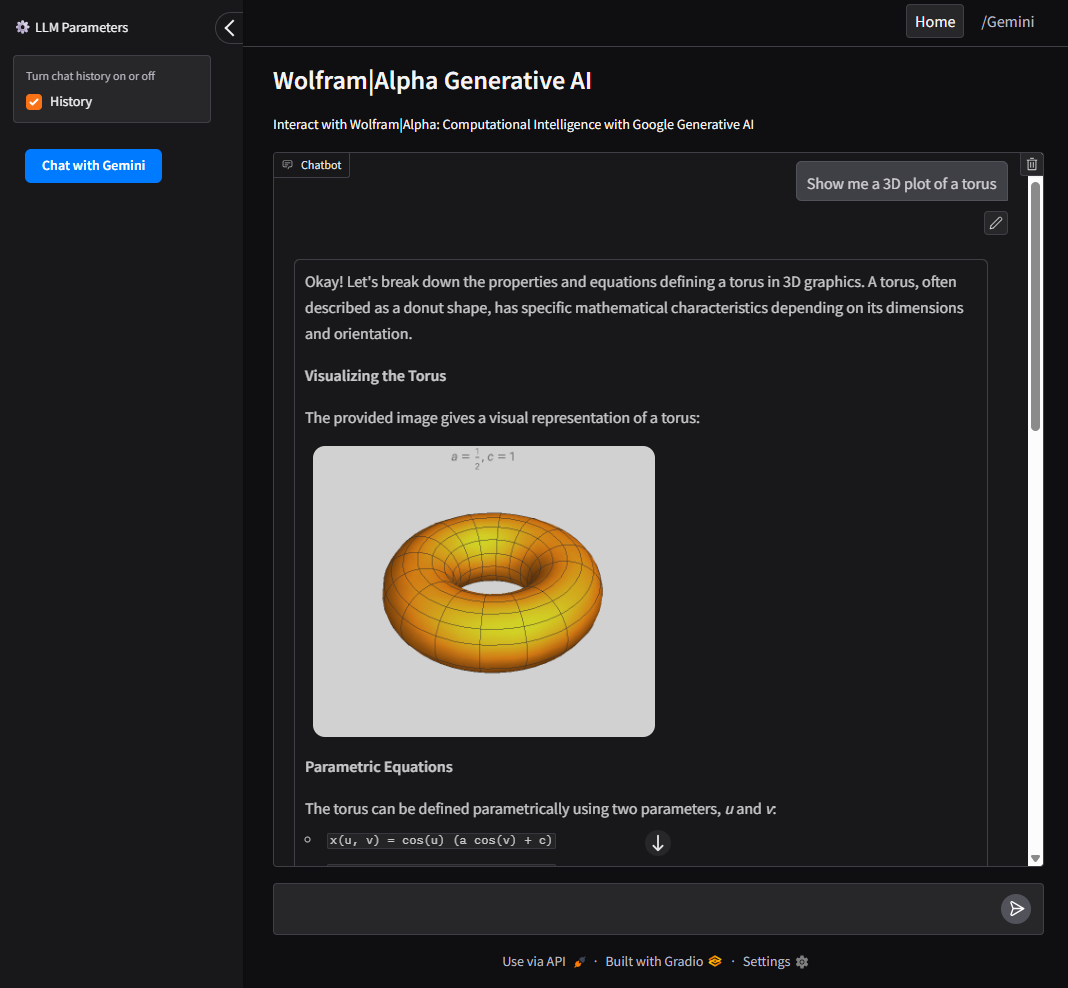
UI Support using Gradio for a user-friendly web interface to interact with Google AI and Wolfram Alpha MCP server.
git clone https://github.com/ricocf/mcp-wolframalpha.git

cd mcp-wolframalpha
Create a .env file based on the example:
WOLFRAM_API_KEY=your_wolframalpha_appid
GeminiAPI=your_google_gemini_api_key (Optional if using Client method below.)
pip install -r requirements.txt
Install the required dependencies with uv:
Ensure uv is installed.
uv sync
To use with the VSCode MCP Server:
.vscode/mcp.json in your project root.configs/vscode_mcp.json as a template.To use with Claude Desktop:
{
  "mcpServers": {
    "WolframAlphaServer": {
      "command": "python3",
      "args": [
        "/path/to/src/core/server.py"
      ]
    }
  }
}
This project includes an LLM client that communicates with the MCP server.
python main.py --ui
To build and run the client inside a Docker container:
docker build -t wolframalphaui -f .devops/ui.Dockerfile .

docker run wolframalphaui
python main.py
To build and run the client inside a Docker container:
docker build -t wolframalpha -f .devops/llm.Dockerfile .

docker run -it wolframalpha
Feel free to give feedback. The e-mail address is shown if you execute this in a shell:
printf "\x61\x6b\x61\x6c\x61\x72\x69\x63\x31\x40\x6f\x75\x74\x6c\x6f\x6f\x6b\x2e\x63\x6f\x6d\x0a"
Install via CLI
npx mdskills install ricocf/mcp-wolframalphaMCP Wolfram Alpha (Server + Client) is a free, open-source AI agent skill. Seamlessly integrate Wolfram Alpha into your chat applications. This project implements an MCP (Model Context Protocol) server designed to interface with the Wolfram Alpha API. It enables chat-based applications to perform computational queries and retrieve structured knowledge, facilitating advanced conversational capabilities. Included is an MCP-Client example utilizing Gemini via LangChain, dem
Install MCP Wolfram Alpha (Server + Client) with a single command:
npx mdskills install ricocf/mcp-wolframalphaThis downloads the skill files into your project and your AI agent picks them up automatically.
MCP Wolfram Alpha (Server + Client) works with Claude Code, Claude Desktop, Cursor, Vscode Copilot, Windsurf, Continue Dev, Gemini Cli, Amp, Roo Code, Goose. Skills use the open SKILL.md format which is compatible with any AI coding agent that reads markdown instructions.