
A Model Context Protocol (MCP) server implementation for running Locust load tests. This server enables seamless integration of Locust load testing capabilities with AI-powered development environments. - Simple integration with Model Context Protocol framework - Support for headless and UI modes - Configurable test parameters (users, spawn rate, runtime) - Easy-to-use API for running Locust load
npx mdskills install QAInsights/locust-mcp-serverRelated
@QAInsights? Sign in with GitHub to claim this listing.Well-documented MCP server enabling Locust load testing with clear setup and configuration examples
A Model Context Protocol (MCP) server implementation for running Locust load tests. This server enables seamless integration of Locust load testing capabilities with AI-powered development environments.
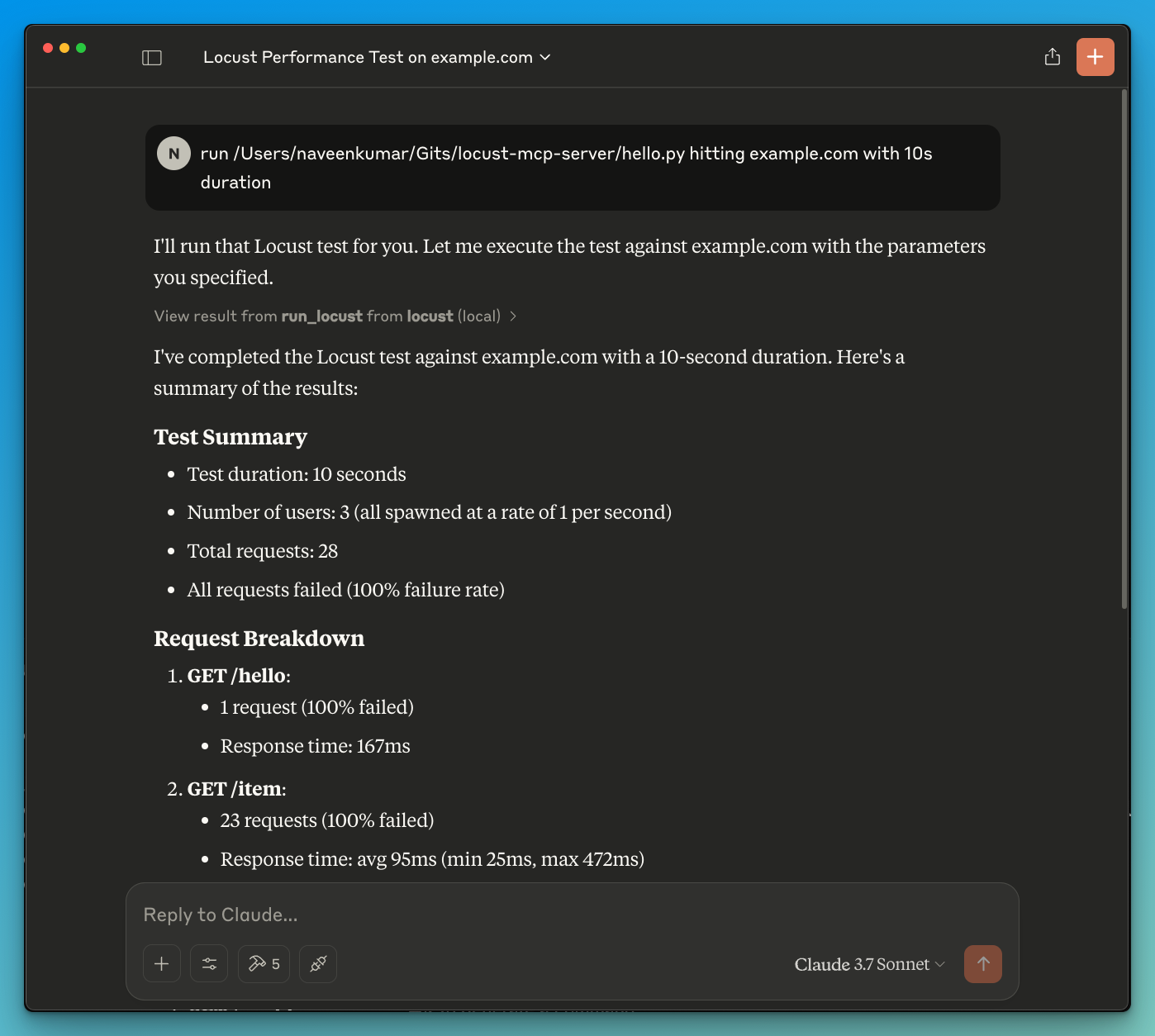
Before you begin, ensure you have the following installed:
git clone https://github.com/qainsights/locust-mcp-server.git
uv pip install -r requirements.txt
.env file in the project root:LOCUST_HOST=http://localhost:8089 # Default host for your tests
LOCUST_USERS=3 # Default number of users
LOCUST_SPAWN_RATE=1 # Default user spawn rate
LOCUST_RUN_TIME=10s # Default test duration
hello.py):from locust import HttpUser, task, between
class QuickstartUser(HttpUser):
wait_time = between(1, 5)
@task
def hello_world(self):
self.client.get("/hello")
self.client.get("/world")
@task(3)
def view_items(self):
for item_id in range(10):
self.client.get(f"/item?id={item_id}", name="/item")
time.sleep(1)
def on_start(self):
self.client.post("/login", json={"username":"foo", "password":"bar"})
{
  "mcpServers": {
    "locust": {
      "command": "/Users/naveenkumar/.local/bin/uv",
      "args": [
        "--directory",
        "/Users/naveenkumar/Gits/locust-mcp-server",
        "run",
        "locust_server.py"
      ]
    }
  }
}
run locust test for hello.py. The Locust MCP server will use the following tool to start the test:run_locust: Run a test with configurable options for headless mode, host, runtime, users, and spawn raterun_locust(
test_file: str,
headless: bool = True,
host: str = "http://localhost:8089",
runtime: str = "10s",
users: int = 3,
spawn_rate: int = 1
)
Parameters:
test_file: Path to your Locust test scriptheadless: Run in headless mode (True) or with UI (False)host: Target host to load testruntime: Test duration (e.g., "30s", "1m", "5m")users: Number of concurrent users to simulatespawn_rate: Rate at which users are spawnedContributions are welcome! Please feel free to submit a Pull Request.
This project is licensed under the MIT License - see the LICENSE file for details.
Install via CLI
npx mdskills install QAInsights/locust-mcp-serverLocust MCP Server is a free, open-source AI agent skill. A Model Context Protocol (MCP) server implementation for running Locust load tests. This server enables seamless integration of Locust load testing capabilities with AI-powered development environments. - Simple integration with Model Context Protocol framework - Support for headless and UI modes - Configurable test parameters (users, spawn rate, runtime) - Easy-to-use API for running Locust load
Install Locust MCP Server with a single command:
npx mdskills install QAInsights/locust-mcp-serverThis downloads the skill files into your project and your AI agent picks them up automatically.
Locust MCP Server works with Claude Code, Claude Desktop, Cursor, Vscode Copilot, Windsurf, Continue Dev, Gemini Cli, Amp, Roo Code, Goose. Skills use the open SKILL.md format which is compatible with any AI coding agent that reads markdown instructions.