
A database-backed kanban board that AI coding agents use via MCP (Model Context Protocol). Track issues, features, todos, epics, and diary entries across all your projects — with a web UI for humans and 40+ tools for agents. More screenshots - Persistent project tracking — issues, features, todos, epics, diary entries stored in MySQL/MariaDB - Status workflows — each item type has its own progress
npx mdskills install multidimensionalcats/kanban-mcpRelated
@multidimensionalcats? Sign in with GitHub to claim this listing.Comprehensive project tracking MCP server with 40+ tools, semantic search, and excellent documentation
A database-backed kanban board that AI coding agents use via MCP (Model Context Protocol). Track issues, features, todos, epics, and diary entries across all your projects — with a web UI for humans and 40+ tools for agents.
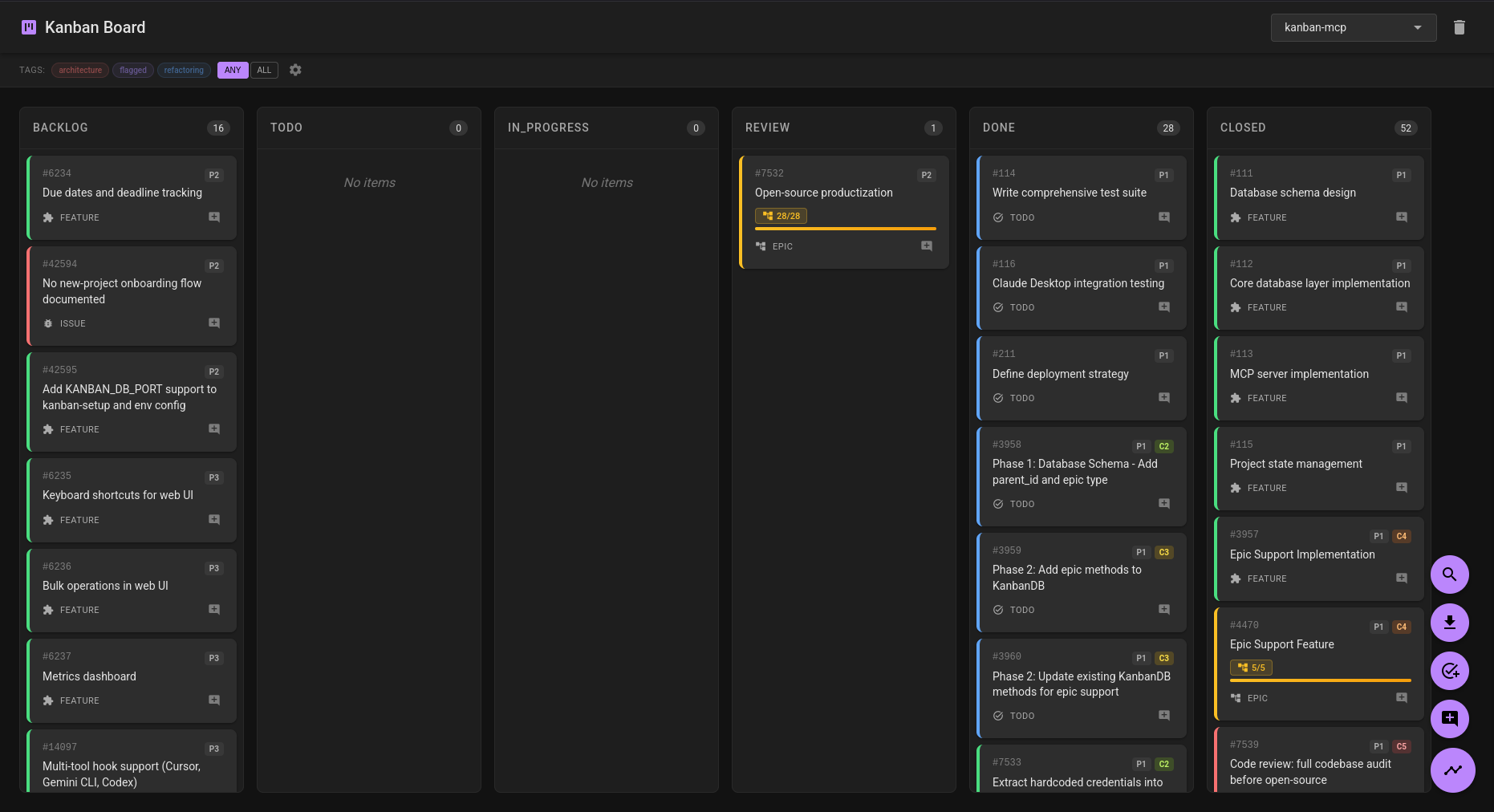
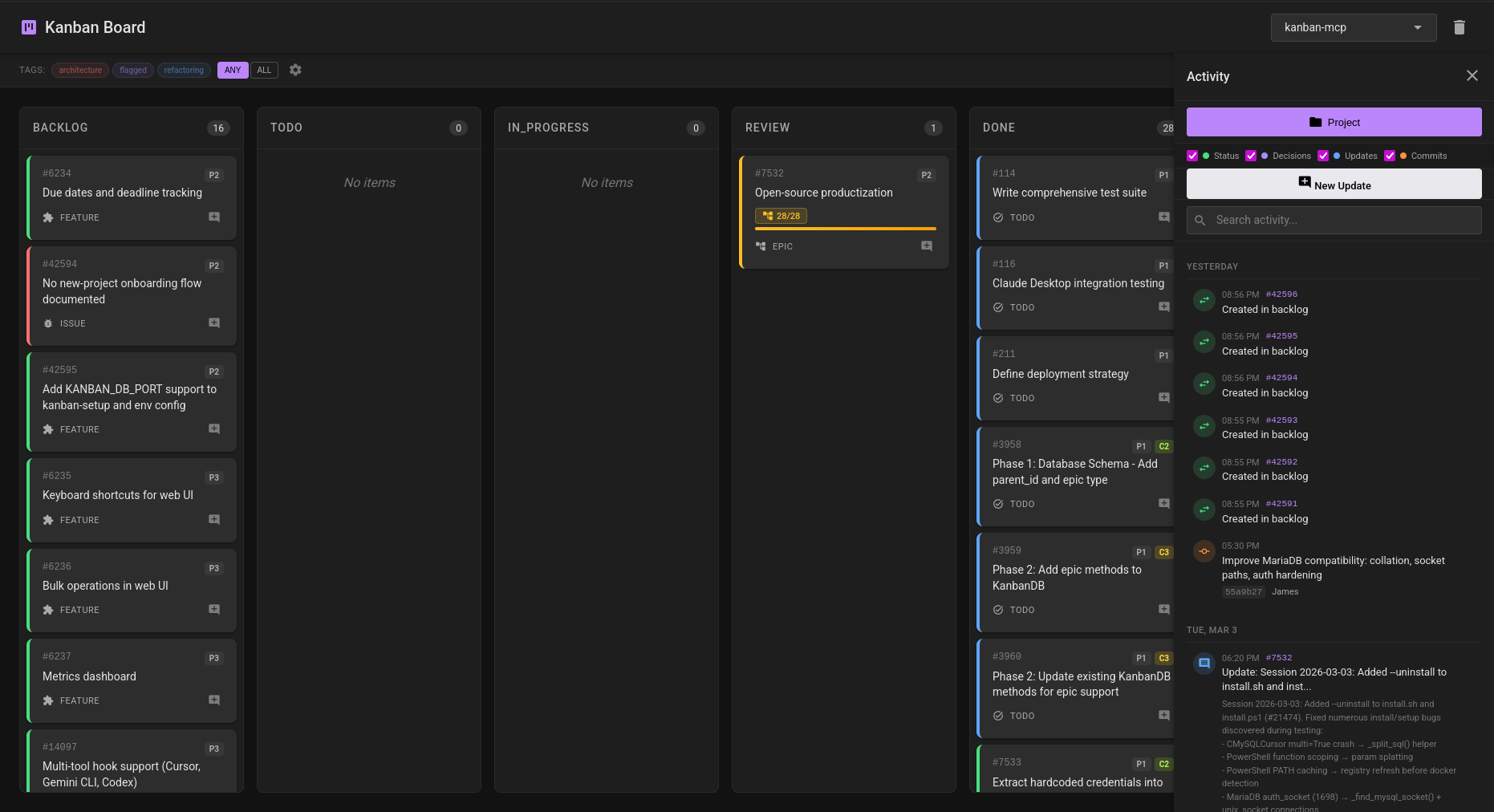
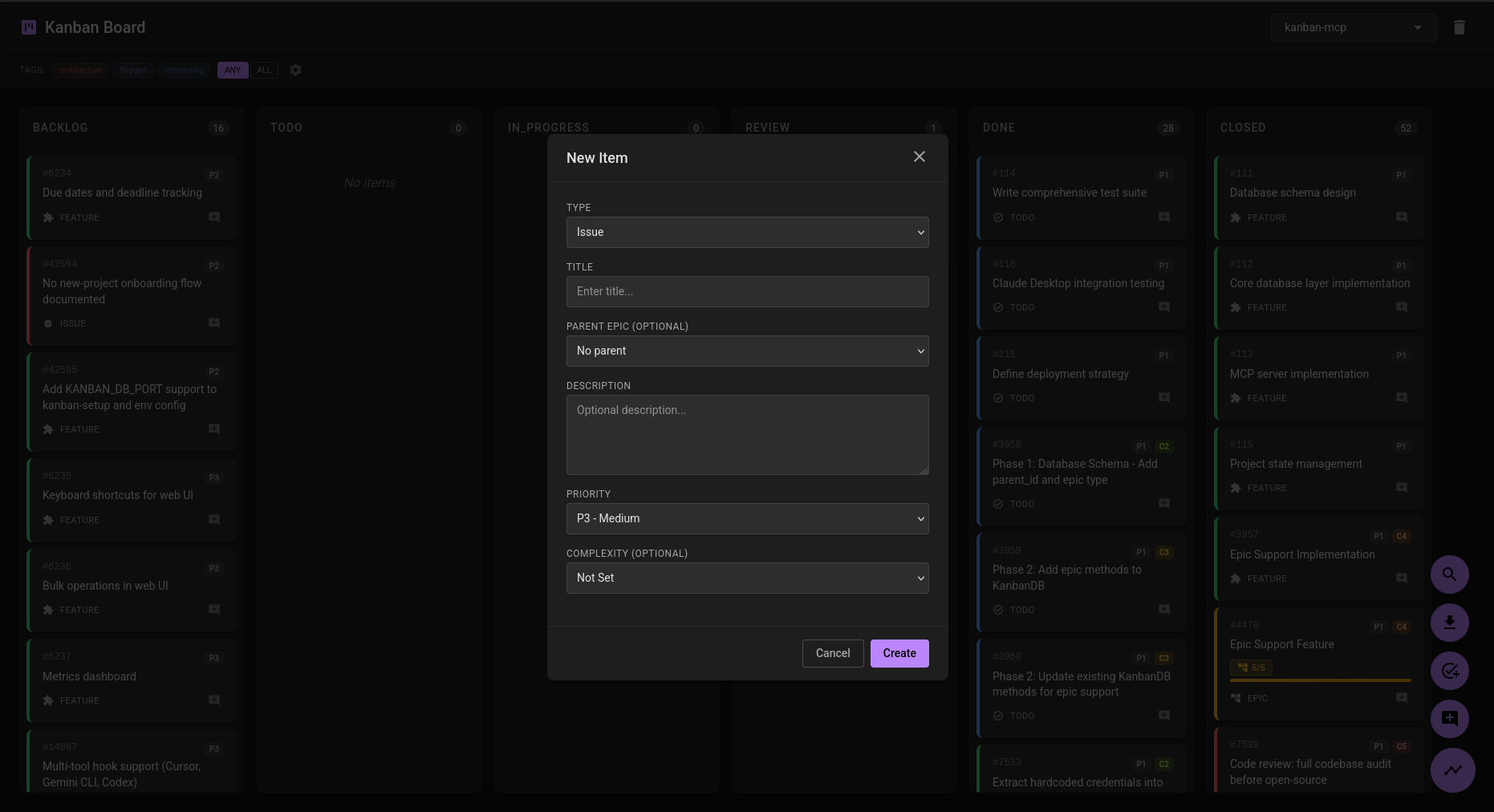
More screenshots
Linux / macOS:
curl -fsSL https://raw.githubusercontent.com/multidimensionalcats/kanban-mcp/main/install.sh | bash
Windows (PowerShell):
irm https://raw.githubusercontent.com/multidimensionalcats/kanban-mcp/main/install.ps1 | iex
The install script handles everything: installs pipx and kanban-mcp, detects MySQL/MariaDB (or starts it via Docker), creates the database, runs migrations, and writes your config.
Already have MySQL/MariaDB running? The fast path:
pipx install kanban-mcp[semantic]
kanban-setup
kanban-cli --project "$(pwd)" summary
The install script is the primary install method. It detects your MySQL/MariaDB situation and walks you through setup:
# Interactive — detects MySQL/MariaDB, offers Docker if needed, installs pipx/kanban-mcp
./install.sh

# Non-interactive with Docker for MySQL/MariaDB
./install.sh --auto --docker

# Non-interactive with remote MySQL/MariaDB
./install.sh --auto --db-host remote.example.com

# Windows equivalents
.\install.ps1
.\install.ps1 -Auto -Docker
.\install.ps1 -Auto -DbHost remote.example.com
pipx installs into an isolated virtualenv while making commands globally available. This avoids PEP 668 conflicts on modern distros and ensures hooks work outside the venv.
pipx install kanban-mcp[semantic]
Without semantic search (smaller install):
pipx install kanban-mcp
Upgrade later with:
pipx upgrade kanban-mcp
pip install --user kanban-mcp[semantic]
Note: On modern distros (Debian 12+, Fedora 38+, Arch, Gentoo), bare
pip installis blocked by PEP 668. Use--user,--break-system-packages, or prefer pipx.
git clone https://github.com/multidimensionalcats/kanban-mcp.git
cd kanban-mcp
pip install -e .[dev,semantic]
Note: If PEP 668 blocks the install, use a venv:
python3 -m venv .venv && source .venv/bin/activatefirst. Be aware that hooks run via/bin/sh, not the venv Python — you'll need to use full paths to the venv's console scripts in your hook configuration.
The install script can start MySQL/MariaDB via Docker for you (./install.sh --docker or choose Docker when prompted). If you prefer to run the compose stack manually:
git clone https://github.com/multidimensionalcats/kanban-mcp.git
cd kanban-mcp
docker compose up
This starts MySQL 8.0 and the web UI on port 5000. Migrations run automatically on web container startup. The database is exposed on port 3306 so the host-side MCP server can connect. The MCP server still needs a separate install (pipx or pip) since MCP clients spawn it as a subprocess.
Credentials are configurable via environment variables:
KANBAN_DB_USER=myuser KANBAN_DB_PASSWORD=secret docker compose up
Requires MySQL 8.0+ or MariaDB 11+ running locally (or remotely).
kanban-setup
Prompts for database name, user, password, and MySQL/MariaDB root credentials (including root password), then creates the database, runs migrations, and writes credentials to ~/.config/kanban-mcp/.env.
Note: On Debian/Ubuntu,
default-mysql-serverinstalls MariaDB, which defaults toauth_socketfor the root user. Socket auth only works when the OS user matches the MySQL user (i.e. running as OS root). For non-root users, provide the MySQL root password when prompted — this is the normal path.
Note:
kanban-setup --with-semanticinstalls the semantic search Python packages. This is only needed if you installed without[semantic]initially (e.g.pipx install kanban-mcp). If you already installed withkanban-mcp[semantic], you don't need this flag.
The --auto flag skips all interactive prompts. Without it, kanban-setup will prompt for each value.
# With root password (most common)
kanban-setup --auto --mysql-root-password rootpass

# With explicit credentials via environment variables
KANBAN_DB_NAME=kanban KANBAN_DB_USER=kanban KANBAN_DB_PASSWORD=secret \
  MYSQL_ROOT_PASSWORD=rootpass kanban-setup --auto

# With CLI args
kanban-setup --auto --db-name mydb --db-user myuser --db-password secret

# Socket auth (only works when OS user matches MySQL user, e.g. running as root)
kanban-setup --auto
Important:
MYSQL_ROOT_PASSWORDis required for non-interactive use unless you are running as OS root. Socket auth (auth_socket) only works when the OS user matches the MySQL user — this is uncommon outside of CI or Docker. On Debian/Ubuntu, MariaDB defaults root toauth_socket— setMYSQL_ROOT_PASSWORDor use the manual SQL setup below.
The install scripts can be run from the repo or downloaded standalone:
./install.sh                                        # interactive (detects MySQL/MariaDB, offers Docker)
./install.sh --auto                                  # non-interactive, local MySQL/MariaDB (socket auth)
MYSQL_ROOT_PASSWORD=rootpass ./install.sh --auto      # non-interactive, with root password
./install.sh --auto --docker                         # non-interactive, Docker
./install.sh --auto --db-host HOST                   # non-interactive, remote
./install.sh --upgrade                               # upgrade existing Docker install

.\install.ps1                         # Windows interactive
.\install.ps1 -Auto                   # Windows non-interactive
.\install.ps1 -Auto -Docker           # Windows Docker
.\install.ps1 -Auto -DbHost HOST      # Windows remote
.\install.ps1 -Upgrade                # upgrade existing Docker install
| Env Variable | Default | Description |
|---|---|---|
KANBAN_DB_NAME | kanban | Database name |
KANBAN_DB_USER | kanban | Database user |
KANBAN_DB_PASSWORD | (auto-generated) | Database password |
KANBAN_DB_HOST | localhost | Database host |
KANBAN_DB_PORT | 3306 | Database port |
MYSQL_ROOT_USER | root | Database admin user |
MYSQL_ROOT_PASSWORD | (none — tries socket auth) | Database admin password (required unless running as OS root) |
Manual setup is a good alternative if database root auth is problematic (e.g. socket auth issues, restricted access).
-- As MySQL/MariaDB root user:
CREATE DATABASE kanban CHARACTER SET utf8mb4 COLLATE utf8mb4_unicode_ci;
CREATE USER 'kanban'@'localhost' IDENTIFIED BY 'your_password_here';
CREATE USER 'kanban'@'%' IDENTIFIED BY 'your_password_here';
GRANT ALL PRIVILEGES ON `kanban`.* TO 'kanban'@'localhost';
GRANT ALL PRIVILEGES ON `kanban`.* TO 'kanban'@'%';
FLUSH PRIVILEGES;
Note: On MariaDB,
'kanban'@'%'does not match localhost socket connections — you need both the@'localhost'and@'%'users.
Run the migration files in order:
mysql -u kanban -p kanban  **Note:** VS Code uses the key `servers`, not `mcpServers`.

#### Codex CLI

Add to `~/.codex/config.toml`:

```toml
[mcp_servers.kanban]
command = "kanban-mcp"
Add to .cursor/mcp.json (per-project):
{
  "mcpServers": {
    "kanban": {
      "command": "kanban-mcp"
    }
  }
}
For any other MCP-compatible tool: point it at the kanban-mcp command with STDIO transport. If the tool can't read the .env file (e.g. it doesn't inherit your shell environment), pass the four KANBAN_DB_* variables via the client's env configuration.
Hooks are what make the agent use the board automatically. Without them, the agent only interacts with kanban-mcp when you explicitly ask it to.
Two hooks ship as console scripts, installed alongside kanban-mcp:
kanban-hook-session-start — Runs at session start. Reads the project directory from the hook's stdin JSON (cwd field), looks up the project in the database, and prints any in-progress items. This output gets injected into the conversation context, so the agent knows what's active without being told.
kanban-hook-stop — Runs at session end. Lists items still in progress and suggests creating a diary entry, updating statuses, or adding progress notes. This nudges the agent (and you) to keep the board current.
Both hooks exit silently if the project isn't tracked or the database is unreachable — they never block a session.
| Client | Session hooks? | Config location |
|---|---|---|
| Claude Code | Yes | ~/.claude/settings.json |
| Gemini CLI | Yes | ~/.gemini/settings.json |
| VS Code Copilot | Yes (preview) | ~/.claude/settings.json¹ or .github/hooks/*.json |
| Copilot CLI | Yes | Hook config files |
| Cursor | Yes (plugin primitive) | Hook config |
¹ VS Code Copilot reads Claude Code's hook configuration — if you already configured hooks for Claude Code, VS Code Copilot will use them too.
Claude Code, Gemini CLI, and VS Code Copilot all use the same hook format. Gemini CLI also sets CLAUDE_PROJECT_DIR as a compatibility alias, so the kanban hooks work across all three without modification.
Hooks run via /bin/sh (Linux/macOS) or cmd (Windows), which do not read shell profiles — you must use absolute paths.
Find your paths:
# Linux/macOS
which kanban-hook-session-start   # typically ~/.local/bin/kanban-hook-session-start
which kanban-hook-stop
# Windows
Get-Command kanban-hook-session-start | Select-Object -ExpandProperty Source
# typically C:\Users\\pipx\venvs\kanban-mcp\Scripts\kanban-hook-session-start.exe
Merge into your client's settings file (~/.claude/settings.json for Claude Code and VS Code Copilot, ~/.gemini/settings.json for Gemini CLI):
Linux/macOS:
{
  "hooks": {
    "SessionStart": [
      { "hooks": [{ "type": "command", "command": "/home/you/.local/bin/kanban-hook-session-start" }] }
    ],
    "Stop": [
      { "hooks": [{ "type": "command", "command": "/home/you/.local/bin/kanban-hook-stop" }] }
    ]
  }
}
Windows:
{
  "hooks": {
    "SessionStart": [
      { "hooks": [{ "type": "command", "command": "C:\\Users\\you\\pipx\\venvs\\kanban-mcp\\Scripts\\kanban-hook-session-start.exe" }] }
    ],
    "Stop": [
      { "hooks": [{ "type": "command", "command": "C:\\Users\\you\\pipx\\venvs\\kanban-mcp\\Scripts\\kanban-hook-stop.exe" }] }
    ]
  }
}
If you already have hooks configured, add the kanban entries to your existing arrays — don't replace them.
Tip:
install.shandinstall.ps1print a ready-to-use config snippet with your resolved paths after setup completes.
Once installed and configured, open your AI agent in a project directory. The first time you do this:
set_current_project with your working directory's absolute path — this auto-creates the project in the databaseOn subsequent sessions in the same directory, the start hook injects your active items into the conversation automatically — the agent picks up where you left off.
There is no "create project" command. Projects are created implicitly the first time set_current_project is called for a directory. If the agent doesn't call it on its own, ask it to — or the hooks will handle project context once the project exists in the database.
Important:
set_current_projecthashes the directory path as-is to identify the project. Always pass the absolute path (e.g./home/you/my-project), not a relative path like.— relative paths will create a different project entry.
kanban-mcp provides three ways to interact with the same data:
MCP tools — 40+ tools the AI agent calls during conversation. This is the primary interface. The agent creates items, tracks dependencies, advances statuses, and logs progress as part of your normal workflow. You don't need to tell it to — the session hooks provide context and the agent uses the tools naturally.
Web UI — a browser-based kanban board for humans.
kanban-web                    # http://127.0.0.1:5000
kanban-web --port 8080        # custom port
kanban-web --host 0.0.0.0     # network-accessible (no auth — use with care)
KANBAN_WEB_PORT=8080 kanban-web  # port via env var
macOS note: Port 5000 is used by AirPlay Receiver on modern macOS. If
kanban-webfails to bind, use--port 5001or setKANBAN_WEB_PORT=5001.
The board shows all status columns (backlog → todo → in_progress → review → done → closed) with drag-and-drop between them. Use the project dropdown in the header to switch between projects. Cards show priority, tags, epic membership, blocking relationships, and progress bars for epics.
CLI — kanban-cli for terminal queries, scripts, and exports. Every command takes --project PATH (the same directory path you'd use with your agent) and an optional --format {text,json}.
All commands take --project PATH with the absolute path to your project directory, and an optional --format {text,json}.
# What's currently being worked on?
kanban-cli --project /path/to/project active

# What's in the backlog?
kanban-cli --project /path/to/project todos

# Project overview — counts by type and status
kanban-cli --project /path/to/project summary

# Search items and updates
kanban-cli --project /path/to/project search "authentication"

# Semantic search (requires [semantic] extra)
kanban-cli --project /path/to/project semantic-search "auth problems" --limit 5

# Export the full board
kanban-cli --project /path/to/project export --format markdown
kanban-cli --project /path/to/project export --format json --metrics --relationships

# Get children of an epic
kanban-cli --project /path/to/project children 42 --recursive

# Context dump (what the session hooks use internally)
kanban-cli --project /path/to/project context

# Rebuild embeddings after bulk changes
kanban-cli --project /path/to/project rebuild-embeddings
Tip: Paths are resolved (symlinks,
.,..) before hashing, so--project .and--project $PWDrefer to the same project.
Database migrations run automatically on startup — no manual migration step needed after upgrading.
pipx:
pipx upgrade kanban-mcp
pip:
pip install --user --upgrade kanban-mcp
From source:
cd kanban-mcp && git pull && pip install -e .[dev,semantic]
Docker:
./install.sh --upgrade
# Windows: .\install.ps1 -Upgrade
This re-downloads the latest Docker files, rebuilds the web image from PyPI, and restarts the containers. Migrations run automatically on container startup.
Claude, Gemini, GPT, Codex, and other agents: start here.
If your human has asked you to install kanban-mcp, follow these steps exactly. Do not improvise. The --auto flag handles all prompts.
Ask your human whether MySQL/MariaDB is already running locally, or whether to use Docker. Then run the appropriate one-liner:
# Local MySQL/MariaDB (socket auth or set MYSQL_ROOT_PASSWORD):
curl -fsSL https://raw.githubusercontent.com/multidimensionalcats/kanban-mcp/main/install.sh | bash -s -- --auto

# No database — use Docker:
curl -fsSL https://raw.githubusercontent.com/multidimensionalcats/kanban-mcp/main/install.sh | bash -s -- --auto --docker

# Remote MySQL/MariaDB:
curl -fsSL https://raw.githubusercontent.com/multidimensionalcats/kanban-mcp/main/install.sh | bash -s -- --auto --db-host HOST
Set MYSQL_ROOT_PASSWORD before running if the database root user uses password auth.
For Windows (PowerShell):
irm https://raw.githubusercontent.com/multidimensionalcats/kanban-mcp/main/install.ps1 -OutFile install.ps1
.\install.ps1 -Auto
This installs pipx (if needed), installs kanban-mcp, creates the database, runs migrations, and writes credentials to ~/.config/kanban-mcp/.env.
Write the config entry for whichever tool you are:
| Tool | Config file | Key | Format |
|---|---|---|---|
| Claude Code | .mcp.json (project) or ~/.claude.json (global) | mcpServers | JSON |
| Claude Desktop | ~/.config/Claude/claude_desktop_config.json | mcpServers | JSON |
| Gemini CLI | ~/.gemini/settings.json | mcpServers | JSON |
| VS Code / Copilot | .vscode/mcp.json | servers | JSON |
| Cursor | .cursor/mcp.json | mcpServers | JSON |
| Codex CLI | ~/.codex/config.toml | [mcp_servers.kanban] | TOML |
The server entry (JSON example):
{
  "kanban": {
    "command": "kanban-mcp"
  }
}
No env block is needed — credentials are read from ~/.config/kanban-mcp/.env which the install script created in step 1.
kanban-cli --project /path/to/humans/project summary
Hooks are what make you use the board automatically. Without them, you only interact with kanban-mcp when the human asks you to.
kanban-hook-session-start — Runs at session start. Reads the project directory, queries in-progress items, and injects them into the conversation so you know what's active.kanban-hook-stop — Runs at session end. Lists items still in progress and reminds you to update statuses or create a diary entry.If your client supports hooks (Claude Code, Gemini CLI, VS Code Copilot, Copilot CLI, Cursor): resolve the absolute paths via which, read your client's hook config file, merge the kanban hook entries (preserving any existing hooks), and write back. Do not overwrite other hook entries. See the Hooks section above for per-client config formats and paths.
| Command | Description |
|---|---|
kanban-mcp | MCP server (STDIO JSON-RPC) — used by AI clients |
kanban-web | Web UI on localhost:5000 (--port, --host, --debug flags; env: KANBAN_WEB_PORT, KANBAN_WEB_HOST) |
kanban-cli | CLI for manual queries and hook scripts (--project, --format flags) |
kanban-setup | Database setup wizard (--auto for non-interactive, --with-semantic) |
kanban-hook-session-start | Session start hook — injects active items into agent sessions |
kanban-hook-stop | Session stop hook — prompts for progress updates |
| Tool | Description |
|---|---|
set_current_project | Set the current project context (called at session start with $PWD) |
get_current_project | Get the current project context |
project_summary | Get summary of items by type and status |
get_active_items | Get items in 'in_progress' status |
get_todos | Get items in 'backlog' status — the todo queue |
| Tool | Description |
|---|---|
new_item | Create a new issue, todo, feature, epic, or diary entry |
list_items | List items with optional type/status/tag filters |
get_item | Get full details of a specific item |
edit_item | Edit an item's title, description, priority, complexity, and/or parent |
delete_item | Permanently delete an item |
| Tool | Description |
|---|---|
advance_status | Move item to next status in its workflow |
revert_status | Move item to previous status |
set_status | Set item to a specific status |
close_item | Mark item as done/closed |
get_status_history | Get status change history for an item |
get_item_metrics | Get calculated metrics: lead_time, cycle_time, time_in_each_status |
| Tool | Description |
|---|---|
add_update | Add a progress update, optionally linked to items |
get_latest_update | Get the most recent update |
get_updates | Get recent updates |
| Tool | Description |
|---|---|
add_relationship | Add a relationship (blocks, depends_on, relates_to, duplicates) |
remove_relationship | Remove a relationship |
get_item_relationships | Get all relationships for an item |
get_blocking_items | Get items that block a given item |
set_parent | Set or remove parent relationship |
list_children | Get children of an item (optional recursive) |
get_epic_progress | Get progress stats for an epic |
| Tool | Description |
|---|---|
list_tags | List all tags with usage counts |
add_tag | Add a tag to an item |
remove_tag | Remove a tag from an item |
get_item_tags | Get all tags assigned to an item |
update_tag | Update tag name and/or color |
delete_tag | Delete a tag from the project |
| Tool | Description |
|---|---|
link_file | Link a file (or file region) to an item |
unlink_file | Remove a file link |
get_item_files | Get all files linked to an item |
add_decision | Add a decision record to an item |
get_item_decisions | Get all decisions for an item |
delete_decision | Delete a decision record |
| Tool | Description |
|---|---|
search | Full-text search across items and updates |
semantic_search | Search by semantic similarity (requires [semantic] extra) |
find_similar | Find items similar to a given item, decision, or update |
rebuild_embeddings | Rebuild all embeddings for the project |
export_project | Export project data in JSON, YAML, or Markdown |
| Tool | Description |
|---|---|
get_item_timeline | Activity timeline for a specific item |
get_project_timeline | Activity timeline for the entire project |
| Type | Workflow |
|---|---|
| issue | backlog → todo → in_progress → review → done → closed |
| feature | backlog → todo → in_progress → review → done → closed |
| epic | backlog → todo → in_progress → review → done → closed |
| todo | backlog → todo → in_progress → done |
| question | backlog → in_progress → done |
| diary | done (single state) |
git clone https://github.com/multidimensionalcats/kanban-mcp.git
cd kanban-mcp
python3 -m venv .venv && source .venv/bin/activate
pip install -e .[dev,semantic]

# Run Python tests (requires MySQL/MariaDB with test DB configured)
pytest

# Run frontend JS tests (requires Node.js — optional, only touches web UI code)
npm install && npm test
Install via CLI
npx mdskills install multidimensionalcats/kanban-mcpKanban MCP is a free, open-source AI agent skill. A database-backed kanban board that AI coding agents use via MCP (Model Context Protocol). Track issues, features, todos, epics, and diary entries across all your projects — with a web UI for humans and 40+ tools for agents. More screenshots - Persistent project tracking — issues, features, todos, epics, diary entries stored in MySQL/MariaDB - Status workflows — each item type has its own progress
Install Kanban MCP with a single command:
npx mdskills install multidimensionalcats/kanban-mcpThis downloads the skill files into your project and your AI agent picks them up automatically.
Kanban MCP works with Claude Code, Claude Desktop, Cursor, Vscode Copilot, Windsurf, Continue Dev, Gemini Cli, Amp, Roo Code, Goose. Skills use the open SKILL.md format which is compatible with any AI coding agent that reads markdown instructions.