
A Model Context Protocol (MCP) server enabling AI agents to query information about dependencies in a Ruby project's Gemfile. Built with fast-mcp. Install the gem and add to the application's Gemfile by executing: 1. Generate the binstub: 2. Configure your client to execute the binstub. Here are examples that work for Claude and Cursor: Available on RubyDoc The server provides two tools for AI age
npx mdskills install subelsky/bundler-mcpRelated
@subelsky? Sign in with GitHub to claim this listing.Well-documented MCP server for Ruby dependency management with clear setup and useful tools
A Model Context Protocol (MCP) server enabling AI agents to query information about dependencies in a Ruby project's Gemfile. Built with fast-mcp.
Install the gem and add to the application's Gemfile by executing:
bundle add bundler_mcp --group=development
bundle binstubs bundler_mcp
{
  "mcpServers": {
    "bundler-mcp": {
      "command": "/Users/mike/my_project/bin/bundler_mcp"
    }
  }
}
{
  "mcpServers": {
    "bundler-mcp": {
      "command": "/Users/mike/my_project/bin/bundler_mcp",

      "env": {
        "BUNDLER_MCP_LOG_FILE": "/Users/mike/my_project/log/mcp.log",
        "BUNDLE_GEMFILE": "/Users/mike/my_project/subdir/Gemfile"
      }
    }
  }
}
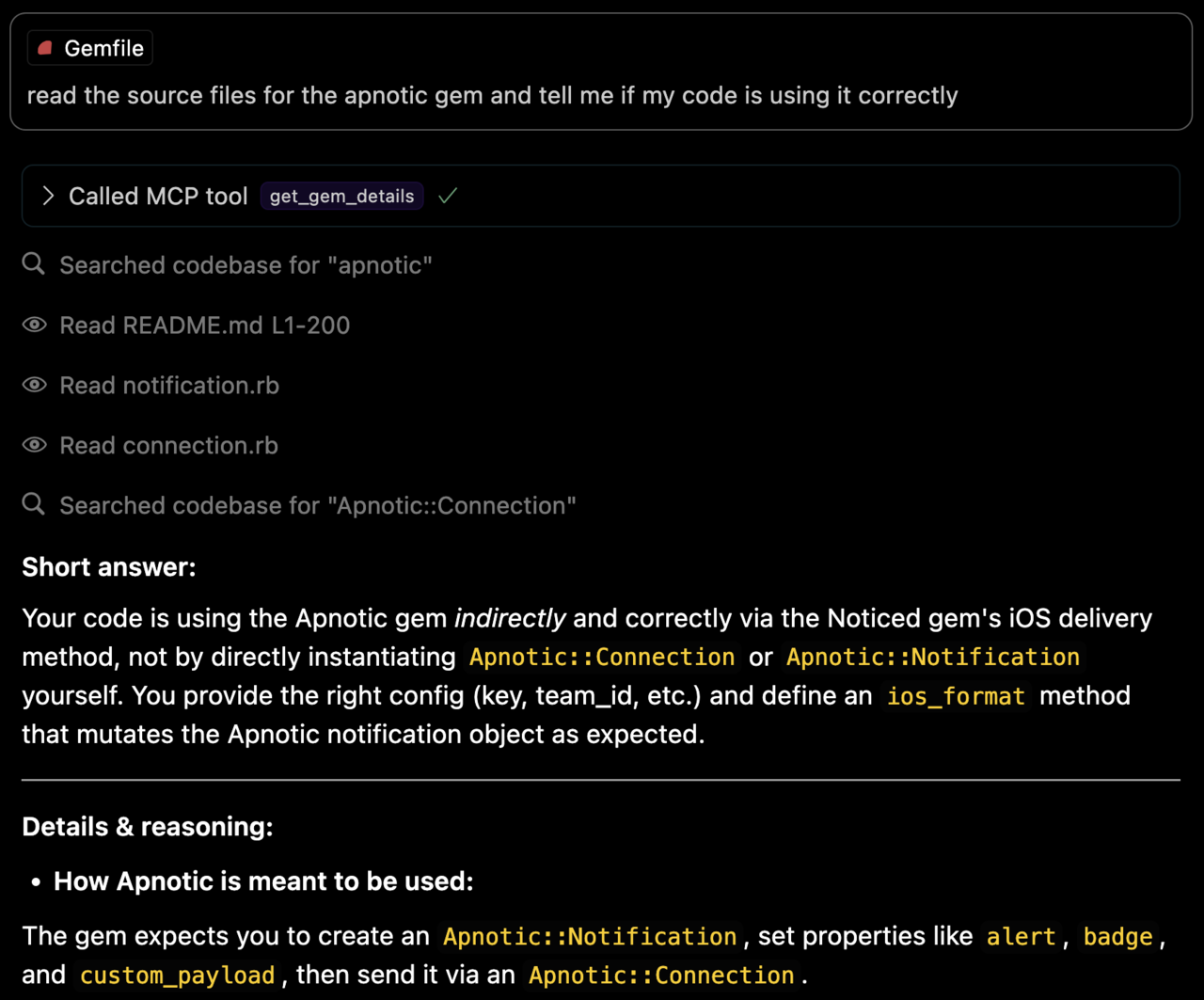
The server provides two tools for AI agents:
Lists all bundled Ruby gems with their:
README and CHANGELOG)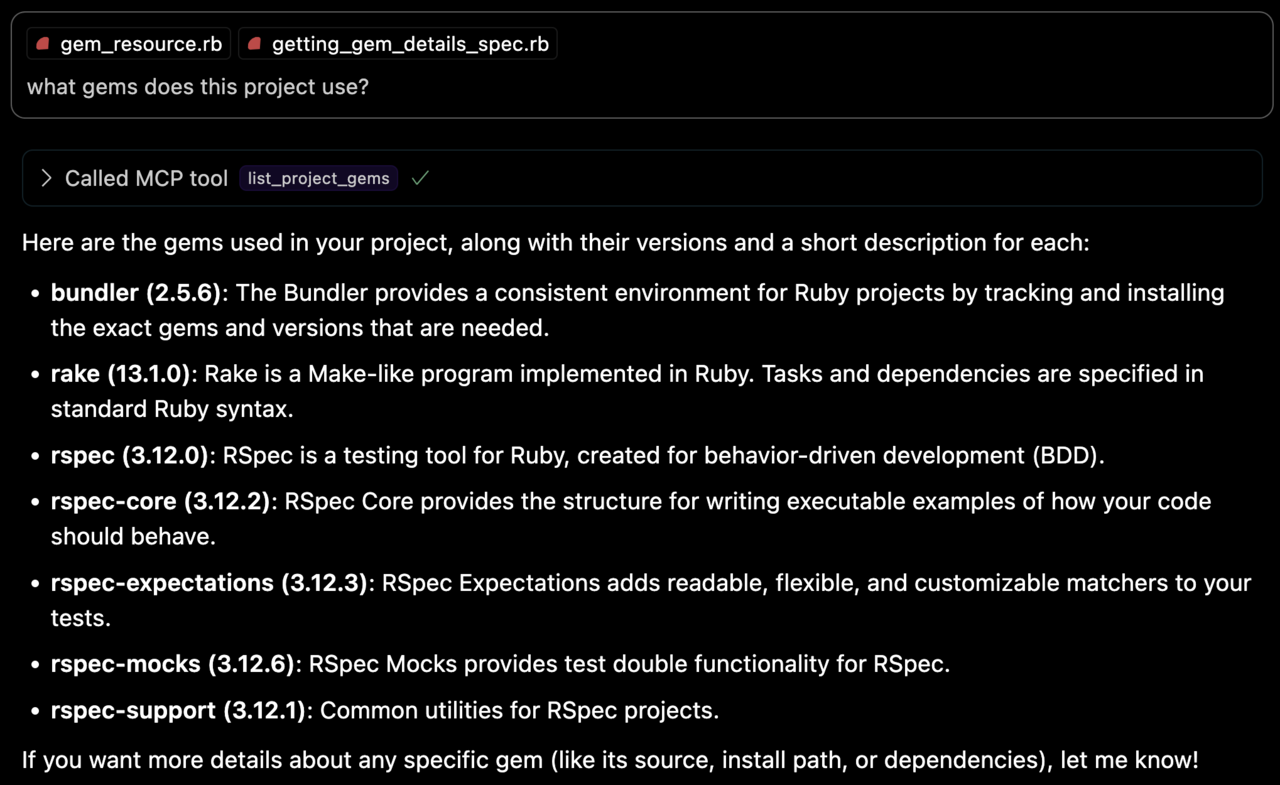
Retrieves detailed information about a specific gem, including:
BUNDLE_GEMFILE: Used by Bundler to locate your Gemfile. If you use the binstub method described in the Usage section, this is usually not needed.BUNDLER_MCP_LOG_FILE: Path to log file. Useful for troubleshooting (defaults to no logging)After checking out the repo, run bin/setup to install dependencies and bundle exec rspec to run the tests. You can also run bin/console for an interactive prompt that will allow you to experiment.
You can test the server directly using the MCP inspector:
# Basic usage
npx @modelcontextprotocol/inspector ./bin/bundler_mcp

# With logging enabled
BUNDLER_MCP_LOG_FILE=/tmp/log/mcp.log npx @modelcontextprotocol/inspector ./bin/bundler_mcp

# With custom Gemfile
BUNDLE_GEMFILE=./other/Gemfile npx @modelcontextprotocol/inspector ./bin/bundler_mcp
To install this gem onto your local machine, run bundle exec rake install. To release a new version:
version.rbbundle exec rake releaseThis will:
.gem file to rubygems.orgBug reports and pull requests are welcome on GitHub at https://github.com/subelsky/bundler_mcp.
Open source under the terms of the MIT License.
Install via CLI
npx mdskills install subelsky/bundler-mcpBundlerMCP is a free, open-source AI agent skill. A Model Context Protocol (MCP) server enabling AI agents to query information about dependencies in a Ruby project's Gemfile. Built with fast-mcp. Install the gem and add to the application's Gemfile by executing: 1. Generate the binstub: 2. Configure your client to execute the binstub. Here are examples that work for Claude and Cursor: Available on RubyDoc The server provides two tools for AI age
Install BundlerMCP with a single command:
npx mdskills install subelsky/bundler-mcpThis downloads the skill files into your project and your AI agent picks them up automatically.
BundlerMCP works with Claude Code, Claude Desktop, Cursor, Vscode Copilot, Windsurf, Continue Dev, Gemini Cli, Amp, Roo Code, Goose. Skills use the open SKILL.md format which is compatible with any AI coding agent that reads markdown instructions.