
This repository contains a Binary Ninja plugin, MCP server, and bridge that enables seamless integration of Binary Ninja's capabilities with your favorite LLM client. - Seamless, real-time integration between Binary Ninja and MCP clients - Enhanced reverse engineering workflow with AI assistance - Support for every MCP client (Cline, Claude desktop, Roo Code, etc.) - Open multiple binaries and swi
npx mdskills install fosdickio/binary-ninja-mcpRelated
@fosdickio? Sign in with GitHub to claim this listing.Comprehensive Binary Ninja integration with 50+ MCP tools for reverse engineering and malware analysis workflows
This repository contains a Binary Ninja plugin, MCP server, and bridge that enables seamless integration of Binary Ninja's capabilities with your favorite LLM client.
Check out this demo video on YouTube that uses the extension to solve a CTF challenge.
This repository contains two separate components:
Please install the MCP client before you install Binary Ninja MCP so that the MCP clients can be auto-setup. We currently support auto-setup for these MCP clients:
1. Cline (recommended)
2. Roo Code
3. Claude Desktop (recommended)
4. Cursor
5. Windsurf
6. Claude Code
7. LM Studio
After the MCP client is installed, you can install the MCP server using the Binary Ninja Plugin Manager or manually. Both methods support auto-setup of MCP clients.
If your MCP client is not set, you should install it first then try to reinstall the extension.
You may install the extension through Binary Ninja's Plugin Manager (Plugins > Manage Plugins).
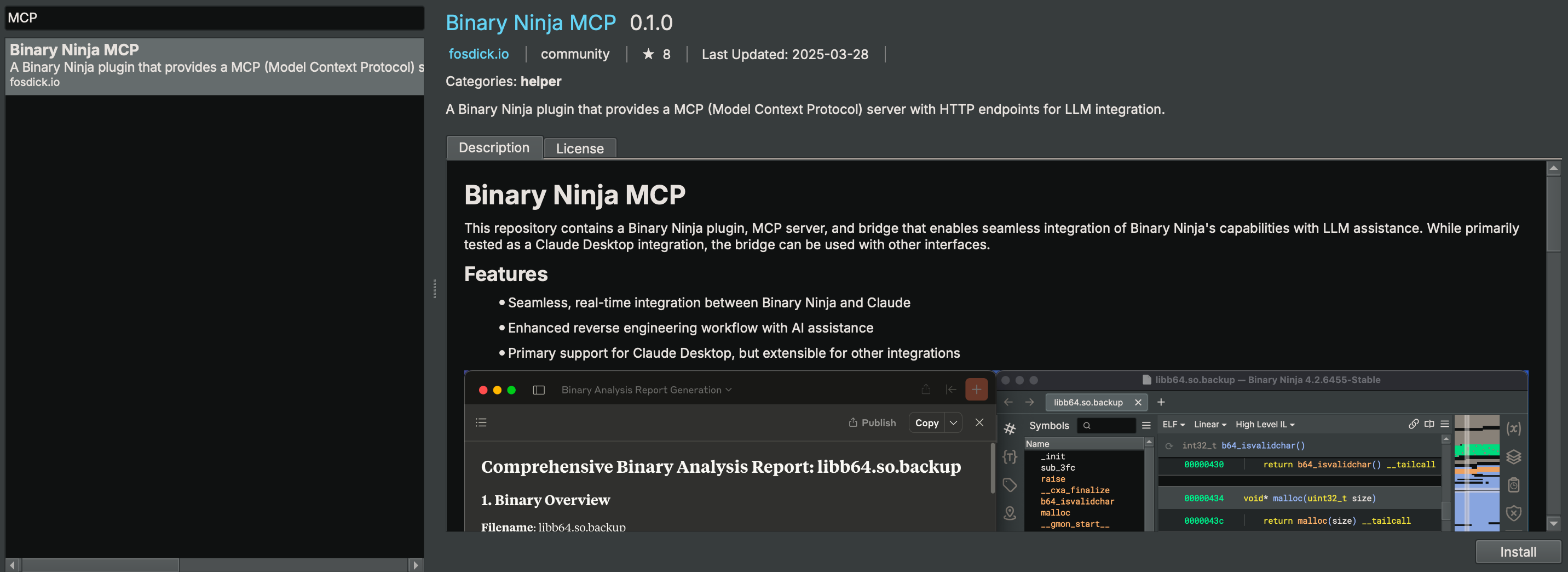
To manually install the extension, this repository can be copied into the Binary Ninja plugins folder.
You do NOT need to set this up manually if you use a supported MCP client and follow the installation steps before.
You can also manage MCP client entries from the command line:
python scripts/mcp_client_installer.py --install    # auto setup supported MCP clients
python scripts/mcp_client_installer.py --uninstall  # remove entries and delete `.mcp_auto_setup_done`
python scripts/mcp_client_installer.py --config     # print a generic JSON config snippet
For other MCP clients, this is an example config:
{
    "mcpServers": {
        "binary_ninja_mcp": {
            "command": "/ABSOLUTE/PATH/TO/Binary Ninja/plugins/repositories/community/plugins/fosdickio_binary_ninja_mcp/.venv/bin/python",
            "args": [
                "/ABSOLUTE/PATH/TO/Binary Ninja/plugins/repositories/community/plugins/fosdickio_binary_ninja_mcp/bridge/binja_mcp_bridge.py"
            ]
        }
    }
}
Note: Replace /ABSOLUTE/PATH/TO with the actual absolute path to your project directory. The virtual environment's Python interpreter must be used to access the installed dependencies.
You may now start prompting LLMs about the currently open binary (or binaries). Example prompts:
You're the best CTF player in the world. Please solve this reversing CTF challenge in the folder using Binary Ninja. Rename ALL the function and the variables during your analyzation process (except for main function) so I can better read the code. Write a python solve script if you need. Also, if you need to create struct or anything, please go ahead. Reverse the code like a human reverser so that I can read the decompiled code that analyzed by you.
Your task is to analyze an unknown file which is currently open in Binary Ninja. You can use the existing MCP server called "binary_ninja_mcp" to interact with the Binary Ninja instance and retrieve information, using the tools made available by this server. In general use the following strategy:

- Start from the entry point of the code
- If this function call others, make sure to follow through the calls and analyze these functions as well to understand their context
- If more details are necessary, disassemble or decompile the function and add comments with your findings
- Inspect the decompilation and add comments with your findings to important areas of code
- Add a comment to each function with a brief summary of what it does
- Rename variables and function parameters to more sensible names
- Change the variable and argument types if necessary (especially pointer and array types)
- Change function names to be more descriptive, using mcp_ as prefix.
- NEVER convert number bases yourself. Use the convert_number MCP tool if needed!
- When you finish your analysis, report how long the analysis took
- At the end, create a report with your findings.
- Based only on these findings, make an assessment on whether the file is malicious or not.
The following table lists the available MCP functions for use:
| Function | Description |
|---|---|
decompile_function | Decompile a specific function by name and return HLIL-like code with addresses. |
get_il(name_or_address, view, ssa) | Get IL for a function in hlil, mlil, or llil (SSA supported for MLIL/LLIL). |
define_types | Add type definitions from a C string type definition. |
delete_comment | Delete the comment at a specific address. |
delete_function_comment | Delete the comment for a function. |
declare_c_type(c_declaration) | Create/update a local type from a single C declaration. |
format_value(address, text, size) | Convert a value and annotate it at an address in BN (adds a comment). |
function_at | Retrieve the name of the function the address belongs to. |
get_assembly_function | Get the assembly representation of a function by name or address. |
get_entry_points() | List entry point(s) of the loaded binary. |
get_binary_status | Get the current status of the loaded binary. |
get_comment | Get the comment at a specific address. |
get_function_comment | Get the comment for a function. |
get_user_defined_type | Retrieve definition of a user-defined type (struct, enumeration, typedef, union). |
get_xrefs_to(address) | Get all cross references (code and data) to an address. |
get_data_decl(name_or_address, length) | Return a C-like declaration and a hexdump for a data symbol or address. |
hexdump_address(address, length) | Text hexdump at address. length &text=&size=: Convert and set a comment at an address. |
/getXrefsTo?address=: Xrefs to address (code+data)./getDataDecl?name=|address=&length=: JSON with declaration-style string and a hexdump for a data symbol or address. Keys: address, name, size, type, decl, hexdump. length &length=: Text hexdump aligned at address; length &length=: Text hexdump by symbol name. Recognizes BN auto-labels like data_, byte_, word_, dword_, qword_, off_, unk_, and plain hex addresses./makeFunctionAt?address=&platform=: Create a function at an address (idempotent if already exists). platform=default uses the BinaryView/platform default./platforms: List all available platform names./binaries or /views: List managed/open binaries with ids and active flag./selectBinary?view=: Select active binary for subsequent operations./data?offset=&limit=&length=: Defined data items with previews. length controls bytes read per item (capped at defined size). Default behavior reads exact defined size when available; length=-1 forces exact-size./getXrefsToEnum?name=: Enum usages by matching member constants./getXrefsToField?struct=&field=: Xrefs to struct field./getXrefsToType?name=: Xrefs/usages related to a struct/type name./getTypeInfo?name=: Resolve a type and return declaration and details./getXrefsToUnion?name=: Union xrefs/usages (members, globals, refs)./getStackFrameVars?name=|address=: Get stack frame variable information for a function./localTypes?offset=&limit=: List local types./strings?offset=&limit=: Paginated strings./strings/filter?offset=&limit=&filter=: Filtered strings./searchTypes?query=&offset=&limit=: Search local types by substring./patch or /patchBytes?address=&data=&save_to_file=: Patch raw bytes at an address (byte-level, not assembly). Can patch entire instructions by providing their bytecode. Address: hex (e.g., "0x401000") or decimal. Data: hex string (e.g., "90 90"). save_to_file (default True) saves to disk and re-signs on macOS./renameVariables: Batch rename locals in a function. Parameters:
functionAddress, address, function, functionName, or name.renames: JSON array of {old, new} objectsmapping: JSON object of old->newpairs: compact string old1:new1,old2:new2
Returns per-item results plus totals. Order is respected; later pairs can refer to earlier new names.This project uses Ruff for linting and formatting. Configuration is in ruff.toml.
Check for issues:
ruff check .
Auto-fix issues:
ruff check --fix .
Check formatting issues:
ruff format --check .
Format code:
ruff format .
A GitHub Action workflow (.github/workflows/lint-format.yml) automatically runs Ruff on:
main branchmain branchThe workflow will fail if there are linting errors or formatting issues, ensuring code quality in CI.
Contributions are welcome. Please feel free to submit a pull request.
Install via CLI
npx mdskills install fosdickio/binary-ninja-mcpBinary Ninja MCP is a free, open-source AI agent skill. This repository contains a Binary Ninja plugin, MCP server, and bridge that enables seamless integration of Binary Ninja's capabilities with your favorite LLM client. - Seamless, real-time integration between Binary Ninja and MCP clients - Enhanced reverse engineering workflow with AI assistance - Support for every MCP client (Cline, Claude desktop, Roo Code, etc.) - Open multiple binaries and swi
Install Binary Ninja MCP with a single command:
npx mdskills install fosdickio/binary-ninja-mcpThis downloads the skill files into your project and your AI agent picks them up automatically.
Binary Ninja MCP works with Claude Code, Claude Desktop, Cursor, Vscode Copilot, Windsurf, Continue Dev, Gemini Cli, Amp, Roo Code, Goose. Skills use the open SKILL.md format which is compatible with any AI coding agent that reads markdown instructions.