
A Model Context Protocol (MCP) server and command-line interface for Apollo.io. This package provides: - MCP Server: Integrates Apollo.io with Claude Desktop for conversational access to B2B data - CLI Tool: Command-line interface for direct API access via terminal Both tools provide access to Apollo's comprehensive B2B database for people and company search, enrichment, and insights. - Apollo.io
npx mdskills install thevgergroup/apollo-io-mcpRelated
@thevgergroup? Sign in with GitHub to claim this listing.Comprehensive MCP server with excellent tool descriptions and detailed filter documentation

A Model Context Protocol (MCP) server and command-line interface for Apollo.io. This package provides:
Both tools provide access to Apollo's comprehensive B2B database for people and company search, enrichment, and insights.
The package includes a powerful command-line interface for direct API access:
# Install globally
npm install -g @thevgergroup/apollo-io-mcp

# Or use with npx
npx @thevgergroup/apollo-io-mcp search-people --q "Software Engineer"

# Examples
apollo-io-cli enrich-person --email "tim@apollo.io"
apollo-io-cli search-companies --q "technology" --organization_num_employees_ranges "51,200"
apollo-io-cli org-jobs --id "5e66b6381e05b4008c8331b8"
See CLI.md for complete CLI documentation, examples, and usage guide.
This MCP server is designed to work seamlessly with Claude Desktop. Follow these steps to get started:
Before setting up the MCP server, you'll need an Apollo API key:
Important: Keep your API key secure. Anyone with access to this key can make API calls through your Apollo account.
Note: API access is dependent on your Apollo pricing plan. Check Apollo's pricing page for details on API limits and features available with your plan.
For more details, see the Apollo API Key Creation Guide.
Add this configuration to your Claude Desktop MCP settings:
{
  "mcpServers": {
    "apollo": {
      "command": "npx",
      "args": ["@thevgergroup/apollo-io-mcp@latest"],
      "env": {
        "APOLLO_API_KEY": "your-actual-api-key-here",
        "APOLLO_BASE_URL": "https://api.apollo.io/api/v1"
      }
    }
  }
}
{
  "mcpServers": {
    "apollo": {
      "command": "node",
      "args": ["./node_modules/@thevgergroup/apollo-io-mcp/dist/server.js"],
      "env": {
        "APOLLO_API_KEY": "your-actual-api-key-here",
        "APOLLO_BASE_URL": "https://api.apollo.io/api/v1"
      }
    }
  }
}
Replace your-actual-api-key-here with the API key you created in Step 1.
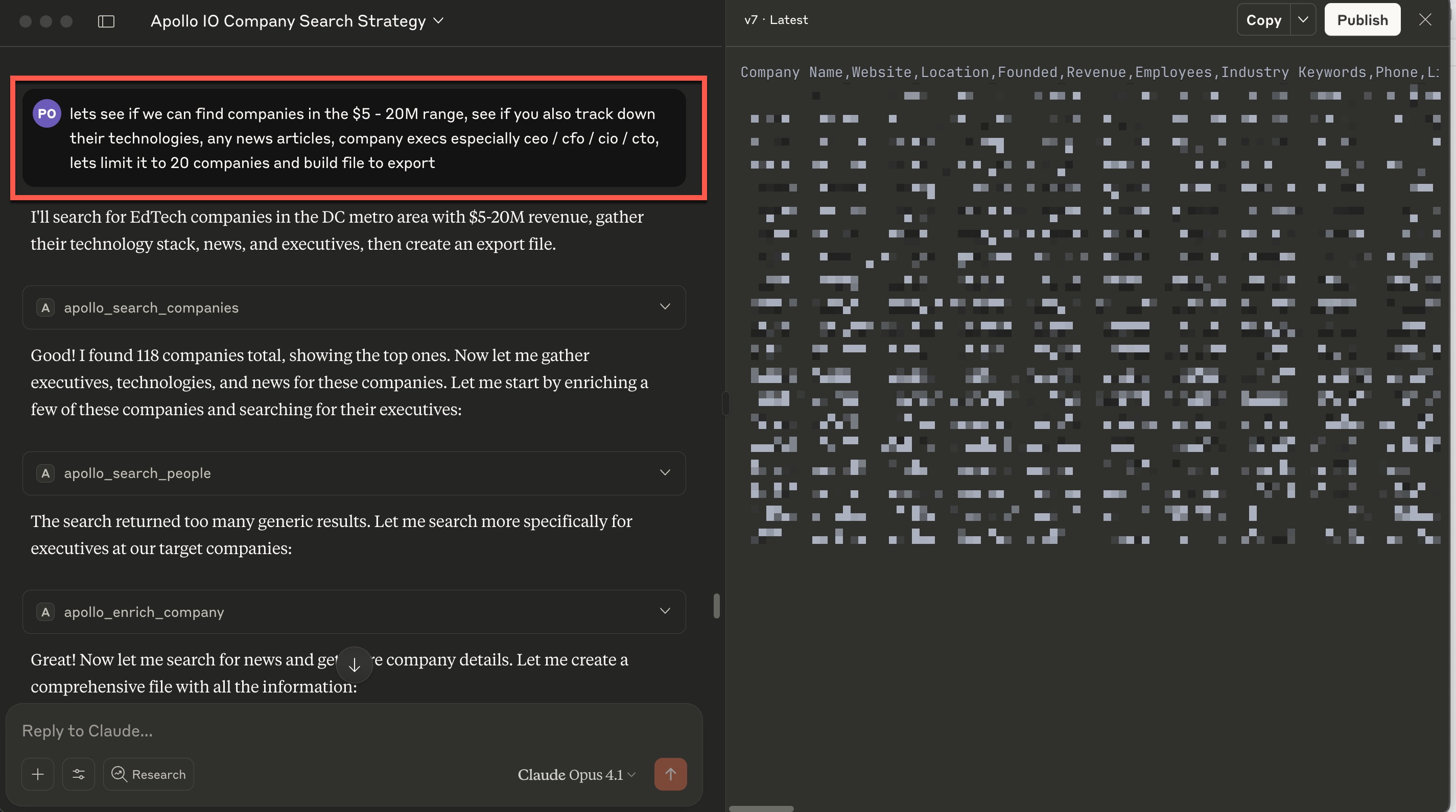
Once configured, restart Claude Desktop and try asking:
If you prefer to install from source or need to modify the code:
git clone https://github.com/thevgergroup/apollo-io-mcp
cd apollo-io-mcp
npm install
# Only if .env doesn't already exist
cp env.example .env
.env and add your Apollo.io API key:APOLLO_API_KEY=your-actual-api-key-here
APOLLO_BASE_URL=https://api.apollo.io/api/v1
npm run build
{
  "mcpServers": {
    "apollo": {
      "command": "node",
      "args": ["/path/to/apollo-io-mcp/dist/server.js"],
      "env": {
        "APOLLO_API_KEY": "your-actual-api-key-here",
        "APOLLO_BASE_URL": "https://api.apollo.io/api/v1"
      }
    }
  }
}
apollo_search_peopleSearch for people in Apollo's database with advanced filtering options. The tool provides comprehensive filter documentation to help target specific roles, locations, seniority levels, and companies.
Available Filters:
locations: Person locations (cities, states, countries)seniority: Seniority levels (e.g., ["C-Level", "VP", "Director"])titles: Job titles (e.g., ["CEO", "CTO", "Sales Manager"])departments: Departments (e.g., ["Engineering", "Sales", "Marketing"])company_domains: Company domains (e.g., ["google.com", "microsoft.com"])industries: Industries (e.g., ["Software", "Healthcare", "Finance"])technologies: Technologies they use (e.g., ["python", "react", "salesforce"])Example:
{
  "query": "CEO",
  "filters": {
    "locations": ["California"],
    "seniority": ["C-Level"],
    "industries": ["Software", "SaaS"]
  },
  "per_page": 10
}
apollo_search_companiesSearch for companies/organizations with comprehensive filtering options. The tool provides detailed documentation for all available filters to help target specific company types, locations, sizes, and industries.
Available Filters:
organization_locations: Company locations (most effective filter)organization_not_locations: Exclude specific locationsq_organization_keyword_tags: Industry keywords (crucial for targeting)organization_num_employees_ranges: Employee count ranges (very restrictive)currently_using_any_of_technology_uids: Technologies companies userevenue_range: Revenue range in dollarslatest_funding_amount_range: Latest funding round amounttotal_funding_range: Total funding amountq_organization_job_titles: Job titles in active postingsExample:
{
  "query": "education technology",
  "filters": {
    "organization_locations": ["Virginia", "Maryland", "Washington DC"],
    "q_organization_keyword_tags": ["edtech", "online learning", "education technology"],
    "organization_num_employees_ranges": ["11,20", "21,50", "51,100"]
  },
  "per_page": 25
}
Filter Best Practices:
"11,20" not "11-20"apollo_enrich_personEnrich a person's profile using email, LinkedIn URL, or name+company.
apollo_enrich_companyEnrich a company's profile using domain or name.
apollo_bulk_enrich_peopleBulk enrich multiple people profiles.
apollo_bulk_enrich_organizationsBulk enrich multiple organization profiles.
apollo_get_organization_job_postingsGet job postings for a specific organization.
apollo_get_complete_organization_infoGet complete information for a specific organization.
apollo_search_news_articlesSearch for news articles related to companies.
| Filter | Type | Description | Example |
|---|---|---|---|
organization_num_employees_ranges | array | Employee count ranges (comma-separated) | ["11,20", "21,50"] |
organization_locations | array | Company locations | ["Virginia", "Maryland"] |
organization_not_locations | array | Exclude locations | ["California"] |
q_organization_keyword_tags | array | Industry keywords | ["edtech", "saas"] |
q_organization_name | string | Company name filter | "Google" |
currently_using_any_of_technology_uids | array | Technologies used | ["salesforce", "aws"] |
revenue_range | object | Revenue range (min/max) | {"min": 1000000, "max": 10000000} |
latest_funding_amount_range | object | Latest funding range | {"min": 5000000, "max": 50000000} |
total_funding_range | object | Total funding range | {"min": 10000000, "max": 100000000} |
| Filter | Type | Description | Example |
|---|---|---|---|
locations | array | Person locations | ["California", "New York"] |
seniority | array | Seniority levels | ["C-Level", "VP"] |
departments | array | Departments | ["Engineering", "Sales"] |
titles | array | Job titles | ["CEO", "CTO"] |
This MCP server has been thoroughly tested and works seamlessly with Claude Desktop. All tests pass and the MCP protocol is fully implemented. The server includes 9 comprehensive tools covering all major Apollo.io API endpoints.
Optimized for Claude Desktop: Responses are simplified and optimized for Claude Desktop compatibility, reducing response size by up to 94% while preserving all essential information.
npm test
node test-cli.js
node test-filters.js
node test-inspector.js
The MCP Inspector provides a visual interface for testing and debugging MCP servers.
# Install dependencies and setup inspector
npm install
./setup-inspector.sh
The setup script will automatically configure the MCP Inspector with your API key from the .env file.
The inspector uses this configuration (automatically set up by the script):
{
  "mcpServers": {
    "apollo": {
      "command": "node",
      "args": ["dist/server.js"],
      "env": {
        "APOLLO_API_KEY": "your-api-key-here",
        "APOLLO_BASE_URL": "https://api.apollo.io/api/v1"
      }
    }
  }
}
npm run inspector
This opens a web interface at http://localhost:6274 where you can:
# List all available tools
npm run inspector:cli -- --method tools/list

# Test company search
npm run inspector:cli -- --method tools/call --tool-name apollo_search_companies --tool-arg query='education technology' --tool-arg per_page=5

# Test with filters
npm run inspector:cli -- --method tools/call --tool-name apollo_search_companies --tool-arg query='edtech' --tool-arg 'filters={"organization_locations":["Virginia"],"q_organization_keyword_tags":["edtech"]}' --tool-arg per_page=3
The API key setup is covered in the Claude Desktop Setup section above. For reference:
.env file in the project directory with your API keyAPOLLO_API_KEY in the .env file or environment variables"11,20" not "11-20"This project uses semantic versioning and automated publishing. See RELEASING.md for detailed instructions.
Quick release commands:
npm run release:patch  # Bug fixes
npm run release:minor  # New features
npm run release:major  # Breaking changes
This project is licensed under the MIT License - see the LICENSE file for details.
Install via CLI
npx mdskills install thevgergroup/apollo-io-mcpApollo.io MCP Server & CLI is a free, open-source AI agent skill. A Model Context Protocol (MCP) server and command-line interface for Apollo.io. This package provides: - MCP Server: Integrates Apollo.io with Claude Desktop for conversational access to B2B data - CLI Tool: Command-line interface for direct API access via terminal Both tools provide access to Apollo's comprehensive B2B database for people and company search, enrichment, and insights. - Apollo.io
Install Apollo.io MCP Server & CLI with a single command:
npx mdskills install thevgergroup/apollo-io-mcpThis downloads the skill files into your project and your AI agent picks them up automatically.
Apollo.io MCP Server & CLI works with Claude Code, Claude Desktop, Cursor, Vscode Copilot, Windsurf, Continue Dev, Gemini Cli, Amp, Roo Code, Goose. Skills use the open SKILL.md format which is compatible with any AI coding agent that reads markdown instructions.