
ACP to MCP Adapter Connect ACP Agents to MCP Applications Seamlessly The ACP to MCP Adapter is a lightweight standalone server that acts as a bridge between two AI ecosystems: Agent Communication Protocol (ACP) for agent-to-agent communication and Model Context Protocol (MCP) for connecting AI models to external tools. It allows MCP applications (like Claude Desktop) to discover and interact with
npx mdskills install i-am-bee/acp-mcpRelated
@i-am-bee? Sign in with GitHub to claim this listing.Well-documented bridge between ACP and MCP ecosystems with clear setup instructions and limitations
ACP to MCP Adapter
Connect ACP Agents to MCP Applications Seamlessly
The ACP to MCP Adapter is a lightweight standalone server that acts as a bridge between two AI ecosystems: Agent Communication Protocol (ACP) for agent-to-agent communication and Model Context Protocol (MCP) for connecting AI models to external tools. It allows MCP applications (like Claude Desktop) to discover and interact with ACP agents as resources.
This adapter enables interoperability between ACP and MCP with specific benefits and tradeoffs:
This adapter is best for situations where you need ACP agents in MCP environments and accept these compromises.
acp-sdk, mcp1. Run the Adapter
Start the adapter and connect it to your ACP server:
uvx acp-mcp http://localhost:8000
Note:
Replace
http://localhost:8000with your ACP server URL if different.
Prefer Docker?
docker run -i --rm ghcr.io/i-am-bee/acp-mcp http://host.docker.internal:8000
Tip: host.docker.internal allows Docker containers to reach services running on the host (adjust if needed for your setup).
2. Connect via Claude Desktop
To connect via Claude Desktop, follow these steps:
~/Library/Application Support/Claude/claude_desktop_config.json%APPDATA%\Claude\claude_desktop_config.json{
"mcpServers": {
"acp-local": {
"command": "uvx",
"args": ["acp-mcp", "http://localhost:8000"]
}
}
}
Prefer Docker?
{
  "mcpServers": {
    "acp-docker": {
      "command": "docker",
      "args": [
        "run",
        "-i",
        "--rm",
        "ghcr.io/i-am-bee/acp-mcp",
        "http://host.docker.internal:8000"
      ]
    }
  }
}
3. Restart Claude Desktop and Invoke Your ACP Agent
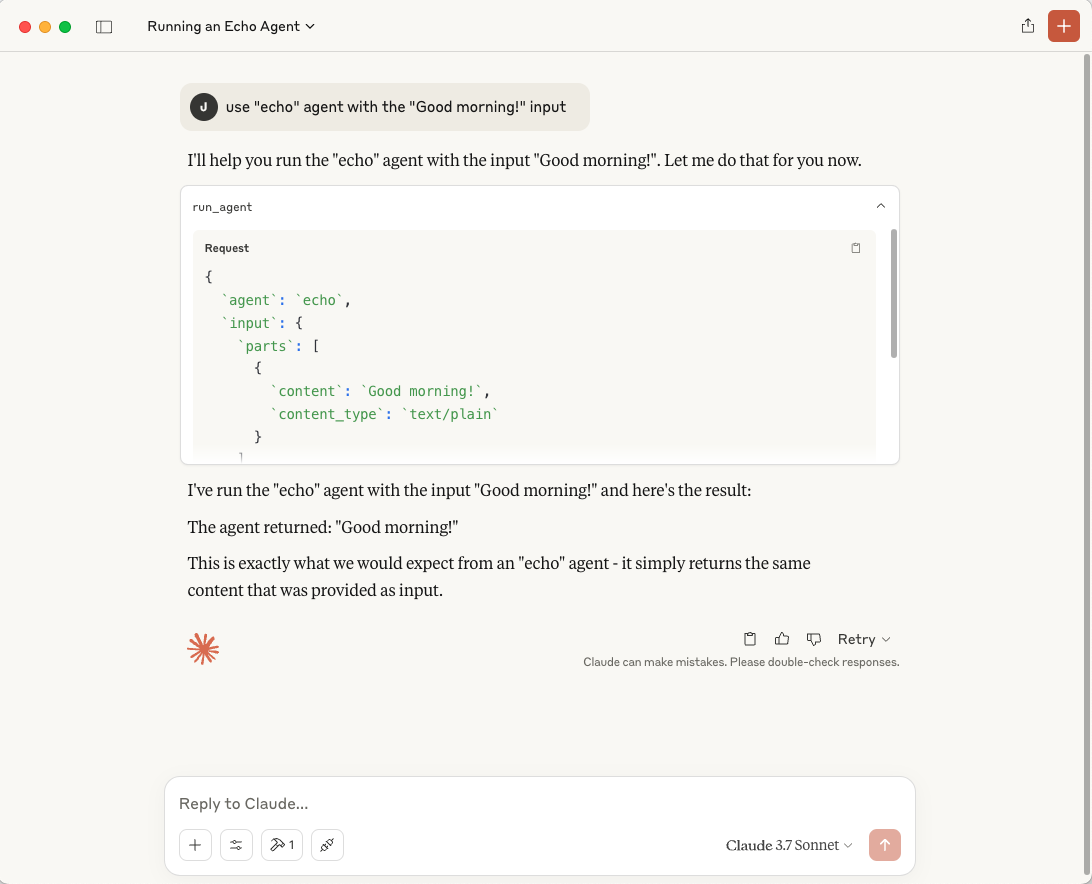
After restarting, invoke your ACP agent with:
use "echo" agent with the "Good morning!" input
Accept the integration and observe the agent running.
Tip:
ACP agents are also registered as MCP resources in Claude Desktop.
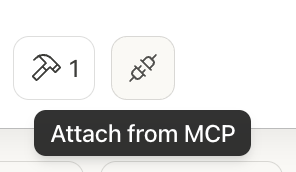
To attach them manually, click the Resources icon (two plugs connecting) in the sidebar, labeled "Attach from MCP", then select an agent like
acp://agents/echo.
acp://agents/{agent_name}run_agent, letting MCP apps easily invoke ACP agents.Developed by contributors to the BeeAI project, this initiative is part of the Linux Foundation AI & Data program. Its development follows open, collaborative, and community-driven practices.
Install via CLI
npx mdskills install i-am-bee/acp-mcpACP to MCP Adapter is a free, open-source AI agent skill. ACP to MCP Adapter Connect ACP Agents to MCP Applications Seamlessly The ACP to MCP Adapter is a lightweight standalone server that acts as a bridge between two AI ecosystems: Agent Communication Protocol (ACP) for agent-to-agent communication and Model Context Protocol (MCP) for connecting AI models to external tools. It allows MCP applications (like Claude Desktop) to discover and interact with
Install ACP to MCP Adapter with a single command:
npx mdskills install i-am-bee/acp-mcpThis downloads the skill files into your project and your AI agent picks them up automatically.
ACP to MCP Adapter works with Claude Code, Claude Desktop, Cursor, Vscode Copilot, Windsurf, Continue Dev, Gemini Cli, Amp, Roo Code, Goose. Skills use the open SKILL.md format which is compatible with any AI coding agent that reads markdown instructions.